I am new to computers (and even more so to smartphones). When I turned on my new phone, I was horrified to see that it was completely controlled by Google. Since then, I have been trying to install /e/os on my FP3.
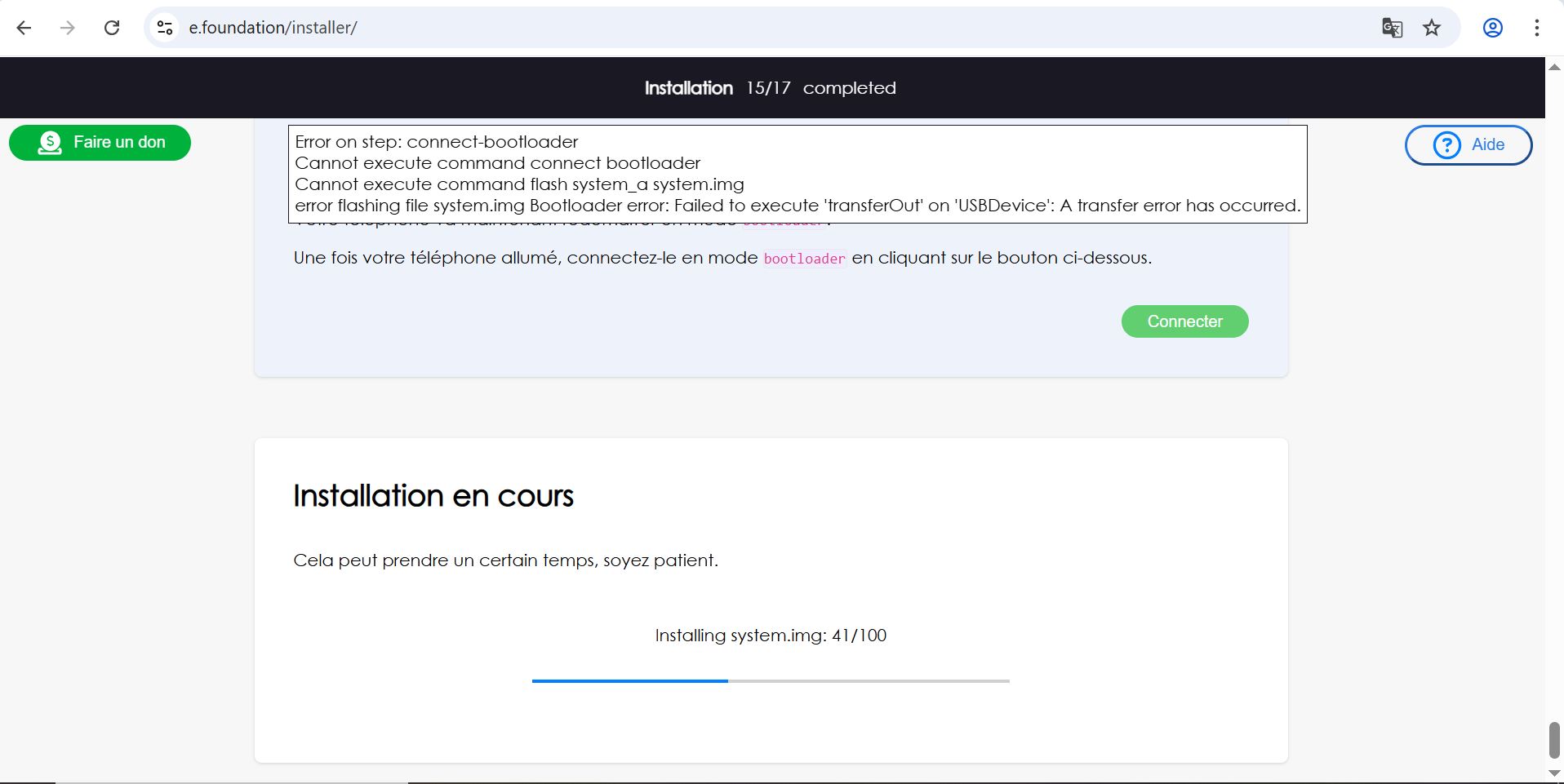
I am using Easy Installer. During installation (step 15/17), the process stops at 41% with the following error message: “Error on step: connect-bootloaderCannot execute command connect bootloaderCannot execute command flash system_a system.imgerror flashing file system.img Bootloader error: Failed to execute ‘transferOut’ on ‘USBDevice’: A transfer error has occurred.”
Je l’ai déverouillé avant que le téléphone redémarre. Ensuite j’ai réactivé les options de développeur puis j’ai réactivé le transfer de fichier par USB. Dans easy installeur, l’étape suivante est de se connecter en mode bootloader. C’est durant cette étape qu’e l’installation s’est intérompue.
J’ai débrancher le cable USB pour pouvoir l’éteindre. lorsque je fait “volume down” + “power”, il revient sur le fastboot mode. Sur la dernière ligne : “DEVICE STATE - unlocked
Try with another cable and if available through other usb ports.
No. 4 in the lineage os installation instructions is quite exactly what you would need to check:
“Once the device is in fastboot mode, verify your PC finds it by typing:
fastboot devices
If you don’t get any output or an error:
on Windows: make sure the device appears in the device manager without a triangle. Try other drivers until the command above works!
on Linux or macOS: If you see no permissions fastboot try running fastboot as root. When the output is empty, check your USB cable (preferably use a USB Type-A 2.0 one or a USB hub) and port!
Tip: Some devices have buggy USB support while in bootloader mode, if you see fastboot hanging with no output when using commands such as fastboot getvar ..., fastboot boot ..., fastboot flash ... you may want to try a different USB port (preferably a USB Type-A 2.0 one) or a USB hub.”
Mon téléphone est toujours en mode fastboot. J’ai rafraichie la page easy installer (pour relancer la dernière étape). Là, il est reparti à l’étape 1 et ne reconnait plus le téléphone. Je ne sais plus quoi faire…
Are you using Linux or Windows ?
If you are in your home directory and the android tools are not installed on your computer, you have to type the full path pointing to the fastboot binary, set the path variable or change the current path to the directory where fastboot is located.
Peut-etre tu as deja repondu a cette question plus tot, est-ce que tu as telecharge ‘adb’’ et ‘fastboot’? Avec ces outils alors tu peux entrer les commandes fastboot.
J’ai bien suivi toutes les étapes de l’installer. J’ai ajouté des pilotes car windows ne reconnaissait pas l’android. Je n’ai pas installé d’autres outils.
si tu ne vois pas l’option pour le terminal essaye la combinaison ‘‘shift + clique droit’’ (shift: fleche au dessus de ctrl, pour faire les majuscules (au cas ou)).
Tu devrais avoir les options ‘ouvrir dans terminal‘ et ‘ouvrir dans powerShell‘ utilise l’'un ou l’'autre