The microphone doesn’t work during phone calls, the person on the other end of the call can’t hear me.
If I set the phone to speaker then the mic works, but that’s not really a viable solution.
Both onboard mics are functional, as proven by the debug tester, and audio seems to work fine on WhatsApp and Messenger calls, but not regular phone calls (unless it’s in speaker mode).
I tried an alternate dialer app, but that had the same issue.
Has anyone got any ideas on how to fix this? Given this and all the other issues I’ve had with the FP6 so far I’m confident I’ll be sending it back, but I do still need a phone for a few more days until my Oneplus 13R arrives.
Hello,
I have a problem with my Fairphone 6 and the microphone.
When I make a call with the Fairphone, the other party only understands me in a choppy way.
I have already tested the “Google phone app” and the “Fossify phone app”. The problem occurs with both.
Even restarting the phone did not help.
The problem occurs both when making calls on the cell phone and on the landline.
If I switch on the hands-free function, the problem does not occur. Making calls with a Bluetooth headset also works without any problems.
Does anyone have similar problems or know a solution?
Regards
For me, the combined info you’ve provided (different apps, hands free, bluetooth headset) point to either a problem with the bottom mic, and / or a problem with noise reduction.
I would begin by performing a test of Mic 1 (the microphone at the bottom, used in conjunction with the earpiece). You’ll find the internal hardware testing tool in the “Support” section of the MyFairphone app.
Tap the “Other” button.
Then tap “MANU”, then choose “Audio”.
Rub the designated mic with your fingertip, you should hear the sound. After each test choose either PASS or FAIL according to the result.
After the Audio test, scroll down to the bottom for Exit.
Hello,
the tests in the My Fairphone app were all successful.
Could it be a software problem?
Apparently the problem does not occur permanently.
I found another entry in the forum that describes the same problem.
Regards
Dominic
Well spotted!
I hope you don’t mind if I move our conversation over to join Inverted Walrus. Hopefully we’ll be able to progress together.
So to sum up, InvertedWalrus’ callers hear nothing at all during calls, whereas Dominic’s hear poor sound quality.
I’ll be sending my FP6 back (when the support team actually respond) given this and various other issues, but if it helps you diagnose the issue then I also tried the hardware testing tool @OldRoutard described and it worked okay. I suspect it’s a software bug, but it’s interesting to see someone else with a similar issue, albeit seemingly not an identical one.
… didn’t the FP4 have the exact same issue, and then the FP5? Having the same bug a third time is… worrisome. Does it affect only a subset of users, or is it simply that nobody actually uses their phones to make phone calls any more? 
Which OS versions are you people using?
A new update A.15 MR2 (QREL.15.105.0) was pushed out yesterday, though your phones may not have seen it yet.
Probably too early to say 
More seriously I guess a subset, I mean presumably they did test actual phone calls at some stage, so it must work on the test phones!
For me, the microphone works ok on phone calls (at least after the update, didn’t test a lot before)
Just in the Sound Recorder App, the quality is awfull.
Hello,
I have not yet been offered the latest version via OTA.
My phone is still running version FP6.QREL.15.91.0.
However, the changelog did not mention that a microphone bug had been fixed.
I think the problem does not always occur. I made three phone calls today. The first one was OK, but the problem reappeared on the others.
It will be useful to gather as much info as possible about each call, for example
- Mic 1 : OK | Mute | Garbled
- OS version on FP6
- Partner : Mobile | Landline
- Technology used : Wi-Fi | 4G (VoLTE) | GSM or Edge
This is shown in the “call history” of the stock Phone app and doubtless others.
Wi-Fi symbol = Wi-Fi Calling; HD symbol [implies] VoLTE (but requires Partner HD capable); both = Wi-Fi call with high definition audio; None = GSM. - Roaming or other circumstances
Changelogs are often incomplete. However it’s important to know the versions different phones are running when comparing any data.
Hello,
- Mic 1 : OK in MyFairphone App but garbeld in calls
- OS version on FP6: FP6.QREL.15.91.0 (still waiting for the OTA Update)
- Partner : Mobile = T-Mobile Germany, Landlane = Telekom and Sipgate
- Technology used : GSM (it shows none)
- Roaming or other things are not active
No VoLTE available or enabled?
Thanks!
Just to be clear, I suggest gathering all of those parameters for each of a number of calls, covering cases where Mic 1 works and others where it doesn’t.
By “Partner” I mean the type of phone used by the person you’ve called or who called you, so either a landline or a mobile.
You can also try to set up test calls using the different technologies that are available to you.
In my settings, 2G,3G,LTE,5G is activated.
My phone is registered with 5G.
There is no entry in the call log which technology was used.
It was an iPhone and a telephone system at a company. I can’t answer which system is used there.
Tests at home with a Fritzbox and a Fritzphone also have the same problems.
If I call the Fitzbox with a phone other than the Fairphone, the problems do not exist
As yvmuell asked, have you not enabled VoLTE / 4G Calling?
This option can be found in Settings > Network and Internet > SIMs > [your operator] > 4G Calling
It’s possible the service is not provisioned by the operator, but unlikely.
For Wi-Fi Calling, go to Settings > Network and Internet > SIMs > [your operator] > WiFi Call
Obviously this needs also to be provisioned by the operator, and your phone needs to be connected to Wi-Fi for it to work.
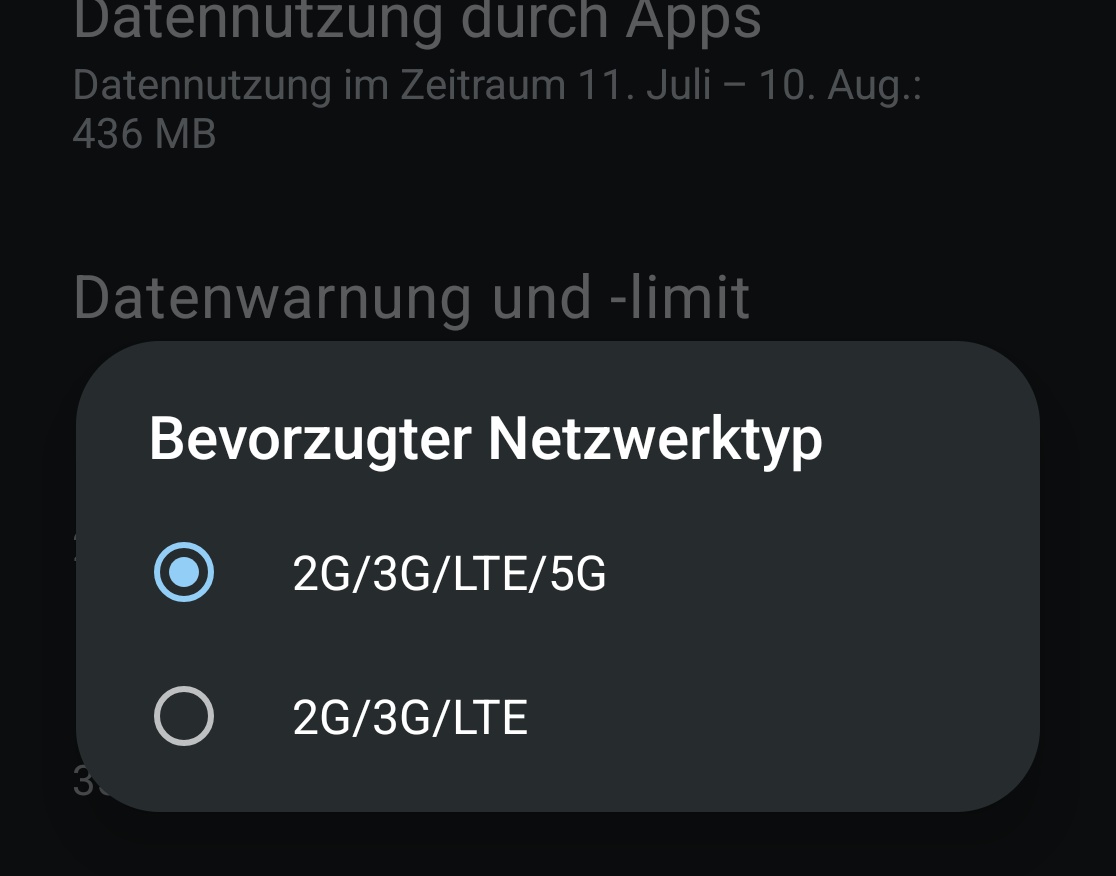
Can you check wvem if the setting isnt there is its available?
Call. *#*#4636#*#* and check IMS status under the 3 dots with wifi disbaled
Either way that is provider specific. How old is the SIM card?