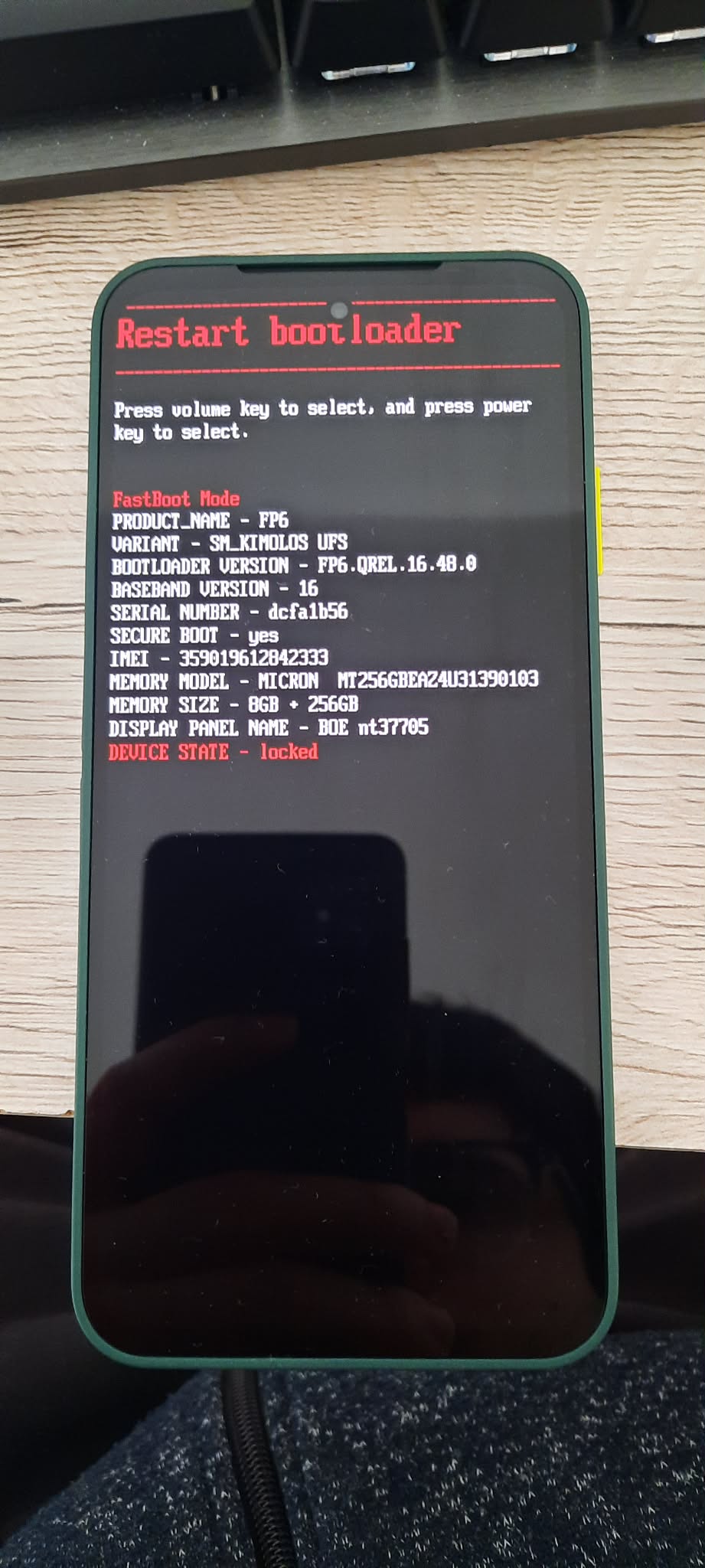
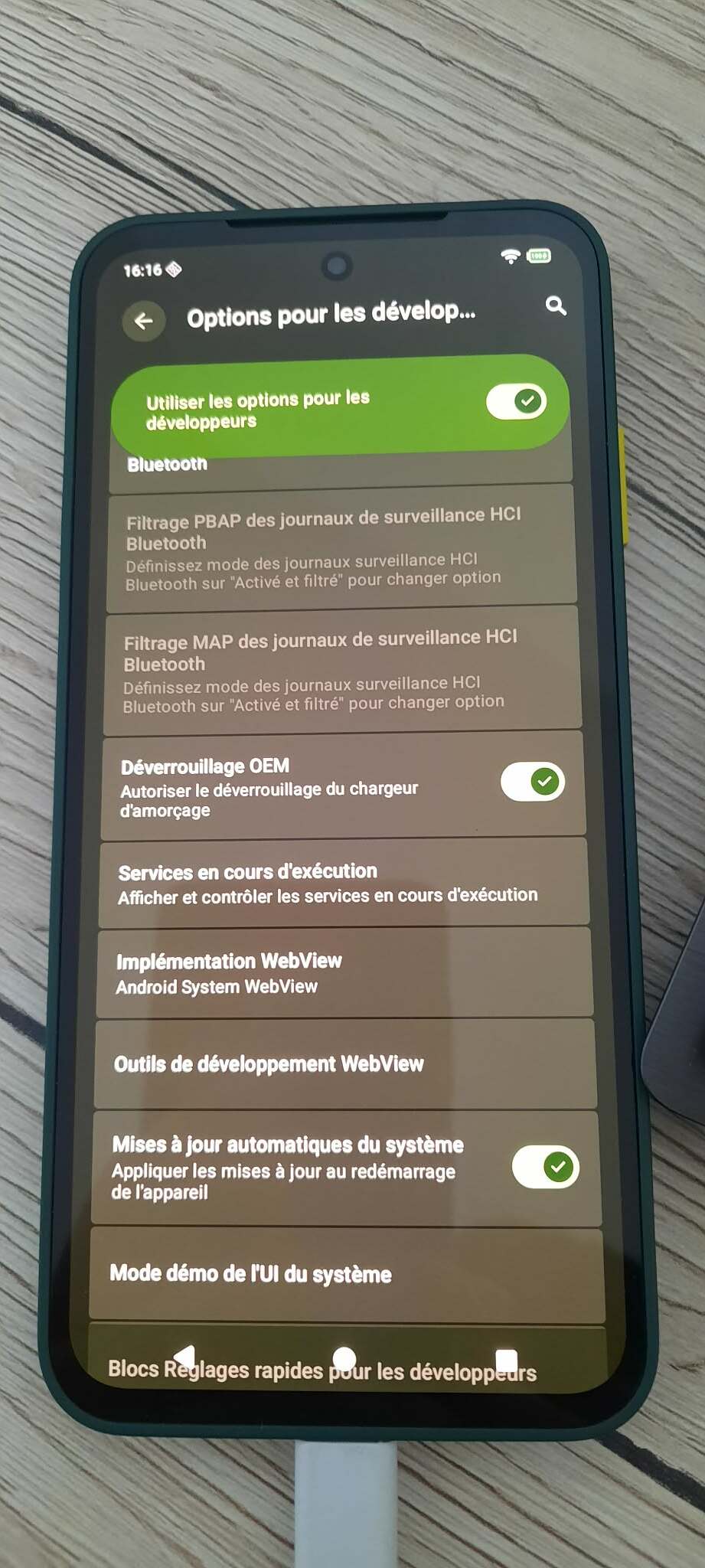
Hi there all,
First of all, I’m sorry, I know that there’s already been a number of topics about the same thing, but I seem to have yet another set of problems myself…
I’ve just acquired a Fairphone 6 and chose to buy it under Android to not have to pay 50€ more, thinking I’d make the switch on e/os myself.
But here’s the thing, it just doesn’t seem to work, whatever I try. I tried using the web installer, but when I’m supposed to get the pop-up on the phone, I never get it. It seems I have an “ADB” problem, but whatever I install, whatever I download, whatever I try on PowerShell, it just doesn’t work.
I’m kinda desperate here, especially since I’m not really good when it comes to things PowerShell and such. I also don’t have access to Linux whatsoever, and I’m sorry but I don’t really plan on downloading and installing a whole other PC OS just to install a phone one…
So I just wanted to try my luck here, maybe you could help me in one way or another…
I’ll stay around and I can provide as many screenshots or info as needed.
Yes, I think I did. The OEM is unlocked, the USB debugging - all this is okay, and I even managed to enter the “bootloader mode” (I think it’s that?) by booting the phone while pressing power + volume down.
But then, I saw that I’m supposed to use PowerShell and the platform-tools, but nothing ever happens there
“adb” tool can be used instead of buttons to reboot the phone, but is not mandatory in case of Fairphone devices… “fastboot” is
“Power-Shell” is not the right windows tool, but “Command-Prompt” or better the “Git-Bash” that is needed to flash the device from a Windows machine.
I have the OEM activated yes, one of the first thing I did was to go get my code and I used it to be able to slide this setting. Though I did all this before doing the updates. I’m doing it again, just to be sure
Yeah no, got carried away again. Still nothing on the web installer and still device state locked on the bootloader. I’m starting to think I might just be too stupid for this
Actually with just OEM unlocking you don’t really unlock the bootloader. It just gives you the option to unlock the bootloader.
The real unlock you do in the installer script.
God dammit, the problem came from my PC, there’s surely a piece of software that’s missing.
I tried with another laptop and it worked. Might be cause I built my desktop myself and hence probably bypassed some software installation that’s included in laptops?
In any case, it did work, apparently. I saw the Murena and e/os logo on the phone, so I suppose it’s installed indeed.
My problem now is that I’m stuck on the boot loader screen.
Thank you. I didn’t know that to be honest, I thought using the Web installer was a safe, streamlined way to get it working. I just updated the phone and launched the install…
The return I get is 1, so that means that the phone is not totally bricked and can still be saved?
Good news folks.
So after the comment Lidwien made about 1 and 0, and the return being 1, I got hope again that the phone wasn’t bricked.
So I made my research and eventually did what maybe is the basics: I downloaded the factory image of Android on a Fairphone website and flashed it. This part took the more time cause I didn’t exactly know how and what to flash, but I ended up flashing ./flash_fp6_factory.sh in the same folder the platform-tools were.
This reset the phone to Android, and not connecting it to any wifi allowed me to check and make sure there was a more recent version of e/os, as explained by piero-e above.
So I felt quite emboldened by this success and went to try and download the latest e/os version. I did, and did the same thing, flashed this new ./flash_fp6_factory.sh with the platform-tools files in the same folder, and voilà, phone is working, Murena is running, all seems well now.
Thank you for your time, now I really feel dumb and that I wasted it more than anything else. It seems so simple now that I’ve done it…