Hello,
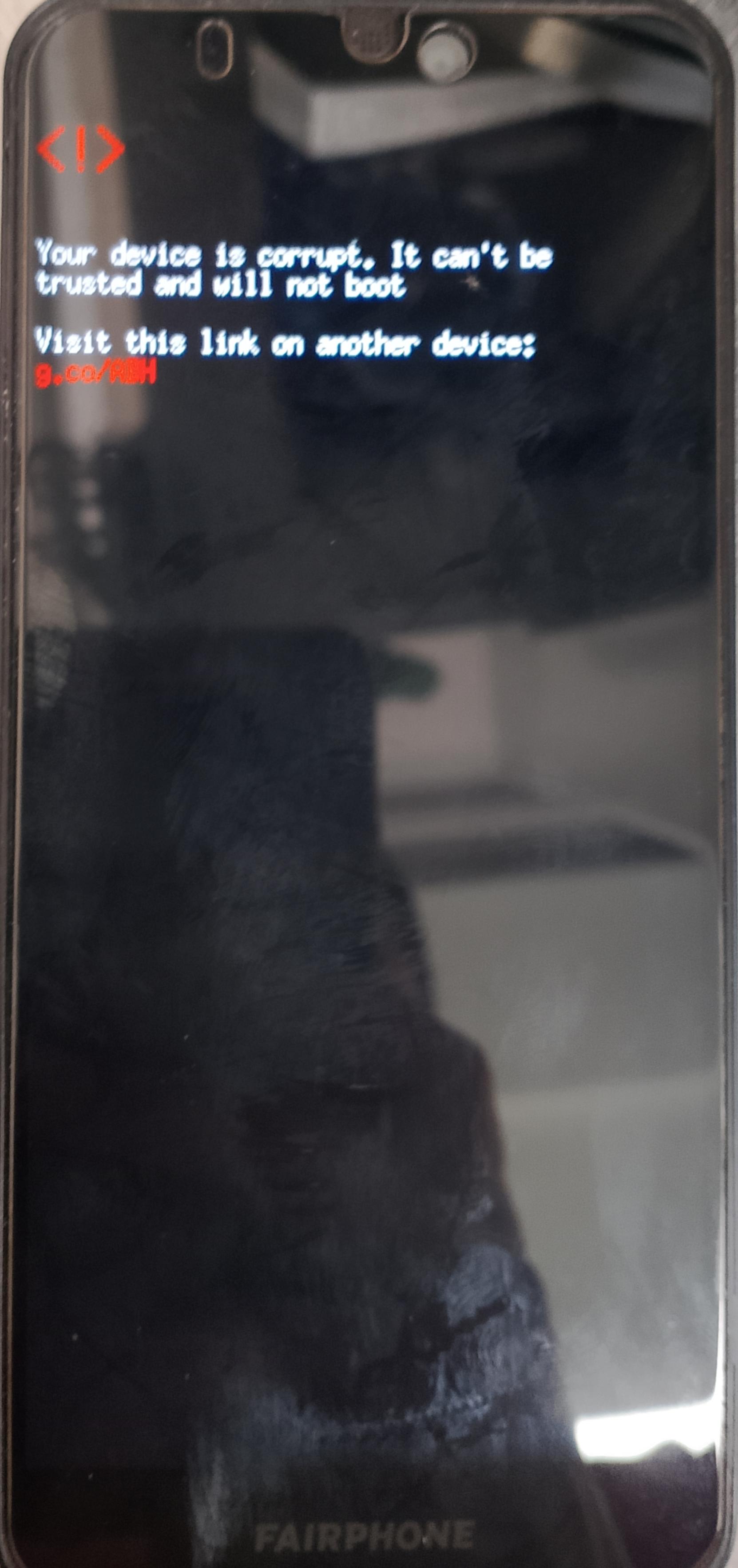
Yesterday I received the update to the the latest version of Android 13. In the description, the February patch and some bootloader improvements were listed. However, after installing it and restarting, the phone got stuck on a loading screen.
<!>
Your device is corrupted. It can’t be trusted and will not boot.
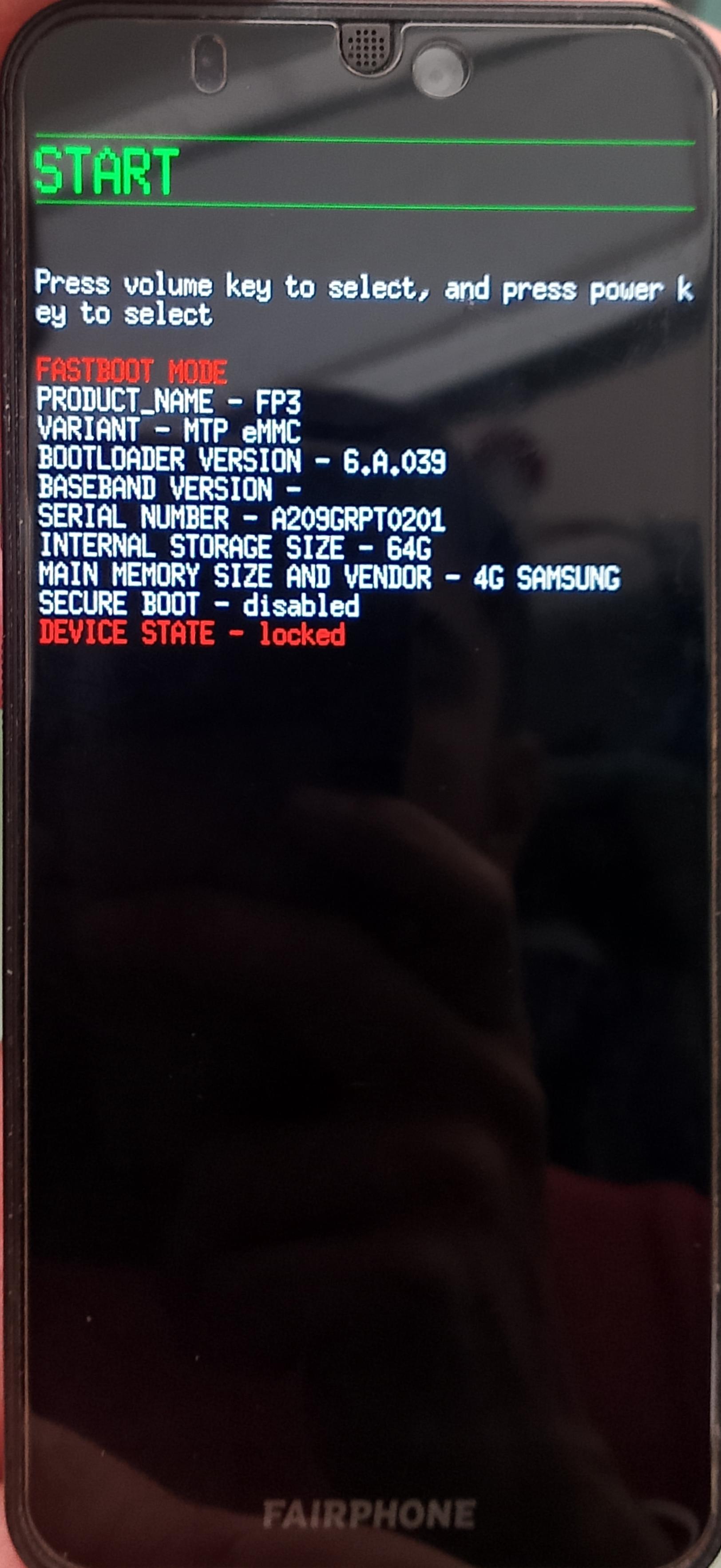
After 30 seconds, the fastboot page appears, but I am unable to restore the phone: if I select START or RECOVERY MODE the phone shows the same message, if I select RESTART BOOTLOADER the phone come back to the fastboot mode page.
I tried connecting the phone to a PC to reinstall the OS, as described in the support pages, but the PC cannot find the phone.
It didn’t work.
I pressed the power button, after the message and the 30 seconds, I selected START, the phone showed again the message and the fastboot page, I repeated the selection and the same result happened for around 10-11 times.
I also tried for about 5-6 times to select POWER OFF from the fastboot page and restart the phone.
I think my slot/partition area got screwed when I tried to install /e/ some years ago becuse I remember I had some problem and I had to reinstall the Android with the fastboot mode procedure.
I tried the power off / reboot cycle now more than 10 times.
I wonder why it still shows 6.A.039 in the fastboot screen, however the phone installed update 6.A.040.
Is it possible to re-apply the update manually? As far as I understand the above mentioned procedures in Device is corrupted after latest Android 13 update - #6 by yvmuell will wipe all data on the phone, which you might understand is not what I want to do on a phone that is in daily use.
It would be nice to also get an update on what @Pandalf did and whether it worked.
I didn’t find a solution yet, i tried powering off and restartingfor more than 10 times in a raw as suggested by Lidwien but it didn’t work.
i tried using edl as written in the two discussions suggested by yvmuell but not having a linux I faced problems, even if it seems that my phone enters in the EDL mode i cannot use the lsusb command under windows . so now I’m trying to get a linux distro to try the unbrick method with edl.
Hi, this is kind of a metoo. My Fairphone 3 is corrupted since the update yesterday evening. I wonder if its the update that corrupts devices. I will reach out to Fairphone if this is a known issue.
Similar problems here. Just I have less clue about any of the tools and modes described. My phone did not bring any message that it was corrupted, but stopped working yesterday. I did not concisely install any updates, but it seems to me like the most plausible explanation that the phone did it on it’s own yesterday. Not sure if I set it like that.
I tried installing the latest version via sideload. (Recovery also shows 13/6.A.039 on my end) But the phone goes black after a while and I’m not sure if it aborts step 1/2 or when it tries to initiate step 2/2 of the sideload process.
I’m pretty stuck with the options here similar to unclelutz. But I’ll look into the suggestions from yvmuell as much as I can now. Just wanted to report another case here and am hoping for a solution. Cheers
Reporting another case, my Fairphone 3+ is now unusable after the upgrade without any warning. I unfortunately don’t have much time to debug right now but might come back later with some information, what would be most useful to identify the root cause?
The 7 reboot cycles didn’t help. That’s pressing the power button for a few seconds until the error message appears and then pressing the power button for a few seconds until the screen turns off.
Update: Investigated a bit with fastboot. The active slot appears to be a. Changing that with –set-active=b does not persist across reboots, or rather it immediately becomes a again after a reboot. So both slots might be corruped, which would explain why the reboot cycles didnt work.
Since my bootloader is locked I can not flash the boot partition without unlocking therefore erasing all data.
Fastboot didn’t complain about that but I assume you are right. Can I provide any information or do tests before wiping the phone? (Heard good things about /e/)
How did you get the phone recognised by the pc? I am still unable to get info from the device when connected.
Are you using adb on windows or linux? did you have the USB debug mode enabled on the phone?
PS: I have also noticed that pressing any key when the screen with "<!> … corrupted.. “ message appears, turn off the screen but not the phone because i’m not able to turn it on again. The only way I found to turn off the phone is by removing the battery and in the fastboot page selecting the STOP command.
A while after the corruped message the phone will automatically enter fastboot mode. From there I used fastboot on Linux to identify the device (fastboot devices). I likely had USB debug mode enabled before, can’t verify that claim.
Holding the power button for a few seconds should reboot the phone, use the volume buttons in the fastboot menu to power off.
My Fairphone 3+ bricked in the same manner as above, I was able to unbrick the device by going back to FP3-6.A.039.7 using this guide ( Fairphone 3 unlocking without oem unlocking ) and flashing the device with the full FP3-6.A.039.7 fastboot package to unbrick the device without data loss, I do hold off a week to attempt to avoid such issues but the dice rolled against me this time
It has been unlocked in the past and flashed with magisk boot images but I did flash it with the latest (at the time) full fastboot image before relocking and formatting the device