After updating to Android 15, my FP5 no longer recognizes my previously working USB-C to 3.5 mm headphone adapter.
Here is what I have tried so far, in order, none of which worked:
Cleaned the charging port
Changed the auto-switch setting in Developer Options
Tested multiple adapters with confirmed DACs, not the Fairphone one
Tested multiple USB-C headphones
Installed a new charging port
After installing a new charging port today and still having the same issue, I am fairly certain this is related to the software update. I am quite frustrated at this point.
Do you know if there is anything else I could try that I may have missed?
Thanks.
EDIT: The phone does recognize that I plug something into the port. In “connected devices“ it does pop up when I plug it in. It also says that the connected device is charging, which is odd.
Hi
Installing a new port does not exclude the possibility of hardware issues but of course we should not limit ourselves and check all the other options.
I do not think it is a widespread bug connected with the software update (meaning everyone is affected), but certain settings on a unique phone might of course produce an unwelcomed effect.
My suggestions:
more troubleshooting - is data transfer possible?
there is a dedicated test for accessories in MyFairphone App, you can also get it suggested using the self-repair portal
I just tried the internal testtool.
My fp5 does not detect anything when testing “digital accessory“ or “Analog headset“
When testing “USB 3.0“ it also fails:
Plug Status1: OK
USB 3.0: NOK
Plug Status2: NOK
USB 3.0: NOK
Windows does at first recognize the device, but directly after that says the device has caused a malfunction and is disconnected. So data transfer is also not possible.
This makes me think it could also be a hardware issue.
Are you sure that whatever you want to connect to your FP is plugged into the USB-C adapter FIRST and THEN the adapter into the Phone? That order is mandatory!
Otherwise the processor within the plug has no clue which operating mode it should request from the phone and usually charging will be activated.
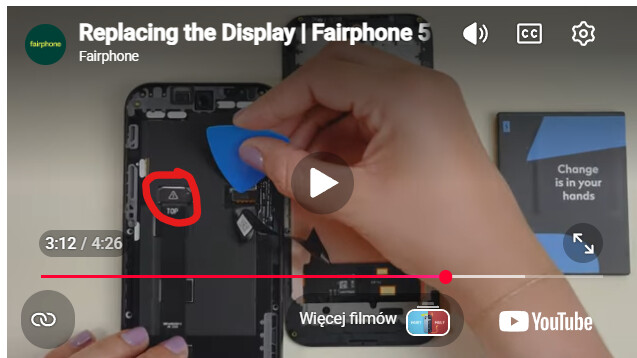
If you do, I would recommend to keep the display cable (next to it) connected as it is (don’t unplug that one unless really necessary). The data transfer cable (circled red by meaghan) should be significantly less risky to unplug as it is in more fixed position.