For you its not usable
Since this update I haven’t been able to use the switch button. The button doesn’t work at all. When I try to open the app with settings - apps it flickrs and then noting. I already searched the forum, deleted cache and storage, restart in safe mode (didn’t work there either), rebooted after this, but nothing.
I found in Moments switch and settings broke - #5 by WilcoBoode a solution, but that doesn’t always work very smoothly. When turning it on the screen only changes to the Moment by swiping up. When turning off the home app stays on Fairphone Moments or switches to Quickstep. I use NOVA launcher.
When will the switch button work like with Android 15 again?
That’s useful to know. Problems might be caused because Moments is in itself a sort of launcher. You might do well to read around a bit, for example with this search.
Unfortunately I cannot install update. 16.61.0.
It starts but when progress bar is about 60% I get the message “couldn’t update”
In red the message Installation problem.
Since android 16 my Fairphone 6 is very unstable, several apps work unpredictable.
More people facing this issue?
What does that mean exactly?
Did you try with mobile data instead of wifi to update?
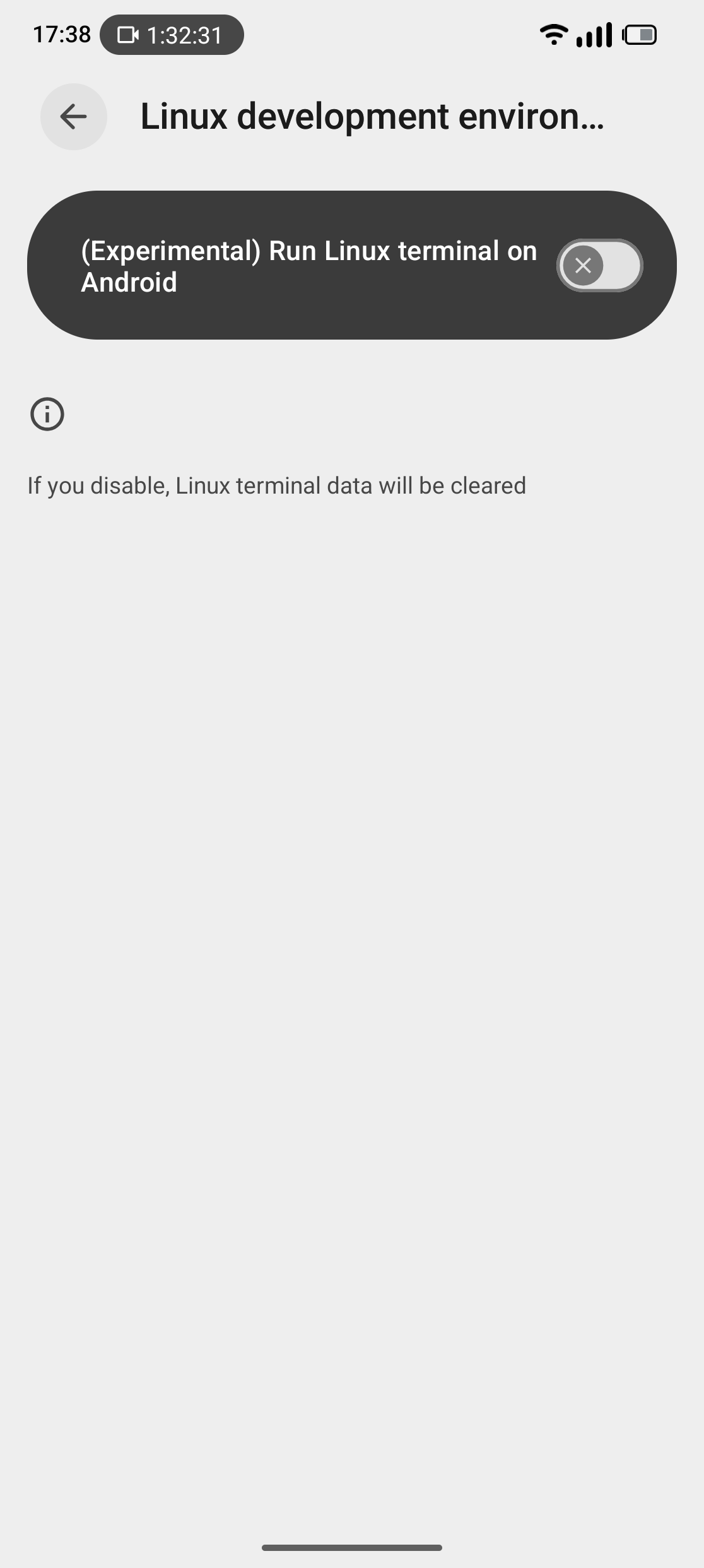
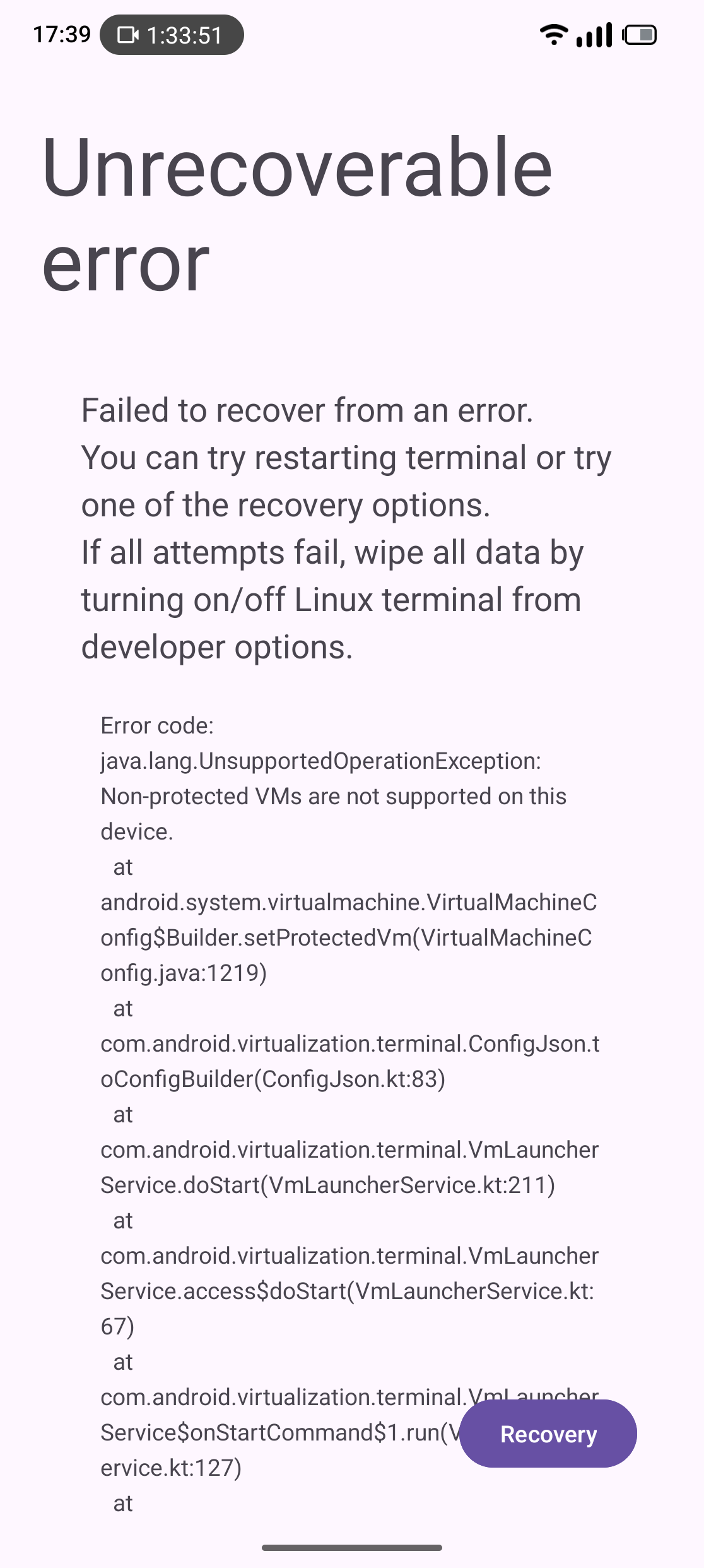

Why do you think that experimental feature should work on a Fairphone?
I tried with wifi to upgrade.
Will give it a shot on mobile.
Apps sometimes work well and an other time when you start them, they are stuck. This happend with several apps. Like the Lidl app, newspaper app, weather app ect. Clearing cache and storage doesn’t help neither.
Just tried to update with mobile network but same issue.
As mentioned above thats a known issue with wifi
Do you use anything blocking internet, vpn…
No, no vpn or whatsoever.
It looks like it downloaded the update but when installing it fails.
About the wifi issue I misunderstood, I was thinking you meant to update over mobile.
I will try with mobile data only when apps are working weird.
Hope that will be fixed quick, though.
Thats what I meant indeed so for whatever reason you are not alone with the install problem…
Oké, thanks anyway.
Maybe a coldstart might help, meaning install from scratch.
But that means, all data will be wiped and all apps need to be reinstalled.
I better wait a little.
This is part of Android ecosystem.
Android evolves beyond its capabilities, it would be nice to use of with some other operating system apps.
I had this feature running with no problems on my old pixel 6 phone. You can even run graphical programs, and if you connect to a bigger screen you can use your android device as fully functional Linux operating system for word processing (libre office suite) , graphic editing tools (like gimp or inkscape), video editing, general coding and full desktop version of any web browser ( like Firefox, Chromium, or more).
Imagine the idea of having full desktop computer in your pocket.
Searching the internet for the error message in your screenshot leads to this probably being a Qualcomm issue … Qualcomm Snapdragon chips can't use one of Android's best features
So, the solution should be to let market demand arise in the perception of Qualcomm  .
.
I hope you are aware that the FP6 doesn’t support desktop mode, so you would need other means to connect … FP6 Discussion about USB-2 and missing Desktop Mode
Yes I am ,
Screen mirroring is enough for me for what I would use it.
Unfortunately I just discovered that experimental Linux terminal feature is not working on Qualcomm chips. I can still use termux and one of desktop environments that are working inside it.
I never replied, but I managed to get it working by reading your search. I don’t remember what I did exactly, but I have been able to restore the connection with the switch. Thank you!