Softbrick Fastboot Bootloop Fairphone 6 e/os Dont recognize ADB, Device, Murena

We tried to flash a Fairphone 6 e/os with webinstaller on a MacOS. While loading e/os, the loading process dured over 30 minutes (98/100), when we stopped the process to try it on an Ubuntu device, the Murena logo was shown. But the FP6 is stucked at the fastboot mod and only shows the options »start, restart bootloader, recovery mod, power off«… It just doesnot want to connect via ADB nor show itself in the terminal list.
What else can we do? We feel really helpless rn.

Please help us, if you can. Thanks!

You cant use adb while in fastboot/bootloader.

I would either start the e/OS install again (manually) or flash FPOS first (dont lock the bootloader) and start new. Be careful with the patch level date

Just to clarify: When you confirm START (by pressing the power button), where does this lead you to? Just the same screen again?
1 Like

Same situation, I used this Install /e/OS on a Fairphone The Fairphone (Gen. 6) - “FP6” to install e/OS (IMG-e-3.2-a15-20251022539003-official-FP6.zip) on a brand new FP6 and it all worked well until the very last fastboot flashing unlock_critical. Now I just can reach the bootloader. I got a single message like “This device is corrupt…“ after the last locking step. Now I’m stuck and think this is hilarious. Any ideas for me, any guides, links?
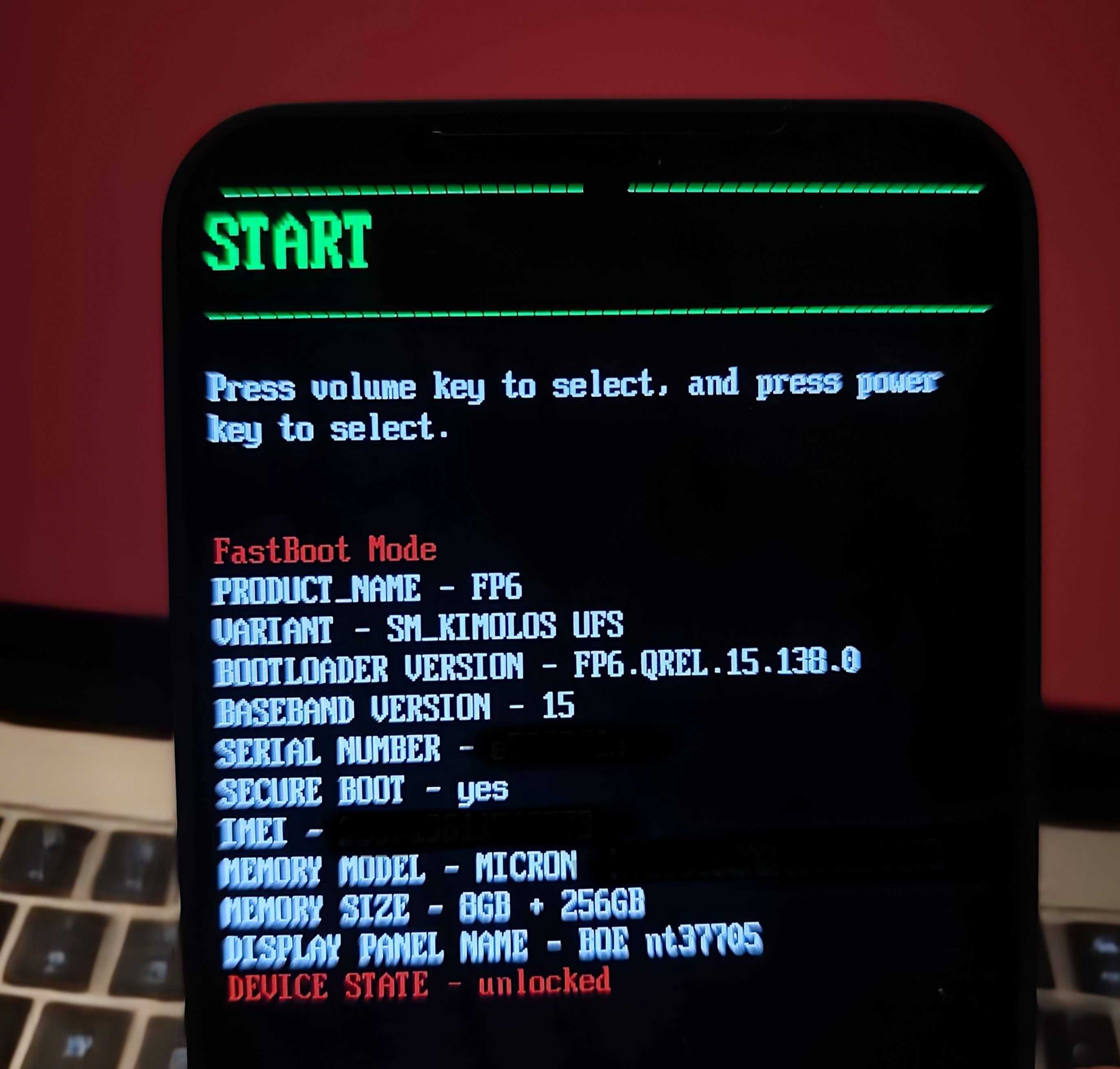
fastboot oem device-info
(bootloader) Verity mode: true
(bootloader) Device unlocked: true
(bootloader) Device critical unlocked: true
(bootloader) Charger screen enabled: true

fastboot flashing get_unlock_ability
(bootloader) get_unlock_ability: 1

Thank you,
Singu

Pressing START brings me to the same menu.

@Singulus everything is unlocked so this should be fixable did you respect the security patch date is NOT older?

I managed to flash stock OS via fastboot and the support pages. Bootloader is still unlocked.

But how can I find a working article to switch to e/OS with a locked bootloader? Seems I have to wait for CalyxOS…

No sure I understand?

  1. The reflash of the stock OS has not locked it again.
  2. How can I install e/OS WITH a working Bootloader lock?

Hi, I tried updating the root with OTA and got to the same situation. Which fastboot commands did you use to reflash stock OS?

Afaik there is a flashing script in the download via Fairphone support article.

https://support.fairphone.com/hc/en-us/articles/18896094650513-How-to-manually-install-Android-on-your-Fairphone

you must ensure to not flash on older security patch level and you can check if get unlock ability is 1 before locking to be safer.

3 Likes
2 Likes