piero-e
December 26, 2025, 2:23pm
21
Jacky743100:
. normal ?
non,flashing unlock et validation, il devrait redemarrer, après flashing unlock_critical et validation, il devrait redemarrer,
.
essaye
fastboot flashing unlock
puis validation
fastboot -w
fastboot reboot
et
fastboot flashing unlock_critical
puis validation
fastboot -w
fastboot reboot
et puis le script.sh
merci. oui il redemarre bien mais je dois le reconnecter phyisuement. sinon j’ai essayé la méthode mais meme erreur. je te montre la sortie du fastbooot -w qui expose le problème de fond a mon avis :
fastboot -w
piero-e
December 26, 2025, 3:13pm
23
userdata.img n’est pas fournie dans le FairphoneOS.zip mais l’est dans /e/OS.zip
je te propose de telecharger une image de userdata pour FP3 android 13 a priori vide (184.7 kB)
.
soit de flasher le fichier avec
fastboot flash userdata userdata.img
puis de l’effacer pour etre sur avec
fastboot -w
.
soit de placer le fichier dans le dossier FairphoneOS
fastboot -w
quelle serait alors la réponse ?
merci. on risque d’arriver ici un peu a mes limites mais j’ai placé le fichier dansle dossier images et voici le terminal :
florent@florent-SVP1321M2EB:~/Applications/FP3-6.A.039.4-gms-2f612659-user-fastbootimage/images$ fastboot flash userdata userdata.img
ai je fait selon ta demande ?
piero-e
December 26, 2025, 5:05pm
25
ouais, on arrive aussi à mes limites,
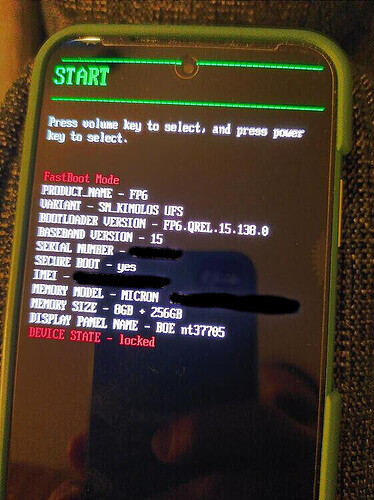
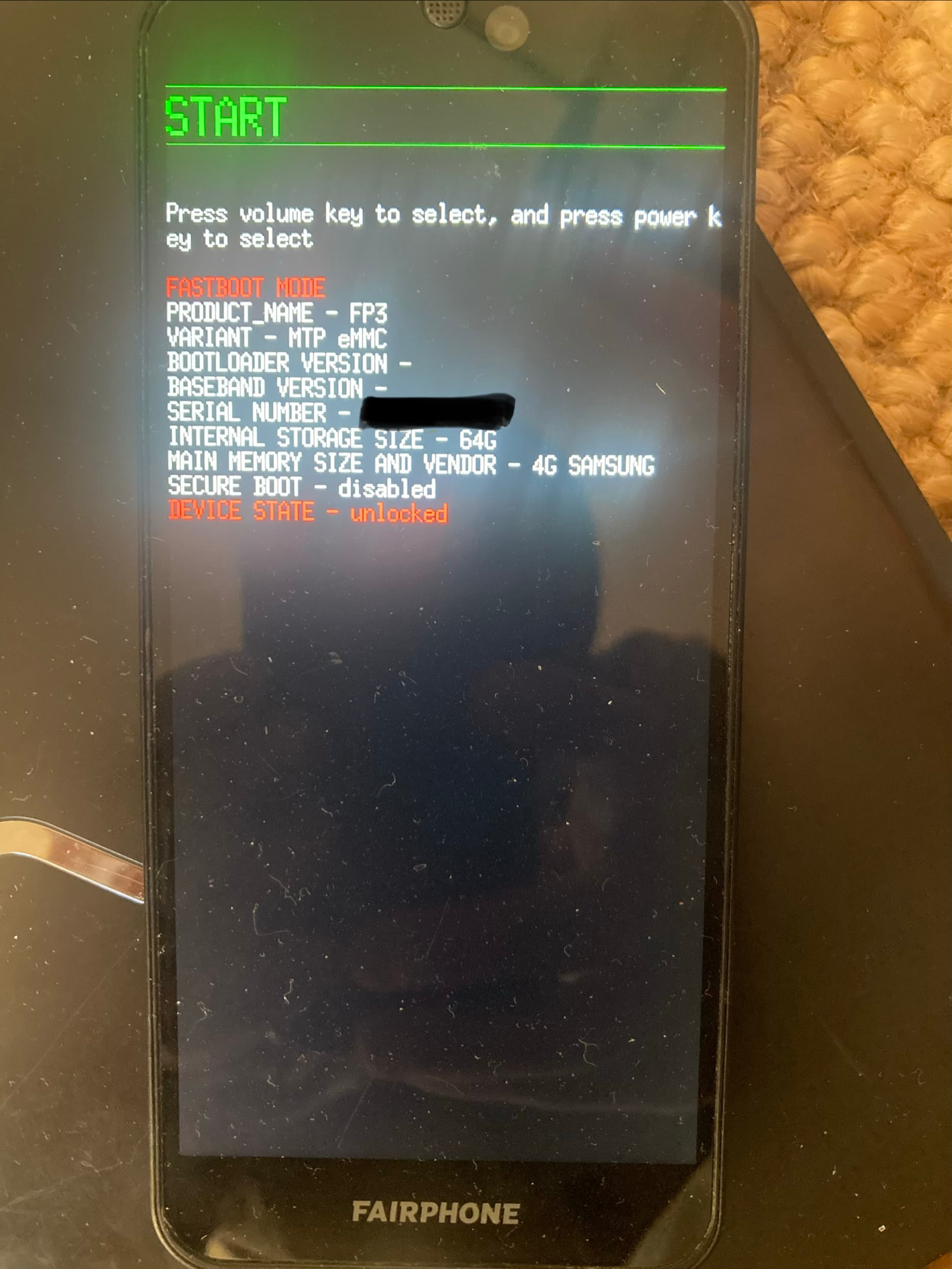
c’est bien cet écran sur ton appareil ?
aussi,/usr/lib/android-sdk/platform-tools/ contient bien un fichier binaire nommé mke2fs
oui oui c’est bien cet écran, avec unlocked au device state. non j’ai bien ce répertoire mais je n’ai pas ce fichier, mais j’ai un mke2fs dans usr/sbin par contre..
piero-e
December 26, 2025, 6:40pm
27
fichier copié à l’endroit demandé, procédure redémarrée mais rien de mieux. retour au fastboot w :
fastboot -w
piero-e
December 27, 2025, 2:04pm
29
can you please share a photo of your screen in recovery mode ?
piero-e
December 27, 2025, 2:53pm
31
this is bootloader / fastboot mode , not recovery mode
Sorry did not understand. As the title says i can’t go out of fastboot. Revorerynis not accessible
piero-e
December 27, 2025, 3:48pm
33
from the images folder,
fastboot flash all
works ?
.
or simply does
fastboot flash boot boot.img
fastboot reboot recovery
allow you to boot into recovery ?
Voici le retour de boot.img, avec cette table de partition qui n’existe pas :
fastboot flash boot boot.img
Du coup non je ne pas pas rebooter en recovery..
piero-e
December 27, 2025, 6:04pm
35
voici la table de partition de mon FP3 :
.
démarrer TWRP sans l’installer,
in bootloader mode, from the folder containing the twrp image :
fastboot boot twrp-3.7.0_9-0-FP3.img
swipe to allow modification
.
puis utiliser parted
from the folder containing the parted binary :
adb push parted /sbin/parted
adb shell
chmod 777 /sbin/parted
parted /dev/block/mmcblk0
p free
output :
Model: MMC RP64MB (sd/mmc)
Disk /dev/block/mmcblk0: 62.5GB
Sector size (logical/physical): 512B/512B
Partition Table: gpt
Disk Flags:

Number  Start   End     Size    File system  Name         Flags
        9216B   67.1MB  67.1MB  Free Space
 1      67.1MB  159MB   92.3MB  fat16        modem_a      msftdata
 2      159MB   252MB   92.3MB  fat16        modem_b
        252MB   268MB   16.8MB  Free Space
 3      268MB   268MB   1024B                fsc
        268MB   268MB   3072B   Free Space
 4      268MB   268MB   8192B                ssd
 5      268MB   269MB   524kB                sbl1_a
 6      269MB   269MB   524kB                sbl1_b
 7      269MB   270MB   524kB                rpm_a
 8      270MB   271MB   524kB                rpm_b
 9      271MB   273MB   2097kB               tz_a
10      273MB   275MB   2097kB               tz_b
11      275MB   275MB   262kB                devcfg_a
12      275MB   275MB   262kB                devcfg_b
13      275MB   292MB   16.8MB  ext4         dsp_a        msftdata
14      292MB   309MB   16.8MB  ext4         dsp_b
15      309MB   310MB   1573kB               modemst1
16      310MB   312MB   1573kB               modemst2
        312MB   336MB   23.6MB  Free Space
17      336MB   336MB   32.8kB               DDR
18      336MB   337MB   1573kB               fsg
19      337MB   337MB   16.4kB               sec
        337MB   403MB   65.5MB  Free Space
20      403MB   414MB   11.5MB               splash
        414MB   470MB   55.6MB  Free Space
21      470MB   473MB   3146kB               aboot_a
22      473MB   476MB   3146kB               aboot_b
23      476MB   484MB   8389kB               dtbo_a
24      484MB   493MB   8389kB               dtbo_b
25      493MB   493MB   65.5kB               vbmeta_a
26      493MB   493MB   65.5kB               vbmeta_b
27      493MB   560MB   67.1MB               boot_a
28      560MB   627MB   67.1MB               boot_b
29      627MB   628MB   1049kB               devinfo
30      628MB   3849MB  3221MB  ext2         system_a
31      3849MB  7071MB  3221MB  ext2         system_b
32      7071MB  8144MB  1074MB  ext2         vendor_a
33      8144MB  9218MB  1074MB  ext2         vendor_b
        9218MB  9261MB  42.9MB  Free Space
34      9261MB  9295MB  33.6MB  ext4         persist
35      9295MB  9296MB  1049kB               misc
36      9296MB  9296MB  524kB                keystore
37      9296MB  9298MB  2097kB               prodinfo
38      9298MB  9298MB  32.8kB               config
39      9298MB  9567MB  268MB                oem
        9567MB  9597MB  29.9MB  Free Space
40      9597MB  9597MB  32.8kB               limits
        9597MB  9664MB  67.1MB  Free Space
41      9664MB  9664MB  524kB                mota         msftdata
42      9664MB  9665MB  1049kB               dip
43      9665MB  9699MB  33.6MB               mdtp_a
44      9699MB  9732MB  33.6MB               mdtp_b
45      9732MB  9733MB  524kB                syscfg
46      9733MB  9737MB  4194kB               mcfg         msftdata
        9737MB  9798MB  60.8MB  Free Space
47      9798MB  9798MB  131kB                lksecapp_a
48      9798MB  9798MB  131kB                lksecapp_b
49      9798MB  9799MB  1049kB               cmnlib_a
50      9799MB  9800MB  1049kB               cmnlib_b
51      9800MB  9801MB  1049kB               cmnlib64_a
52      9801MB  9802MB  1049kB               cmnlib64_b
53      9802MB  9803MB  1049kB               keymaster_a
54      9803MB  9804MB  1049kB               keymaster_b
        9804MB  9865MB  60.6MB  Free Space
55      9865MB  9865MB  262kB                apdp
56      9865MB  9866MB  262kB                msadp
57      9866MB  9866MB  8192B                dpo
58      9866MB  9933MB  67.1MB               logdump
59      9933MB  9933MB  524kB                frp
60      9933MB  10.1GB  134MB                product_a
61      10.1GB  10.2GB  134MB                product_b
62      10.2GB  62.5GB  52.3GB  ext4         userdata
        62.5GB  62.5GB  8192B   Free Space

(parted)
malheureusement impossible de booter sur twrp non plus. ca coince.. :
fastboot boot twrp-3.7.0_9-0-FP3.img
du coup parted ne fonctionne pas non plus :
adb push parted /sbin/parted
piero-e
December 28, 2025, 12:24pm
37
reconstituer la table de partition avec parted eut été un défi précis mais relevable
je pense t’abandonner ici avec deux pistes :
soit le probleme est logiciel et l’atelier Fairphone Repair pourra “réimager” l’appareil
soit le probleme est materiel : impossible de booter sur une puce de memoire flash endommagée et tu devras changer la carte mère
cela n’exclu pas une cause à laquelle je ne pense pas…
Je penche sur la premiere piste et vais contacter fairphone, je te tiendrai au courant. en tout cas merci beaucoup pour le temps que tu as consacré à m’aider, c’était vraiment sympa !
Petit update quand meme : en faisant :
fastboot flash boot_a twrp-3.7.0_9-0-FP3.img
J’ai réussi à accéder en recovery twrp. j’ai pu transférer l’image disque fairphone os mais reçu beaucoup d’erreurs lors de la tentative d’installation comme : failed to mount product, (invalid argument), unable to mount data/media folder, failed to mount ./data, invalid zip file format..
Tu y vois un motif d’espoir ou les conclusions restent les mêmes ?
je me suis relancé grâce aux pages suivantes qui abordent les mêmes problèmes :
I installed LineageOS 16.0 recovery and nightly successfully. After realizing that my banking apps would not work i tried to install Magisk. Therefore it seems I had to install TWRP-3.4.0. I tried to install it via sudo fastboot flash boot twrp-3.4.0-0-FP3.img but now it shows the message: ‘FAILED (remote: partition table doesn’t exist)’! When I lock the bootloader again it would show me that my phone is corrupt and cannot start! How can I create a partition table? I used Ubuntu 18.04 for the in…