The photo quality is so dull, low saturation and low contrast, I’m so disappointed. How can I fix this, or do I just need to return the phone and get a different one, (OnePlus or Nothing)? I’m still in my 14day cooling off.
Cannot believe they’d bother with 50mpx phone but have such terrible quality pictures.
If you would share a picture we could say if normal or not…and what system is installed on your FP e/OS or FPOS? Which camera App do you use? Did you check the picture gallery topic and the pics shared in the topic?
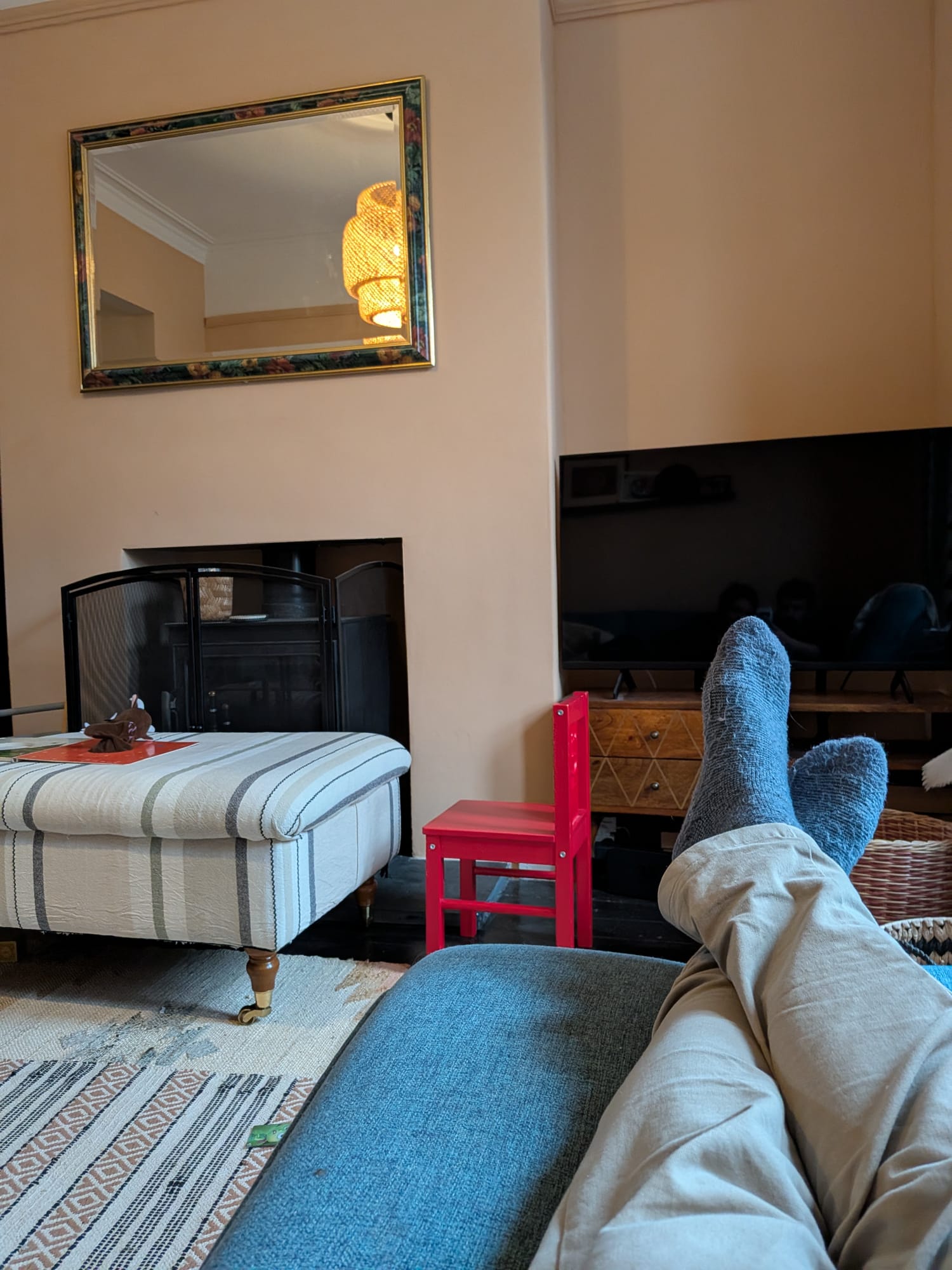
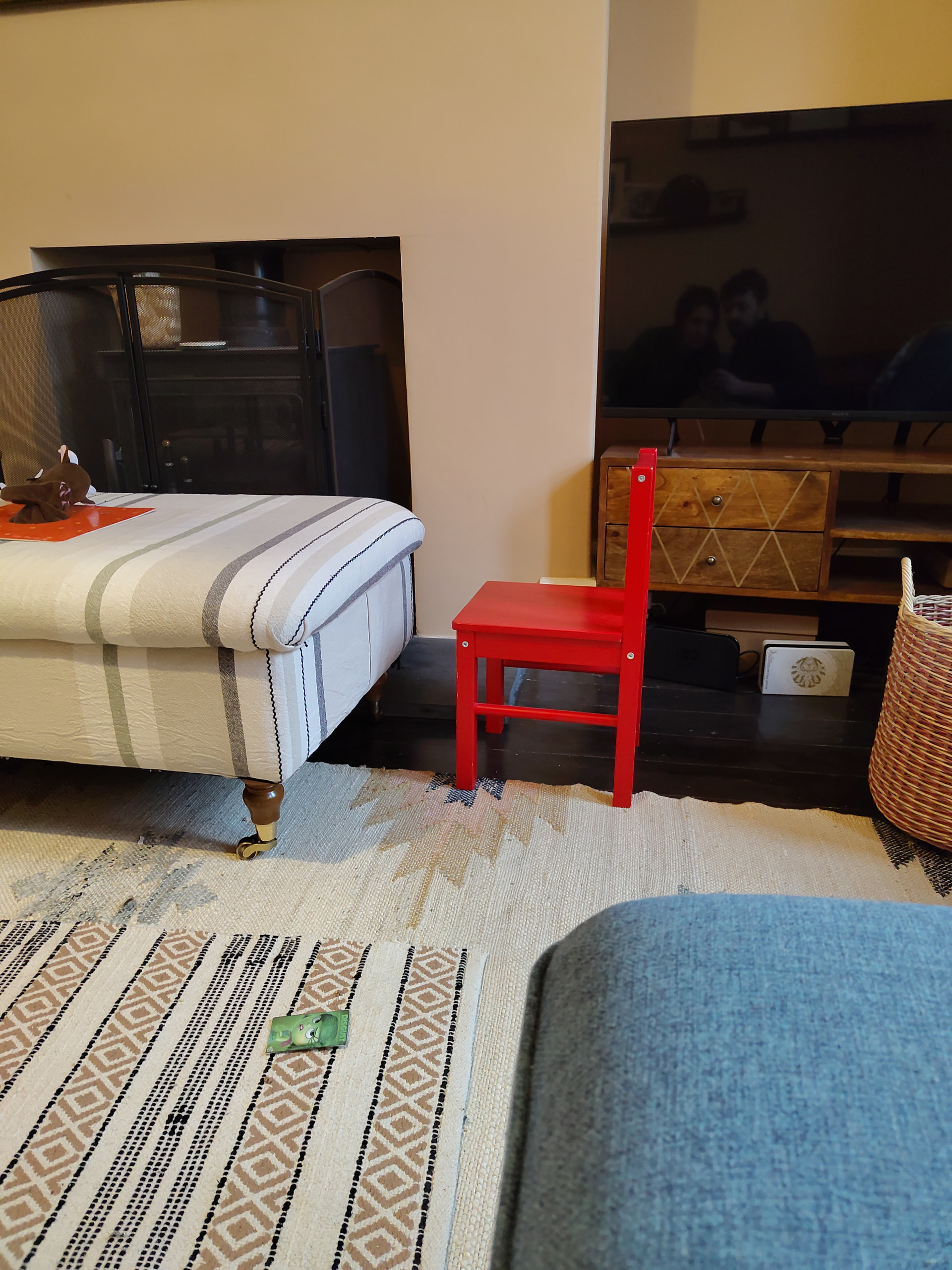
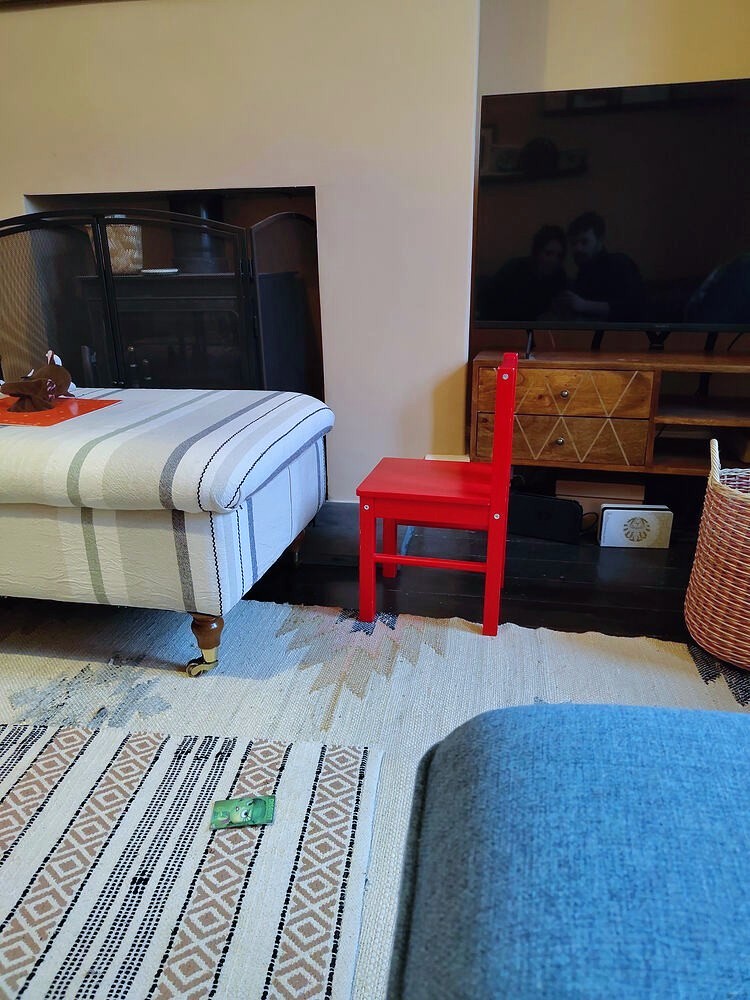
Yes, although I’m wondering if its the screen not the camera because I sent the pic via WhatsApp too my husband and the cookies are much more accurate. Is there an issue with the screen itself? The walls look cool yellow tinged but they’re warm pink, the chair is yellowy red . pic 2 is the fp6, pic 1 is husbands phone, picking up the blue of the sofa and darker red of the chair
Also, comparing a Google lens photo and the app photo of the same thing the Google lens photo has more accurate colours… so it’s definitely not my screen, or the hardware, it’s the fp camera app not working properly. How can I fix it?
Regarding how they look in your screen there is a thread on accuracy which shows it is quite good indeed but sometimes comparison can be deceiving.
Personally the camera app that came in android version seems really good to me. I even got pictures that are better than my real camera. Only thing it might suffer from is white balance in some specific artificial lights, but you can adjust it manually and improves a lot. Only iPhone so far could handle those lights better in my experience.
To me this looks like a color‑correction issue: with a traditional daylight film, photos appear yellowish under artificial light, greenish under neon light, and so on. Digital cameras normally correct the color temperature. The first image looks more natural (i.e. blueish), the second looks as if it was taken in artificial light, i.e. yellowish. (Were both pictures taken roughly at the same time of day?) This seems to be a matter of the app or its settings. I don’t have this problem with either of the two camera apps that come preinstalled with /e/OS on the FP6.
Hi thanks for this, although it seems this person also never got a solution to why the coloured were so off, and it seemed more related to comparing his pics to fp3 which runs overly cool toned, which doesn’t help me at all! I’m really concerned I’m going to have to send it back.
Thanks for your response! Yes they were taken at the same time of day, if you can believe it! My front camera is super yellow as well. It’s interesting that not everyone seems to have this issue though. It’s just a processing/software thing because Google lens gives me accurate colours. Other camera apps have been suggested but I don’t really see why I should pay 500£ for a phone where the stick app ruins photos.
Color corrections are always an interpretation of reality — there isn’t always a clear right or wrong. Sometimes we actually prefer exaggerated contrast and color saturation over a realistic representation. In this case, the rendering is particularly difficult because of the mixed lighting: on the right there is probably a window, on the left a lamp. The pictures are different, but I don’t find either of them bad. It’s possible that the differences between the two cameras are smaller in outdoor shots.
I’m not sure that’s true, cameras should be accurate, filters are for tweaking for preference.
I think I’m going to have to return it. Gcam on playstore has an awful interface , I can’t seem to find night shot or be able to change the aspect ratio even.
I do think that this is also a bit what your are used to and what you like. While I think the FP6 camera software has its limitations, I think overall its good and I personally did not notice any extraordinary yellow tint, however I havent compared pictures to any other brand. Overall I think your FP6 is just working as expected and its not for you maybe.
Sorry,have I done something wrong by comparing a fairphone to another phone maker? I wasn’t aware that we weren’t allowed to contextualise issues with our phone to others in the market?
I did notice in the gallery thread that other fp6 didn’t seem to have the problem at all, which confuses the matter! Has there been an update I’ve missed?