Communication is difficult. Thanks for clarifying.
To Fritz!Box 5690 Pro users:
I was about to install the Fritz!Box beta-update 8.25 when I noticed they released beta-version 8.40 just now.
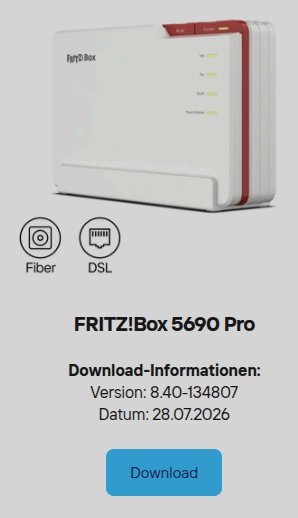
EDIT: Okay now I have wireguard-issues and error messages about too many requests, which are blocking me from changing certain settings (like VPN)  Seems pretty unstable, I wouldn’t recommend! Also IPv6 on 6GHz already broke again. I didn’t test 2.4/5.0 GHz yet.
In the LineageOS thread, the issue was attributed to the proprietary Wi-Fi firmware in FPOS (versions 15 through 16). Builds using the Wi-Fi firmware from FPOS 15 work, but those using the firmware from FPOS 16 do not. (The remaining blobs from FPOS 16 are fine.)
See here for the specific blobs: FP6: Pin wifi firmware from FP6.QREL.15.176.0 · ArianK16a/android_device_fairphone_FP6@c167aaa · GitHub
+1 as I’m experiencing these issues and some of the workarounds mentioned here and elsewhere do make living with my FP6 bearable again.
- FP6 on each firmware since I purchased it back in May 2026, inclduing the FP6.QREL.16.95.0
- Fritzbox 5530 on 8.20 and recently on 8.25
- Issue occurs when using ipv6 over local wifi
- It doesn’t occur on Cellular network, on ipv4 over wifi, or when using a VPN. Also tried a few other wifi routers without issue.
I don’t have any more data than others gathered here but my bet would indeed be router firmware blobs.
In any case, please be gentle to the people trying their best to fix all the things. Interoperability issues in proprietary binaries is one of the most challenging fields in IT. Send these people apple pies and love if you don’t have these rare skills. Send them logs, dumps and hardware to experiment if you do. Getting a router into the hands of a skilled Android dev or an affected phone in the hands of a router firmware dev helps. Making grand statement on how all this is unacceptable isn’t. Thank you for your patience.
[EDIT: I mistakenly concluded the wifi freq was a factor. That’s not the case.]
Hi,
I’ve been using the Fairphone 6 for a good three months now.
I’ve noticed that numerous apps take a very long time to display or update their content when connected to Wi-Fi. For instance, I have a fire department alert app; when it triggers, I can’t see the details of the alert.
I don’t have any issues when using the apps over mobile data; the data loads instantly in that case.
I’ve already tried changing the Wi-Fi network’s DNS settings to 8.8.8.8—a solution I found via a Google search—but that hasn’t helped. I didn’t have these problems with my old Samsung phone.
Does anyone have any ideas on what else I could adjust or configure?
Best regards, Jens
Hello @Kutsche123
I moved your post to this topic as it seems relevant:)
Please check above for workarounds.
Tested it, too. Had no problem with IPv6. So IPv4-only and IPv6-only work but only in dual stack operation the error exists.
Can someone link to the post (in the original message), or make a post if it isn’t made yet, that summarises the workarounds or the things that have been found that help partially offset this issue? I started scrolling but this is approaching 500 answers now so I actually have not found the workarounds.
Hi
I don’t have FP6 (and this issue) and I haven’t even checked my router settings so I can’t say I follow the topic closely, it got pretty savvy at times.
But I managed to note that it varies among the users, for some it was sufficient to turn off and turn on WIFi, for some to change the settings on the router, for some to use VPN.
This thread needs locking and the public issue tracker updating. If it’s not bad enough that advice to disable IPv6 was issued then the thread diverting into FRITZ!Box routers being at fault made it even worse. Nobody should be advising to reconfigure network settings at router level, recommending firmware updates with no mention of a fix, or using beta quality firmware to solve issues on one device. The name of the thread doesn’t even match the issue apparent anymore.
Broadly speaking you have two options. Number one is to use a VPN app to establish an IPv4 only connection or others have reported using DNS changer works.
Perhaps it would be better to split the thread in on for the affected users and one for the technical deep dive?
I found a solution which is working for me for the last several hours. I changed the local DNS server address under advanced network settings → IPv4 to an external address and not the IP address of the Fritxbox itself. When I change it back to 192.168.178.1 (IPv4 of the router) then IPv6 connectivity is lost agonist immediately.
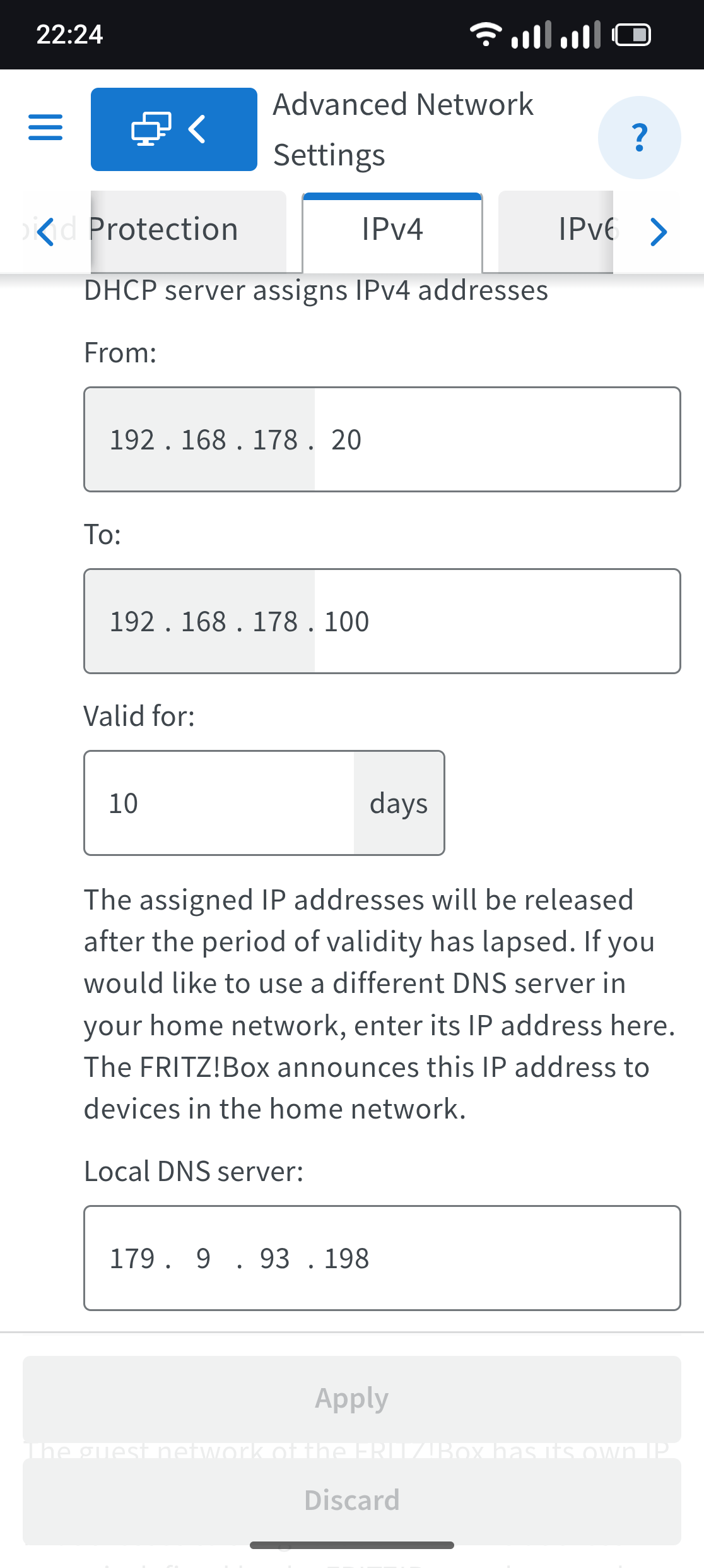
I will test this setting the next days. Perhaps somebody made a similar experience or can test/verify it?
Thanks, Megan. I do not think that summary quite captures the situation. The symptoms, possible causes, and suggested mitigations are becoming conflated, while the issue can manifest differently for different users.
-
Turning Wi-Fi off and on again may restore connectivity for a few seconds, several minutes, or occasionally longer. This is neither a solution nor a reliable workaround, so I would avoid recommending it as such.
-
Changing router settings, for example by disabling IPv6, may help some users. However, it changes the network configuration for every connected device, including devices or services that may depend on IPv6. At most, this is a network-wide diagnostic measure or temporary mitigation—not a generally acceptable workaround or fix for most users here.
-
Using a VPN similarly masks the issue rather than resolving it, while introducing additional problems. Local-network functionality, such as access to Sonos speakers, may stop working, and Android Auto will also be affected. Constantly turning VPN on/off/on is neither a solution nor a reliable workaround, so I would avoid recommending it as such.
Based on the reports so far, the most promising mitigations with the fewest compromises appear to be:
-
Using a DNS app that point to a external dns-service so that together they suppresses IPv6 responses, so that only IPv4 addresses are returned.
-
An alternative is to create a free AdGuard DNS account, configure a personal server with the following custom rule to return an empty response for all IPv6 requests:
$dnstype=AAAA,dnsrewrite=NOERROR;;Android’s native Private DNS setting can then be pointed to that personal AdGuard DNS server using DNS-over-TLS. No local App installation needed.
These both keeps the mitigation limited to the affected phone instead of changing the configuration of the entire local network.
Things that stop working when doing this, so you have to constantly turn VPN on/off/on as a compromise: Local devices you can’t reach anymore e.g. Sonos or things like Chromecast. Android Auto does not work.
Yes please. Until now the least number of compromises, one-time-config and no need to look at it again, and it actually works, it’s rather simple, stable.
This does not work when you don’t control or manage the router. Like when you are at a Public WiFi hotspot in a coffee place or so. Or you need to be on someone else’s WiFi you don’t manage, maybe to control the Sonos speaker or a different local device. And it has too many compromises to other devices/functionally in your network.
Yes, that’s absolutely correct. That’s why I said “a solution for me”, not for everybody.
Today the changed DNS server for IPv4 has the same problem again. So that doesn’t help 
It’s not just change the DNS, a specific App with specific DNS like 9.9.9.9 (maybe 8.8.8.8 doesn’t even work).
See: DNS over TLS/IPv6 issues- Apps don't load data over Wifi - #450 by martin58345
Or a customized DNS Server e.g. free account with AdGuard-DNS and a custom rewriting rule to block AAAA responses. And then point to your new private AdGuard DNS Sever natively (without an App).
I also updated my Fairphone to Android 16 (build FP6.QREL.16.95.0). I tested using a static external IPv4 DNS server and also stopped advertising DNS servers in my Router Advertisements. In my case, this does not solve the issue. The problem still occurs exactly as before. I’m also not surprised that DNSChanger appears to work as a workaround, since it operates as a local VPN and therefore changes how DNS traffic is handled. Similarly, blocking AAAA DNS queries only seems to hide the symptoms rather than solve the underlying issue. It most likely works because it greatly reduces IPv6 traffic by preventing applications from resolving IPv6 addresses. Personally, I prefer the local VPN workaround because it continues to support both IPv4 and IPv6, rather than effectively steering applications away from IPv6. I haven’t had time yet to test on an IPv6-only network, but I still plan to do so.
Correct. All workarounds, hiding the symptoms.
I liked VPN but I could not control Sonos speakers and similar devices anymore, and also Android Auto stopped working. Any solutions for this?
Hi
I have some issue on my FP6 when trying to log on apps (most often 2FA like Microsoft Authenticator, but it happens with bluesky a lot too, or my payment app…) only when I am connected with Wifi… If I deactivate the wifi, I can log on directly…
Any tips on how I could troubleshoot this? Someone has similar issues?
I am on FP6.QREL.16.95.0 if that helps but have had the issue for some time now…
Tks,
O.
Hi and welcome to the community forum.
I don’t have an FP6 myself, but your symptoms to me sound a bit like this here: