Hi all,
I recently purchased my first Fairphone 6 and are now trying to set up the Home Screen.
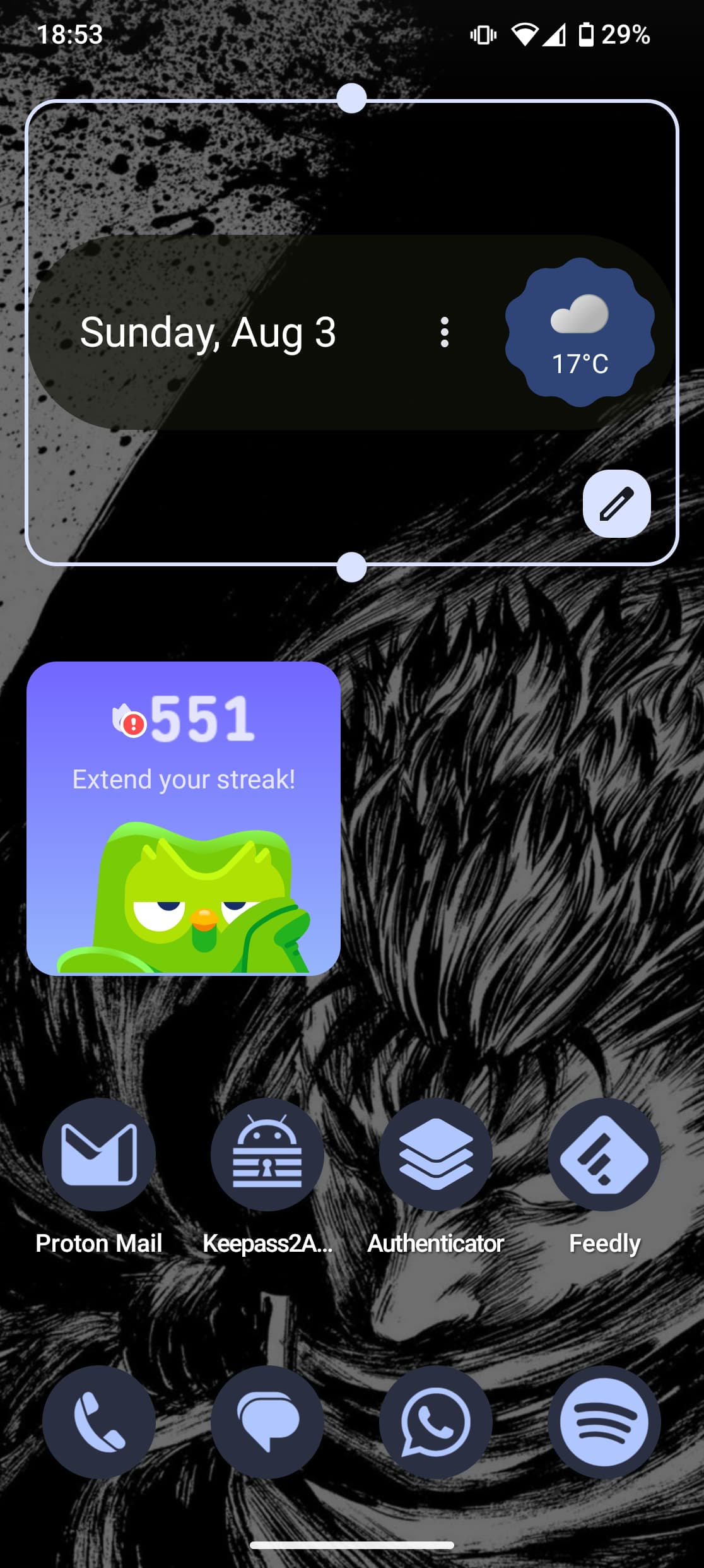
The issue I’m facing is that all Widgets are extremely large and can’t be resized.
I’ve already tried changing the Grid from 4x5 to 5x5 (this fixes some Widgets), charming the icon size to the smallest possible (didn’t change anything), manually changing the dpi (makes everything smaller but Widgets are still too big and can’t be resized).
For example the “At A Glance” Widgets from Google takes 45% of the screen and resizing does not work.
On different launchers this is not an issue.
I attached some screenshots to illustrate my issue with the Quickstep Launcher.
Image shows 4x5 Grid (which I prefer). Widgets are massive and can’t be resized.
Hi!
I had the same issue here with quickstep. I only enabled it to test the lock refresh rate issue, but found it was not the launcher problem so took it away as soon as I could.
Still I do not see any advantage of keeping quickstep, it is far too basic and this problem is a huge drawback. I am unsure if it is Fairphone unique problem or just google.
Same for me. It’s quite ugly on the homescreen with all the clearance between the icons and widgets. No structure or grid is visible.
As a workaround I use the app “Panels” https://play.google.com/store/apps/details?id=com.fossor.panels which allows to add a widget panel similar to the likes of the Samsung’s edge panel but massively customizable.
I set it up so that I only use one panel which holds some of my Widgets (they can even be resized inside the panel).
Additionally I moved the panel trigger (vertical bar) to the top right corner and set it to fully transparent it does not disturb any other apps.
Works pretty well for now but ofc Fairphone should fix the widget sizing and placing in the QuickStep Launcher.
The reason why I avoid third-party launchers is because I use gesture navigation and all third-party launchers I tested, had issues with the “recent apps” (apps that are open in background) gesture.
I had the same problem with the same two widgets as OP and I “solved” it by doing a factory reset and during setup restoring the settings from my old phone, which had the desired setup. Just don’t try to move the widgets afterwards until this is fixed.