My FP3 went dark a couple of days ago. The screen just refused to turn on. I managed to have it back for a few seconds by pressing it hard near the bottom or main contacts. Took it apart, cleaned all the contacts I could see, but it didn’t help.
The phone still boots, it seems to recognise my fingerprint. Once or twice, I saw the “white noise” display, and the boot logo for about 2 seconds, then nothing. So I think it’s a display problem or a bad contact. I’m looking for a replacement, but I’m also wondering if there is a way to get it to work just a little longer.
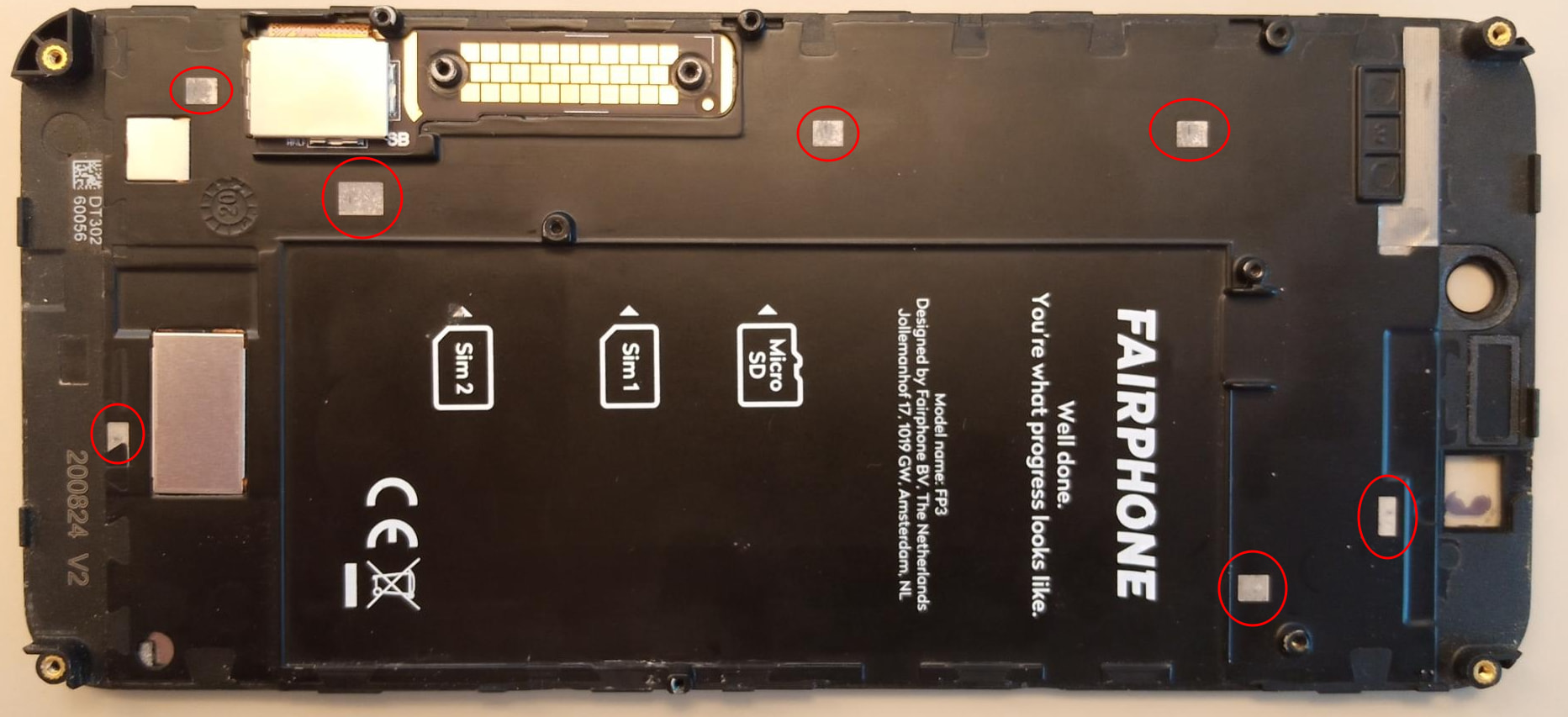
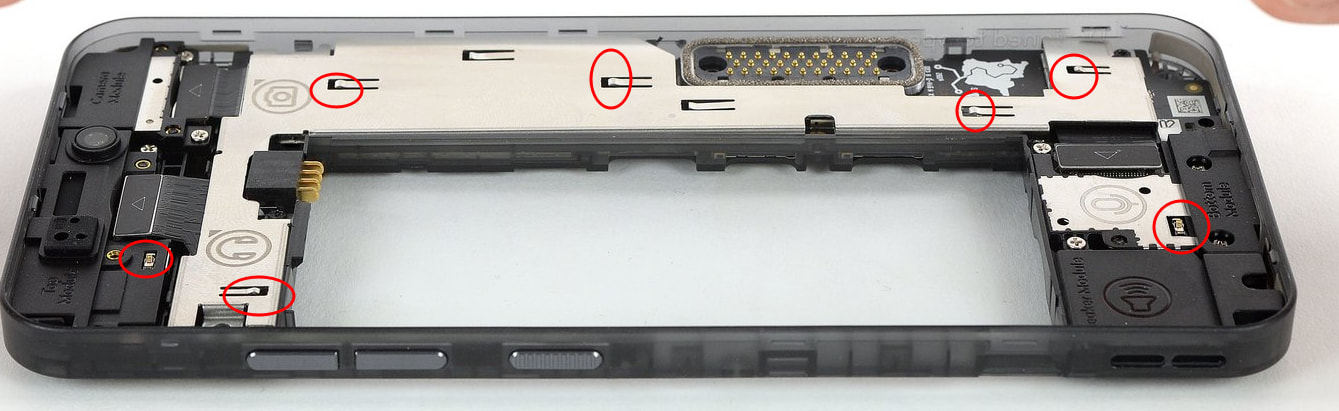
Under the assumption that it’s a bad contact, I’m specifically curious about these little pads circled on the photo below.
What are they supposed to look like? Mine look gray, not shiny at all. Does it matter? If so, is there a way to repair them beyond just cleaning with alcohol?
Are there any other contacts that need cleaning besides the main contact array?
I have a similar albeit not identical problem. My FP3 screen is also dark (completely), but the phone does act as-if it is responding to the physical power button. As I am reluctant to tap on a dark screen, I am unsure if it responds to touches.
In my case, however, the problem started when the screen seemed to detach from its backing and almost fell out. The ribbon cable, both then and now, still seems to connected. At the time, the FP3 still operated, and I used a rubber-band to hold the screen down (which worked surprisingly well). All that happened in early-August, just after support ended (so I’m a bit late to the party, my bad).
Earlier this week I dropped the phone, it bounced down some hard stairsteps and slid screen-down on the tile floor. Everything looked Ok, the rubber-band and screen were still in-place, and the phone did seem to be responding to the physical buttons. I did not try calling the phone or checking my router (or pinging it) to see if was alive, and now cannot do that as I have removed the battery. (Basically, I panicked, my very bad.)
At the moment, I am trying to recall how to remove the screen so I can look at it more closely (hopefully). Your hint about checking iFixIt for instructions seems helpful.
I am very interested to learn what you discover, how you went about it, and so on. Thanks!
Regardless of what you do – when you remount the display on the FP3, make sure to not only fasten the 13 screws again, but also that the plastic clamps (that also secure correct attachment of the display) along the very margins of the unit “click” into place again (sometimes that’s even audible).
@urs_lesse thanks for mentioning this. Yes, I noted that point elsewhere in the forum. I did pay attention to this, I think it might have helped for a short while, but there’s clearly more to it than just that.
@blf I actually had the same problem. One day the screen popped off when I turned the phone face down. I fixed it with double sided tape inside, plus regular tape around the top and bottom of the phone. It held well for probably about 6 months (I can’t remember for sure). But now it is something else.
@Meaghan I posted elsewhere about a screen. The angel near me (in Paris) unfortunately does not seem to have any spare screens at the moment.
I’ll update here if I find any additional info. Thanks everyone!
Sorry for the lag. In the end, I found a replacement screen (actually had to buy an entire FP3 to get my hands on a screen), and it worked perfectly. The little pads I circled on my first post look very similar, so I doubt they were the problem, I think there was some bad contact elsewhere in the screen module, or maybe a fried component, hard to say.