How would I get in touch with the devs? Aren’t they on that forum?
There is a Matrix Channel for beta tester where Vicent is quite active, else they have the gitlab instance for bug reporting and yes at least in the past also the forum could be used to contact them. I guess thats specified on the web page what to use best.
Edit as indicated below by @lklaus they no longer use gitlab for bug reporting, however it seems they have a team member managing the forum and the forum is to be used for bug reporting.
1 Like
How do I log in there? I can’t use my gitlab.com account, nor my iodé forum account. And there is no sign up button.
Maybe this topic helps: How to submit a bug report? - #3 by rik - General Discussion - iodé community
4 Likes
FRP is just a regular partition, so the usual tools like fastboot flash, fastboot erase etc. should work.
No idea what fastboot erase does specifically, but I know from the CalyxOS devs that they overwrite FRP with an empty (nulled) FRP partition, maybe there’s a reason for that, I’m not an Android system developer… 
But both of those won’t help us since the bootloader is locked and those fastboot commands are inaccessible. Whether FRP can be flashed from ota is the more important question right now.
It becomes an iodé issue when that partition doesn’t get wiped on the first installation and there’s still a linked Google account remaining.
The other iodé user in the thread I linked noticed before locking the bootloader, at which point it still can be fixed.
But if you had a Google account on the phone and follow the regular installation instructions, meaning you lock the phone at the end of the installation, then you’ll end up in a soft-brick situation like this case here.
And that’s something iodé should fix by just flashing the FRP partition during first install.
No worries, you can always @me, I have email notifications & PMs turned off on principle, I just show up here when I have the time.
Maybe I should write that in my bio so people don’t think summoning me works 
1 Like
Removing all Gogol account is a requirement before installing custom android, iOdé is not expected to overwrite FRP partition during first install nor OTA.
Also they cannot if the partition is locked by a Gogol account.
I can be wrong, but from my point of view, only reset by Fairphone Repair Service may help here…
Is that in the install docs? I didn’t see it if it is.
1 Like
I beg to differ, there’s no mention of that requirement during installation:
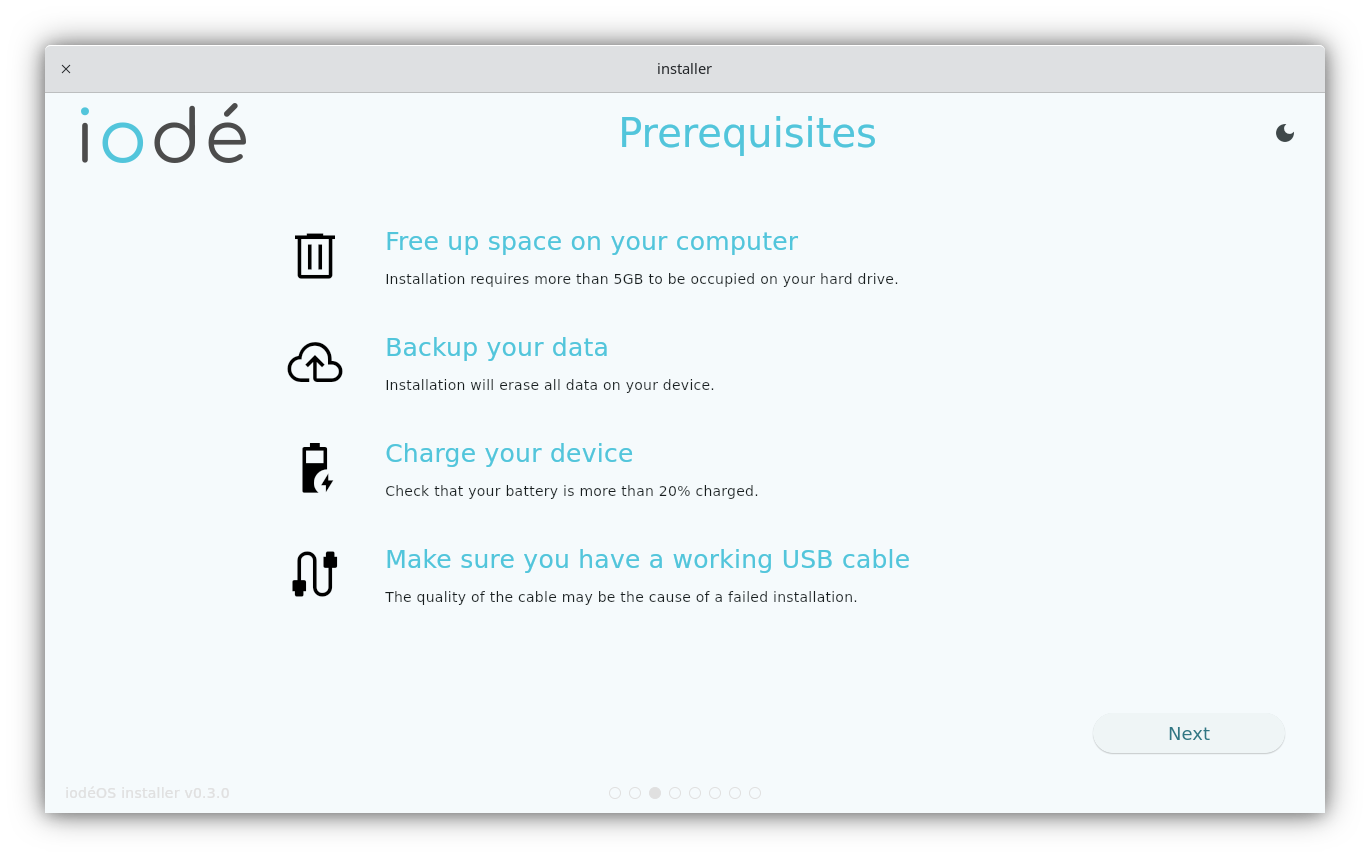
It’s also not mentioned in the prerequisites of the manual install instructions:
Before installing iodéOS, we recommend updating your device’s stock firmware to the latest version—just make sure it doesn’t exceed the Android version of the iodéOS build you plan to flash. […]
Nor is it part of the installation steps.
And just to drive home my point, here’s the reaction of one of the iodé team members (rik) to that issue:
Wow, I haven’t heard of this (needing to remove Google account before reflashing), that seems quite insidious, what is even the reason I can’t imagine, but what a headache! Thanks for explaining.
So no, you can’t claim that’s a requirement, and it also shouldn’t be!
They can just overwrite the partition during first install, that’s what the official Fairphone flashing script does, as well as the CalyxOS installer, that’s the sensible thing to do, there’s absolutely no reason to keep it around.
Whether it can be flashed from an ota update is another question, but we wouldn’t even be in this situation if they would have taken care of FRP beforehand.
This is an issue with the iodé installer (and probably with the /e/OS installer as well), and it’s their responsibility to fix.
1 Like
So have you tried to insert a FRP.img from Fairphone into a iOdé OTA.zip ?
There’s no point, ota updates have to be signed by the OS signing keys, only the iodé devs can create an update that gets accepted by recovery.
Otherwise what would be the point of a locked bootloader if anyone can just overwrite the system with random data when they get their hands on your device.
I’m not sure flashing an incorrectly signed ota would even work on an unlocked device, but then you’d have access to fastboot flash anyway to do whatever you want.
1 Like
you are right, only with unlocked bootloader you are prompted to install anyway in case of signature mismatch.
relocking the bootloader is really a barrier to flexibility…
.
i have downloaded iode-6.9-20251105-FP4-fastboot.zip to see, there is nothing called FRP inside, i don’t think they have touched the FRP partition, (what for ?) exept by error in a missed release.
i really think after formating /data, only the Stock Gogol OS can unlock FRP (if you still have the Gogol account password), but you can’t go back to stock by yourself, so for me Fairphone Repair Service is the way.
I already checked those further up this thread a while ago:
I’m not going to repeat all the reasons why they should flash FRP, this discussion is getting tiring. It’s a brick risk, you don’t keep those around if there’s an option to mitigate the issue, which others have done quite successfully.
You don’t need stock for that, but you will need a ROM with Play Services.
But we don’t know if FRP can be flashed from ota as a workaround, which would remove factory reset protection. It’s a regular partition that can be flashed via fastboot flash, unless there are additional protections enabled when the bootloader is locked it might be possible.
I don’t know that for sure, and neither do you apparently, the only people who can answer that question definitively are the iodé devs (or any other ROM devs with free time on their hands).
There’s a clear way forward, iodé needs to be made aware of this issue and provide an ota that flashes FRP. If that’s not possible then it’s a support case.
We’ve speculated quite a lot in this long thread, discussing this further without involving actual devs isn’t helping, and I won’t be part of any future debates that don’t add anything meaningful towards a possible solution.
2 Likes
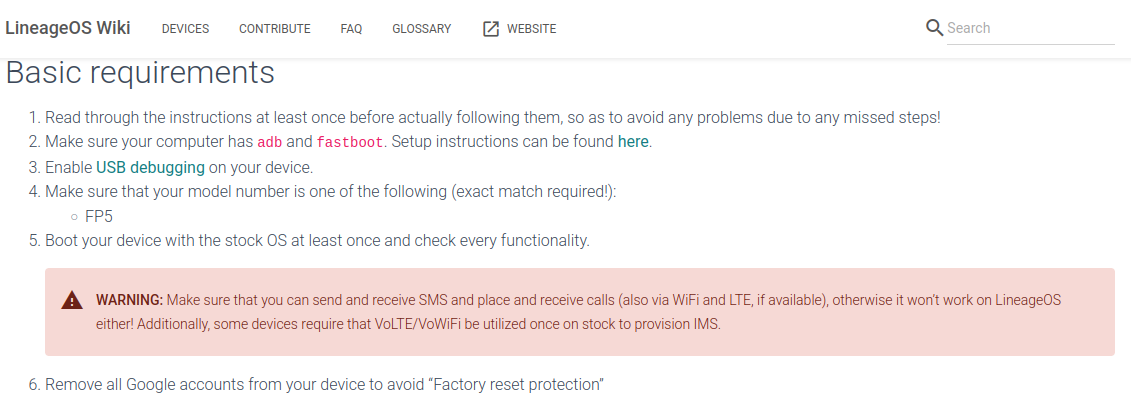
Well it seems that they added that very recently, so makes sense that hirnsushi hasn’t heard of that perhaps:
November 2024, not there: Install LineageOS on FP4 | LineageOS Wiki
Februari 2025, there: Install LineageOS on FP4 | LineageOS Wiki
Also, this post is about iodé, which has its own tutorial page.
2 Likes
also screen lock and carrier lock have to be removed prior to switch to alternativeOS it was explicit five years ago, but it nomore appears in the /e/ official documentation but still valuable, (one of the reason why i made unofficial guides)