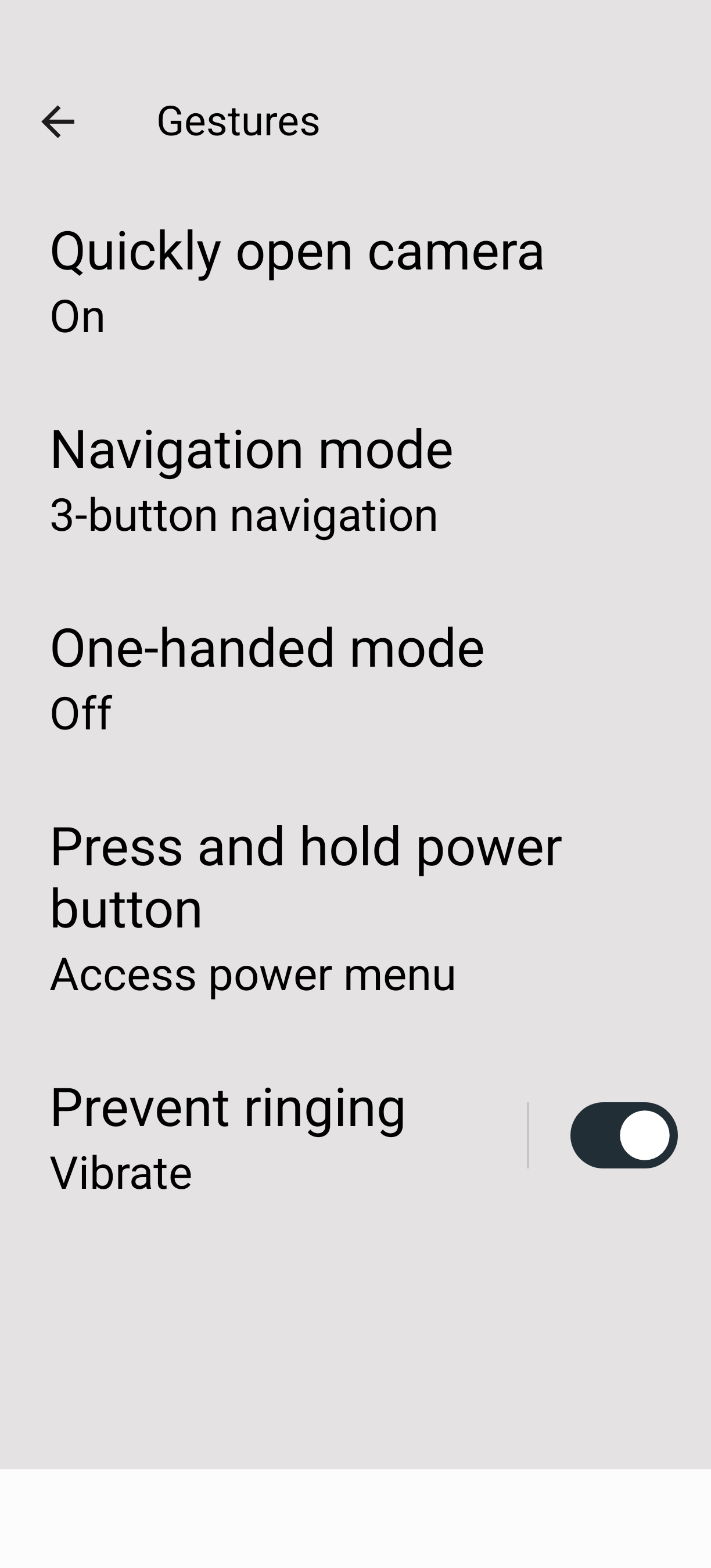
I’ve disabled Gemini in the apps but it still pops up everytime I long press the on button. It is also poping up randomly and disturbs media playing in the background.
In short, can I get the shutdown or power options screen by long pressing the on button?
I know Google changes their settings and some Google apps are difficult to get rid of, but I vaguely remember installing Gemini.
There are more threads and more knowledgeable people on the forum on the topic of getting rid of (some) Google apps.
I am afraid I will not be able to help any further but please search the forum for relevant topics.
Hi,
Rather than trying to uninstall it, as it is a system app, disable it within the settings, apps, Gemini. I did that for a bunch of Google apps like YouTube, YouTube music and so on. Still everything works.
You can alls search for “assist” in the settings and remove the default assistant and all things you find annoying.
This is due to how Gemini is integrated into Android. The Gemini app is there only to access it as a chat bot (the same as on https://gemini.google.com). Gemini (the virtual assistant triggered with holding the power button by default, but also by different gestures and “Ok Google”) is part of the Google app and will be available as long as the Google app is installed.
I think you can disable some (maybe all triggers) in the Google app settings if you don’t want to use it at all.
Thank you very much. I hadn’t made the Google assistant/Gemini connection.
I think I’ve found all it’s settings and turned them off.
Much appreciated
Tom