Hy ,
anyone install the Postmarket OS on FP5 with UBPORT installer?
Hy ,
anyone install the Postmarket OS on FP5 with UBPORT installer?
Apparently nobody so far - I would be interested to know, too 
Im also interested in seeing this
I did it.
A month of not active usage and I’m thinking to move to murena.
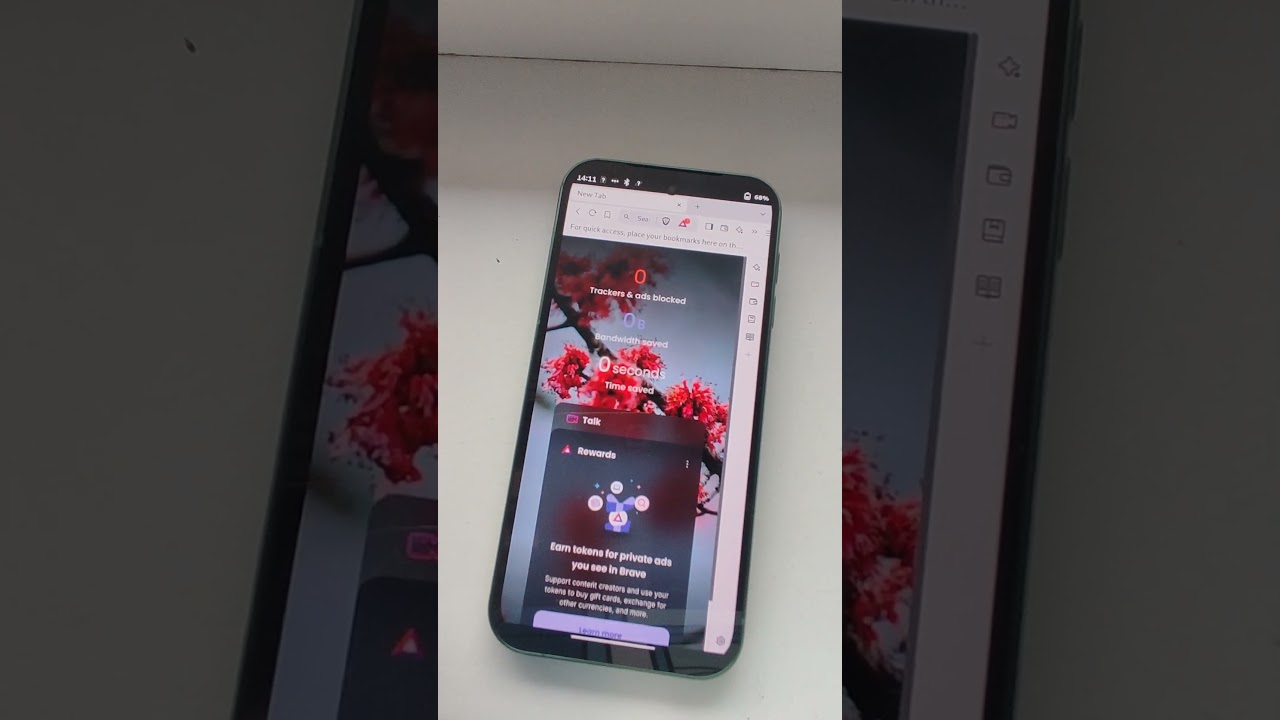
So basically PMOS made a linux tablet from my phone. I could install many apps from FlatPak, but usually they not support phone resolution.
In general pure UI/UX, but a lot of potential.
I can’t do any regular phone stuff on PMOS.
Even watching YT in brave browser is a hassle. Sound doesn’t work.
I noticed a few time that phone unusually hot in my pocket.
This is just my experience, perhaps I wasn’t patient enough with PMOS, please take it with grain of salt.
Install some kind of android after PMOS was very hard. My understanding that PMOS changed partition so much that regular flashing process can’t work with it anymore. We had to try many recovery and reset to factory settings. The process was full of errors and various attempts, but we managed to install LineageOS
On my old Samsung Tab 2 i am abble to “dual-boot” Android (/e/OS) and PostmarketOS :
In fact, i have installed pmos on an Physical SDcard, and kept android into the internal memory, then i switch between one or the other by flashing their boot image…
Explanations here : How to use Community pre-built image AND "dualboot" androidOS / postmarketOS - postmarketOS Wiki
Other methods here : Dual Booting - postmarketOS Wiki
“official” PM status of FP5 is still not very good:
https://wiki.postmarketos.org/wiki/Fairphone_5_(fairphone-fp5)
Would it not be nice for @Fairphone self to team up with postmarketOS to create a true Oligarch-free Linux phone? There is probably enough technical knowhow around there, or at least possible leads to the right tech resources?
Even ‘sponsoring’ some phone(s) to postmarktOS devs could be an option?
Would be the queue for me to buy a FP5 again (after having a FP3…).
I’m not touching Android-like OS’s anymore
@x2u, why that instead of pmbootstrap?
Hello!
Thanks for the tip, I didn’t know it was possible to boot PostmarketOS from an SDCard.
I have tried this method with my FP4 but to no avail so far.
Tutorial is quite easy, flash the system.img (I tried both Plasma Mobile and Phosh versions) on SD card (I tried with dd and with etcher), flash the boot.img on boot_a/boot_b partition and you’re done… But in my case the phone boots directly to bootloader 
Etcher complains that the system.img is Missing Partition Table, but that’s just a warning. I don’t know if this is to be expected.
Hi,
I recently bought a FP5 and installed PostmarketOS on it.
(I took some time to configured it properly (some issues with mobile network that needed configuration) )
But one thing that annoy me is that I don’t find the drivers source.
For example in the android version we can find the following kernel module “wcd938x_dlkm.ko” “wcd938x_slave_dlkm.ko”, that handle the SoC sound. But I can’t find the source code that was used to create thoses kernel modules, and so, no easy way to compile thoses modules for recent kernel version.
Does someone know where is the source of thoses drivers?
Or if fairphone indent to opensource them at some point in time ?
Or if reverse engineering is the only way ?
Not much help, but a little hint: Postmarketos needs help
I discovered today the postmarketOS web flasher to flash a prebuilt image of postmarketOS onto your Fairphone 4/5…
This tool looks awesome ! No need to download or install anything, just plug your device on fastboot and launch a browser supporting WebUSB. 
One issue I am having with Postmarket is communication with my network provider.
I am using “Free mobile”, a french provider.
In the log I am gettings errors looking like that:
Jun 06 23:08:37 neowutran [1188]: <msg> [modem0/bearer7] couldn't start IPv6 network: QMI protocol error (14): 'CallFailed'
Jun 06 23:08:37 neowutran [1188]: <msg> [modem0/bearer7] verbose call end reason (2,211): [internal] pdn-ipv6-call-throttled
Jun 06 23:08:37 neowutran [1188]: <wrn> [modem0/bearer7] connection attempt #2 failed: pdn-ipv6-call-throttled
Jun 06 23:08:37 neowutran [1188]: <msg> [modem0] state changed (connecting -> registered)
Jun 06 23:08:37 neowutran [1188]: <msg> [modem0/bearer7] connection #2 finished: duration 0s
Jun 06 23:08:37 neowutran [1188]: <wrn> [modem0] couldn't connect bearer: pdn-ipv6-call-throttled
Jun 06 23:08:37 neowutran NetworkManager[1034]: <warn>  [1749244117.0538] modem-broadband[qrtr0]: failed to connect modem: Throttled: pdn-ipv4-call-throttled
|    connection error name: org.freedesktop.ModemManager1.Error.Core.Throttled
| connection error message: Throttled: pdn-ipv6-call-throttled
I am just starting to play with modem things but from my understanding it means that my network provider is blocking me because I make too many connexion attempts.
From what I understand, the system try to initiate a connexion for each “Bearer” configured in mmcli. And 1 bearer is created for each “Profil” in mmcli.
By default (at least in my case), there are 3 profils configured, 1 for common usecases, 1 named “sos” and one named “ims”.
I decided to try to delete all thoses profiles and bearer and recreate just 1 profile
mmcli --3gpp-profile-manager-delete="profile-id=1" -m 0
mmcli --3gpp-profile-manager-delete="profile-id=2" -m 0
mmcli --3gpp-profile-manager-delete="profile-id=3" -m 0
mmcli --3gpp-profile-manager-delete="profile-id=4" -m 0
mmcli --3gpp-profile-manager-delete="profile-id=5" -m 0
mmcli --3gpp-profile-manager-set="profile-id=1,ip-type=ipv4,apn=free,profile-name=free" -m 0
mmcli --3gpp-profile-manager-list -m 0

mmcli -m 0 --delete-bearer=0
mmcli -m 0 --delete-bearer=1
mmcli -m 0 --delete-bearer=2
mmcli -m 0 --delete-bearer=3
mmcli -m 0 --delete-bearer=4
mmcli -m 0 --delete-bearer=5
mmcli -m 0 --delete-bearer=6
mmcli -m 0 --delete-bearer=7
mmcli -m 0 --delete-bearer=8
mmcli -m 0 --delete-bearer=9
It seems to fix the issue I was having, but I will check what side effect I get in the following days
I’m disappointed that the wiki page states that both camera and audio support are broken, but it’s often outdated (the battery works on the FP4, despite it being listed as broken). I don’t want to install it just to confirm that, though.
Moved your post here and yes the audio issue at least exist
This topic was automatically closed 180 days after the last reply. New replies are no longer allowed.