Do you use any mods like root?
This should work just fine of course, if you can’t get it working on a clean installation, please get logs and share them or find a way to reproduce the issue.
Do you use any mods like root?
This should work just fine of course, if you can’t get it working on a clean installation, please get logs and share them or find a way to reproduce the issue.
Thanks. I tried official, but couldn’t be bothered to much to re-install. (or does dirty flash of official over unofficial work?)
It works, i did it
Just make sure to flash the most recent one
@ArianK16a Thanks for pushing the official release!
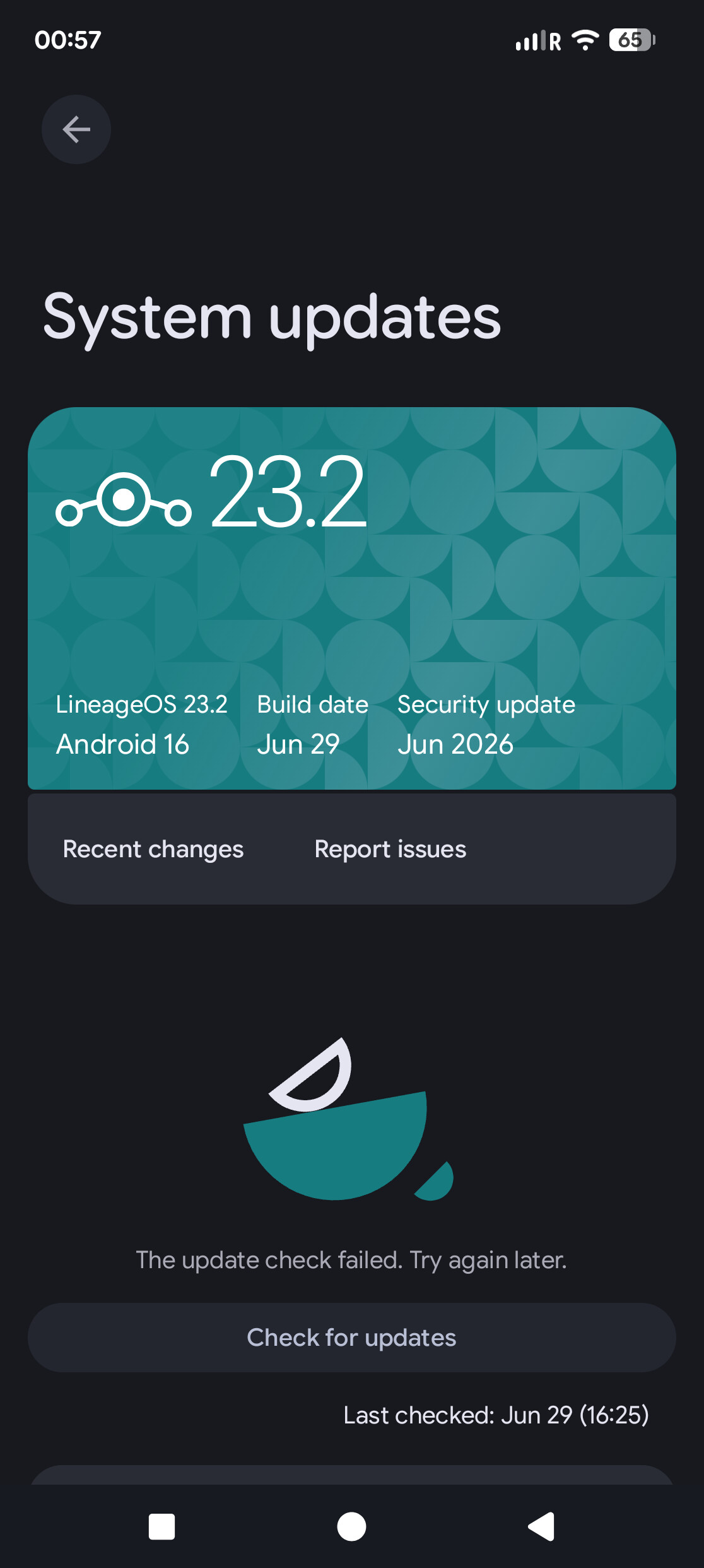
I still see some issues though. I am on the official version with build date June 29th but now I can’t update it through system updates anymore. For days on different networks I got the error “The update check failed. Try again later.”
This is very weird, I got here from the unofficial version I installed months ago.
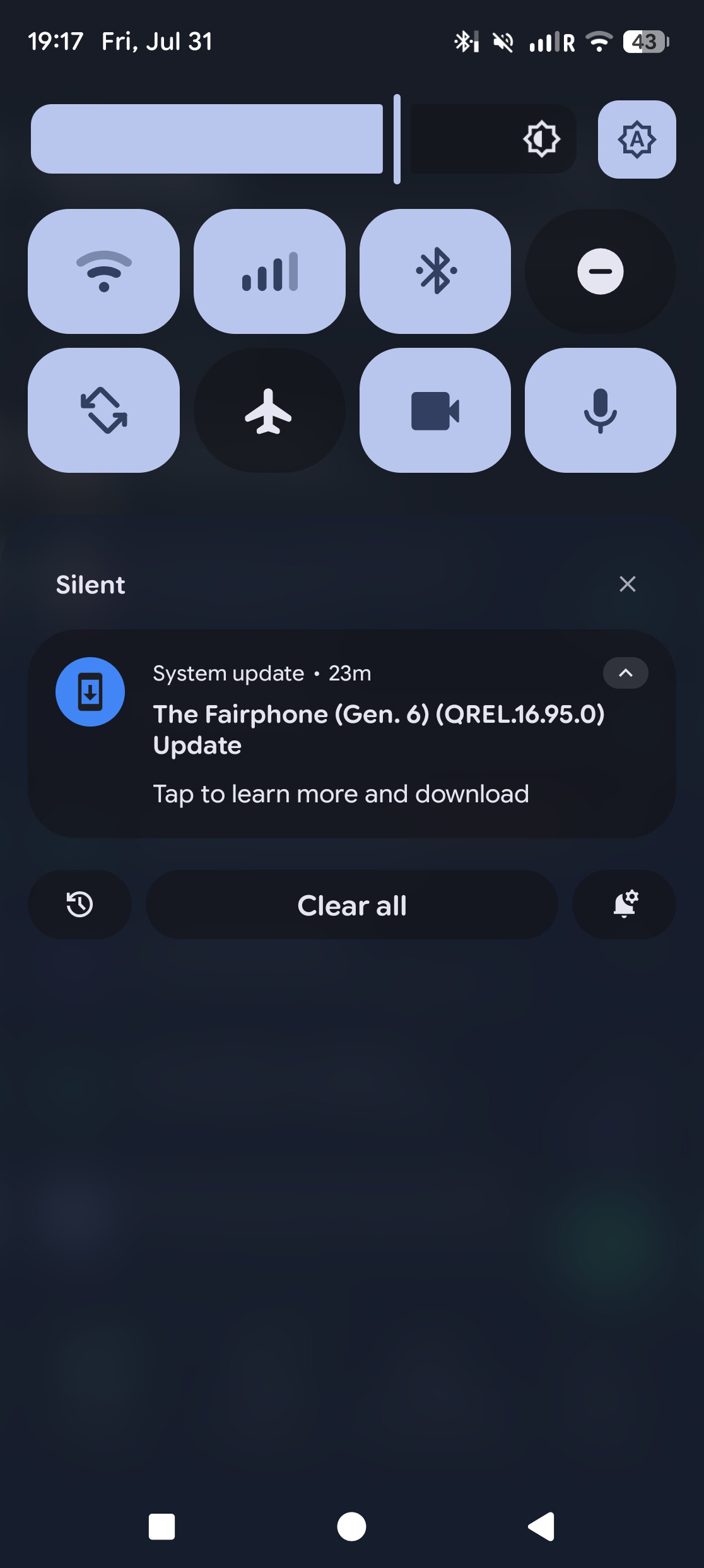
I also got a notification for official fairphone updates, so apparently that’s not fixed yet
This seems like you are not using the official version, but the unofficial build from the 29.06.
You can just sideload the official build though, without wiping your data. OTA updates there are working fine. OTA upgrades from unofficial to official are not supported and that’s intended.
Sorry for my ignorance, do I have to install the google apps while on recovery mode as if I was doing a fresh install? And add the google apps? If different, is the full procedure listed somewhere to quell my fear of messing up?
Just follow the official instructions but skip the step factory reset/data wipe
Just in case you didn’t notice, it looks like Fairphone support is working on the ipv6 issue:
Let’s see how that will turn out
They are working on this since months already…
Yeah, but we didn’t really know that until we finally had a reaction. They had kept pretty quiet about this before
Hello,
I do have a question that may be a little off topic.
Is there a way to get stock camera app? I do know it relies on specific blobs to work.
No, it’s not supported on lineage. And given that it is a proprietary app with system privileges, I will not work on adding support for that.
I’m ok with that. Is there an app that can use all camera capabilities ?
It’s called ‘Camera’ and is pre-installed on LineageOS.
Thank you for doing this.
I’m now on /e/OS (4.0) and am looking to switch to LineageOS. I don’t think it’s possible to switch directly, but what is the best way to indirectly switch?
Do I for example first need to install the stock FP6 ROM? And when that works follow the LOS instructions? Or are there better methods?
It’s taking more than 20min to reboot…
Honestly I realized I have probably missed something so I didn’t push the google apps (I thought I couldn’t for the wrong reason but in reality I just missed a step). Result: 50min of first boot, not able to go forward.
UPDATE: my slot b seems corrupted, but fortunately switching to slot a and rebooting just worked. It’s been a mess but I didn’t brick my phone at least. I am out of my comfort zone, I thought it would be easier, maybe it’s just the first mistake I did, I don’t know. Any input is appreciated. I see it’s also possible to just sideload “lineage-23.2-20260803-nightly-FP6-signed.zip” from recovery but ok, for the future
You should follow the instructions. It’s always recommended to start from the stock ROM, but of you’re on /e/OS, you should be able to skip that step and proceed with installing lineage recovery, formatting data and sideloading the zip.
Unless you tell us what you did exactly and at which step you diverged from the instructions for what reason we can not really help you. The first boot shouldn’t take particularly long, at most 2 minutes.
So @ArianK16a:
cd ..\LatestFairphone
D:....\LatestFairphone fastboot flash boot boot.img
Sending 'boot_b' (98304 KB) OKAY [ 2.568s]
Writing 'boot_b' OKAY [ 0.041s]
Finished. Total time: 2.653s
D:....\LatestFairphone fastboot flash dtbo dtbo.img
Sending 'dtbo' (30720 KB) OKAY [ 0.803s]
Writing 'dtbo' OKAY [ 0.016s]
Finished. Total time: 0.846s
D:....\LatestFairphone fastboot flash init_boot init_boot.img
Sending 'init_boot' (8192 KB) OKAY [ 0.218s]
Writing 'init_boot' OKAY [ 0.006s]
Finished. Total time: 0.265s
D:....\LatestFairphone fastboot flash vbmeta vbmeta.img
Sending 'vbmeta' (12 KB) OKAY [ 0.000s]
Writing 'vbmeta' OKAY [ 0.016s]
Finished. Total time: 0.049s
D:....\LatestFairphone fastboot flash vendor_boot vendor_boot.img
Sending 'vendor_boot' (98304 KB) OKAY [ 2.524s]
Writing 'vendor_boot' OKAY [ 0.050s]
Finished. Total time: 2.604s
D:....\LatestFairphone fastboot reboot bootloader
Rebooting into bootloader OKAY [ 0.005s]
Finished. Total time: 0.005s
D:....\LatestFairphone fastboot flash recovery recovery.img
Sending 'recovery' (102400 KB) OKAY [ 2.703s]
Writing 'recovery' OKAY [ 0.053s]
Finished. Total time: 2.785s
D:....\LatestFairphone adb -d sideload .\MindTheGapps-16.0.0-arm64-20260409_073023.zip
daemon not running; starting now at tcp:5037
daemon started successfully
adb: sideload connection failed: device unauthorized.
This adb server's $ADB_VENDOR_KEYS is not set
Try 'adb kill-server' if that seems wrong.
Otherwise check for a confirmation dialog on your device.
adb: trying pre-KitKat sideload method...
adb: pre-KitKat sideload connection failed: device unauthorized.
This adb server's $ADB_VENDOR_KEYS is not set
Try 'adb kill-server' if that seems wrong.
Otherwise check for a confirmation dialog on your device.
D:....\LatestFairphone adb -d sideload MindTheGapps-16.0.0-arm64-20260409_073023.zip
adb: sideload connection failed: device unauthorized.
This adb server's $ADB_VENDOR_KEYS is not set
Try 'adb kill-server' if that seems wrong.
Otherwise check for a confirmation dialog on your device.
adb: trying pre-KitKat sideload method...
adb: pre-KitKat sideload connection failed: device unauthorized.
This adb server's $ADB_VENDOR_KEYS is not set
Try 'adb kill-server' if that seems wrong.
adb -d sideload .\MindTheGapps-16.0.0-arm64-20260409_073023.zip
Total xfer: 1.00x
fastboot set_active other
Setting current slot to 'a' OKAY [ 0.039s]
Finished. Total time: 0.052s
Hello! Just bought an FP6 since my FP3 died after I dropped it in the water 
It ran Lineage+microG, I liked it and I have seedvault backups for it on my SD storage that would hopefully work. So my preferred option is to reinstall that same system.
I see the official builds and instructions for LineageOS, it’s a bit daunting but it’s within my reach.
I used to install the combined package with microG from https://lineage.microg.org/
However, i notice they haven’t posted installers for the FP6. They have them for all other Fairphone models, but not 6.
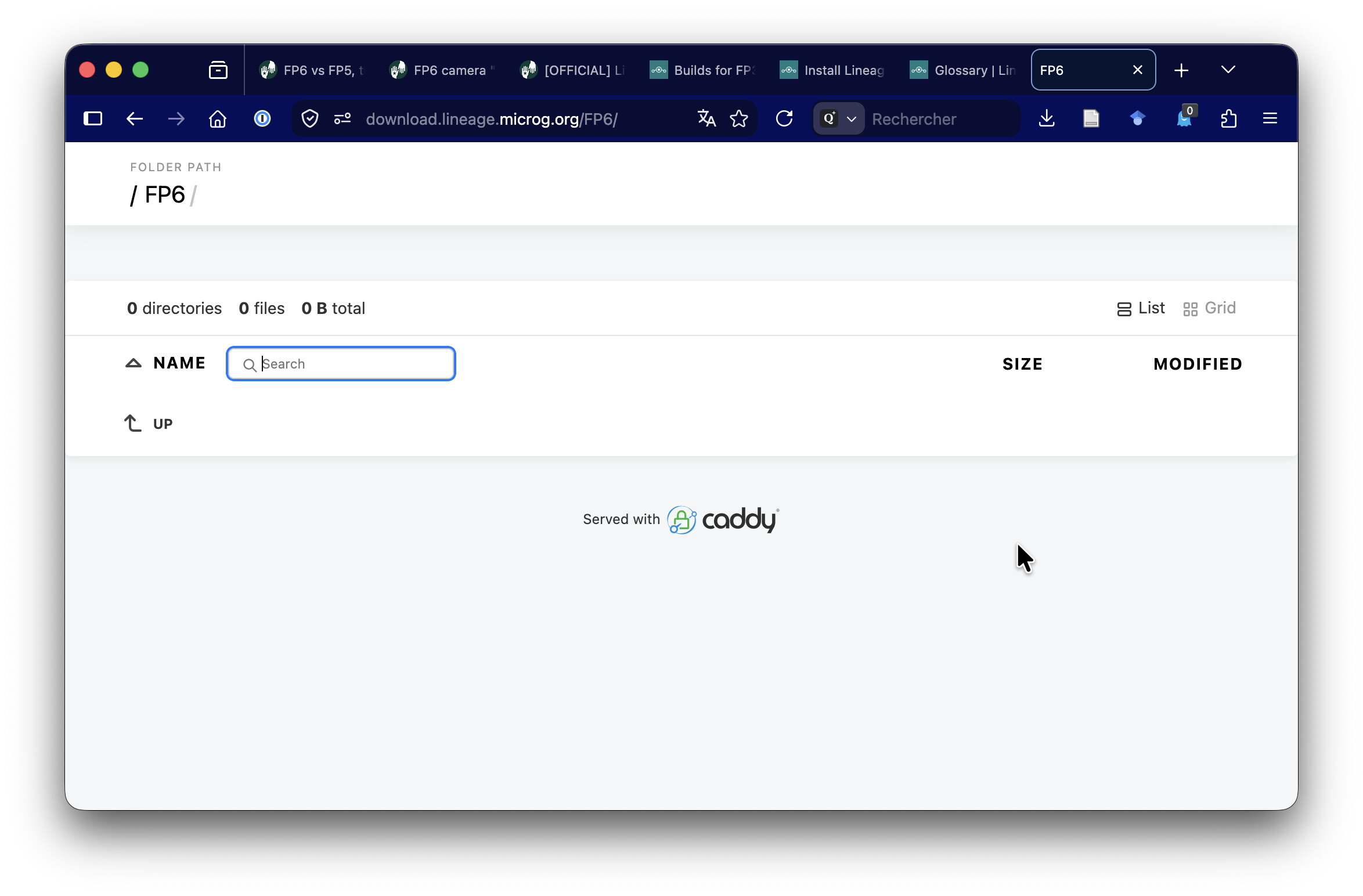
Does anybody know why? Are they just lagging or is there an issue with microG on Lineage on the FP6?
Otherwise I’ll install the microG package Add-ons as per step 7 of the install instructions for Lineage ( Install LineageOS on FP6 | LineageOS Wiki ), but the absence of an integrated package made me suspicious. Can someone confirm this works?
Many thanks,
Jan