Since I started using my Fairphone 6, I have been experiencing a roaming issue.
Both my physical SIM and my eSIM plans include mobile data roaming, and on the phone itself both Mobile data and Data roaming are enabled. Despite this, mobile data simply does not work as soon as I leave the home country of the Sim.
When I cross the border, the “R” (roaming) icon appears, and phone calls work normally, but mobile data does not. I switch manually 1 sim vs. the other. Still nothing. I restart the phone, it work. but as long as i am in the home country of the sim. So not working under “Roaming”, though calls work.
Having to reboot the phone every time I cross the border is clearly not practical—the switch should happen automatically and becomes especially frustrating when driving across borders and relying on internet access for navigation. I am stuck in countries that are not the home country of neither of the Sim cards. This never happened in the past, with other phone, same providers.
Has anyone experienced the same issue or found a solution?
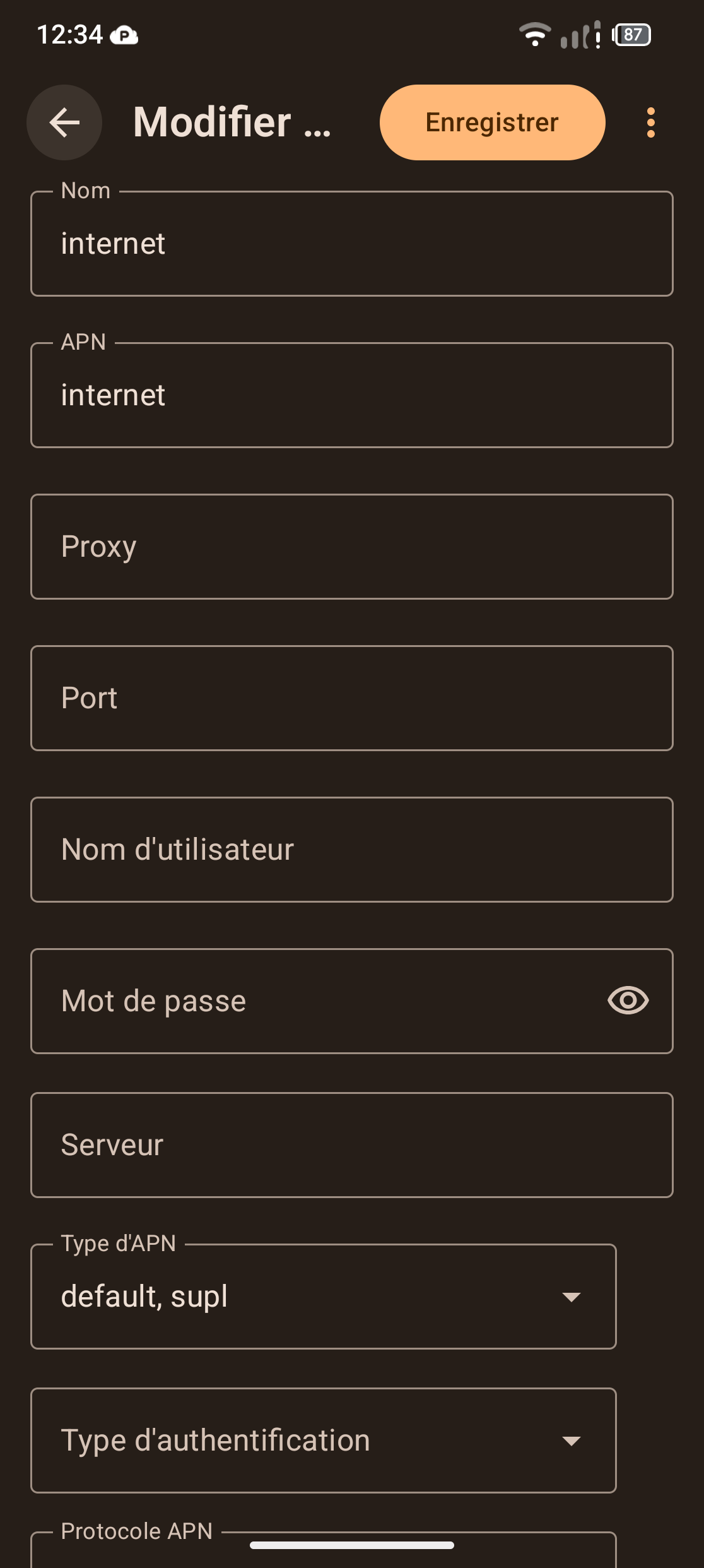
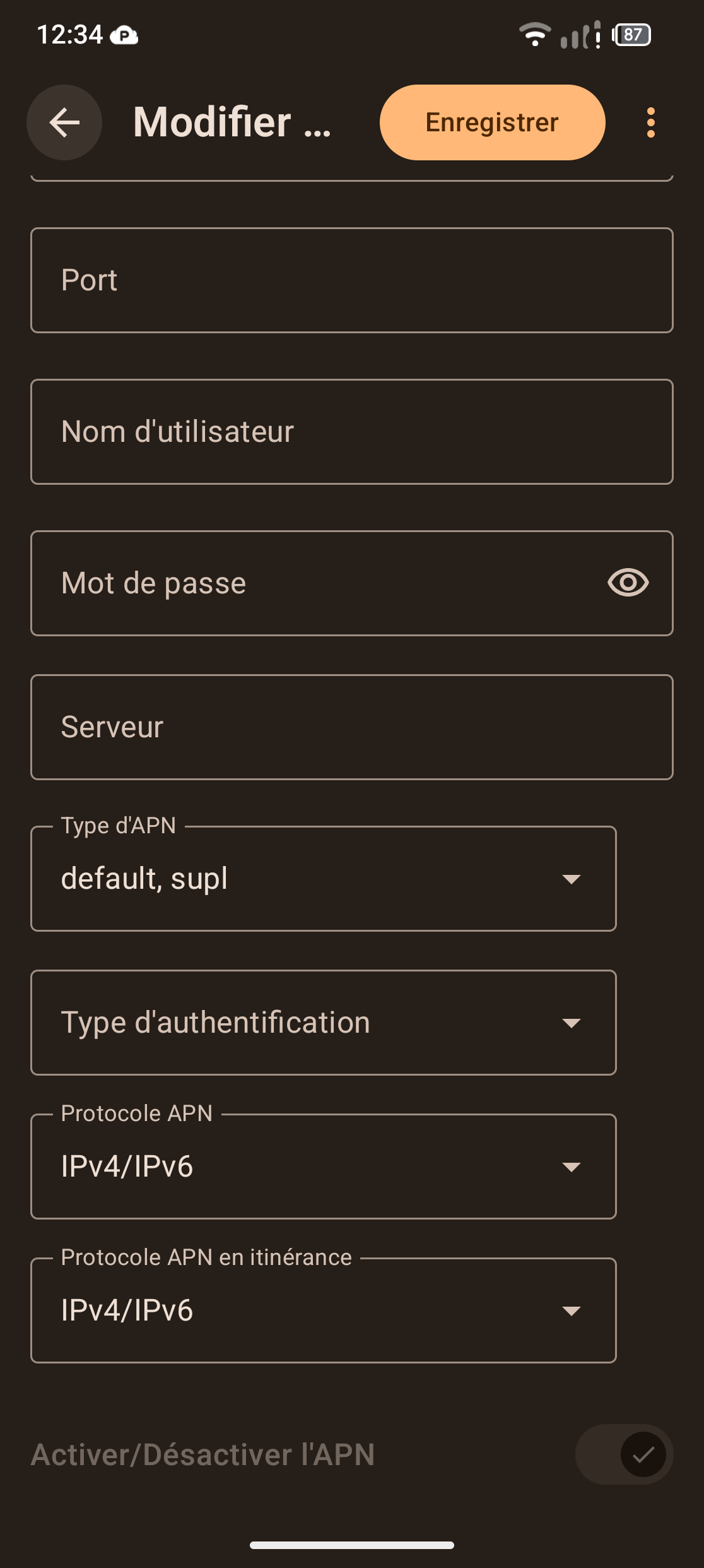
APN settings. Only restarting them and the phone doesn´t do. They needed to be modified. Weeks of recurring exchange with the network carrier, nothing better.
It seems particularily problematic when the carrier asks for the phone model and hears “Fairphone” and responds “it´s not on my list” + the carrier doesn´t let you access the APN (masked).
It´s total guess work.
Here the links that helped me (Salt/Switzerland) - and thanks @Meaghan - Community angel, for the hint !
I am not a FP Angel, I am a community moderator and I am not even sure I was the first one who came up with the idea of APN but anyways, all’s well that ends well:)
I have the same problem. My carrier is Sunrise. I’ve tried the various suggested steps, but nothing works; the problem persists. The network connection drops after one minute.
And the page juste before this one? In the case of Salt, thex propose 3 types of APN: Salt Internet, Salt Prepay and Salt MMS. I switched to “Salt Internet”.
Then, on the APN, on “type d´authentification”, i selected “PAP”.
(related to above link) This is how far i had to dig on my own case (here it´s the page for Sunrise) to start to understand this APN complexity that really is an interplay between the phone and the carrier (a lot more related to the carrier than carrier support service tells…).
@Lidwien i have that space too and there is no problem with it. Maybe a variation upon language setting. For this feature, we only can click on boxes and then it is displayed as such.
@Michael_Zac maybe see also this link, from the same author of the Hello-APN for Sunrise. The troubleshooting list is well made, much more explanatory than others.
 but anyways, all’s well that ends well:)