FP6 crashes daily with error "system-ui is not responding" or other not responding apps

Hello,

my Fairphone worked great but crashes daily since the update in December (FP6.QREL.15.162.0). Even with the latest update (FP6.QREL.15.176.0) there is no change. There is no real action which triggers the crash, this can happen while idle, while using, …

I don’t know where the error could be located so I checked the bugreport with the help of AI and AI said, that the error is located here:
02-10 08:38:02.291 1000 828 828 I hwservicemanager: getTransport: Cannot find entry vendor.qti.hardware.servicetracker@1.2::IServicetracker/default in either framework or device VINTF manifest.
This is a problem in the firmware.

Can somebody confirm this problem? Can this really be the reason that there is a firmware bug since December release?

Thanks for your help
Manuel

Hi, what kind of crash is it? Does it close the app and go back to the home screen? Does the homescreen UI crash and “reload”? Does it result in a reboot?

Hi,

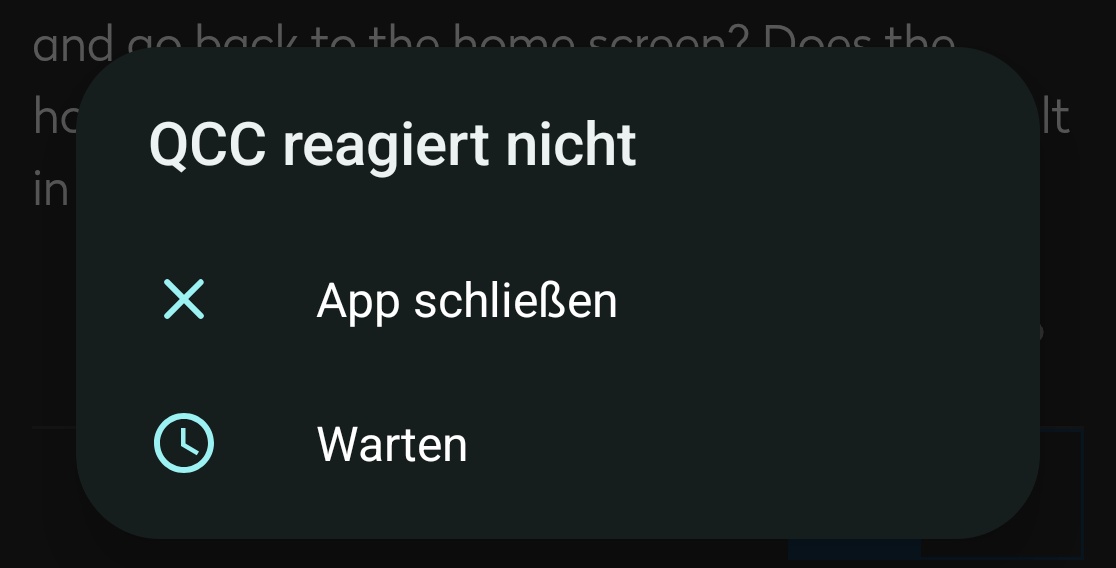
A message like this appears and then the screen is dark. I have to long press on the power button to turn the device off and on again.

Now it is happening with different apps like QCC, Android auto, Gboard every 10 seconds. That’s new.

Manuel

I tried to look through the forum, but couldn’t find any related issues.

Could you try rebooting into safe mode and check if the issue persists there? To reboot into safe mode, follow these steps:

  1. Hold the power button until the power menu appears
  2. Press and hold the “Restart”
  3. Select “OK” when a “Reboot to safe mode” pop-up appears

This will temporarily disable all installed apps, and you’ll be left with only the stock apps. When you’re done testing, just reboot the phone and everything will be back to normal.

I understand it might be difficult to test this in safe mode, but it would be great if you could try to use your phone for a couple of minutes to see if the issue also appears there.

1 Like

Thanks, i will try it in safe mode and will get to you later when I have results.

I tested the safe mode over night and this morning and no error occured. So I switched to normal mode and at start I got 2 errors from normal apps. Since then it runs without any issues.
I will have an eye on it the next days, but if safe mode was the solution it would be very crazy :grinning_face_with_smiling_eyes:

It happened again, now I remembered the timestamp and found these entries in the bugreport:

DUMP OF SERVICE dropbox:
Service host process PID: 2566
Threads in use: 0/32
Client PIDs: 4164, 774
Unknown argument: -a
Drop box contents: 68 entries
Max entries: 1000
Low priority rate limit period: 2000 ms
Low priority tags: {data_app_wtf, keymaster, system_server_wtf, system_app_strictmode, system_app_wtf, system_server_strictmode, data_app_strictmode, netstats}

2026-02-10 08:27:52 SYSTEM_BOOT (text, 479 bytes)
2026-02-10 08:28:02 data_app_crash (text, 2679 bytes)
2026-02-10 09:03:15 data_app_anr (compressed text, 22307 bytes)
2026-02-10 09:21:55 system_server_pre_watchdog (compressed text, 18496 bytes)
2026-02-10 09:22:49 system_server_watchdog (compressed text, 18501 bytes)
2026-02-10 09:23:07 data_app_crash (text, 2681 bytes)
2026-02-10 09:23:09 SYSTEM_RESTART (text, 536 bytes)
2026-02-10 09:30:24 data_app_anr (compressed text, 21954 bytes)
2026-02-10 09:37:18 system_server_pre_watchdog (compressed text, 17958 bytes)
2026-02-10 09:37:50 system_server_anr (compressed text, 12972 bytes)
2026-02-10 09:38:12 system_server_watchdog (compressed text, 18310 bytes)
2026-02-10 09:38:30 data_app_crash (text, 2682 bytes)
2026-02-10 09:38:32 SYSTEM_RESTART (text, 536 bytes)
2026-02-10 09:39:01 data_app_crash (text, 2682 bytes)
2026-02-10 10:14:05 data_app_anr (compressed text, 5699 bytes)
2026-02-10 18:41:22 system_server_pre_watchdog (compressed text, 20010 bytes)
2026-02-10 18:42:16 system_server_watchdog (compressed text, 20000 bytes)
2026-02-10 18:42:32 data_app_crash (text, 2683 bytes)
2026-02-10 18:42:35 SYSTEM_RESTART (text, 536 bytes)
2026-02-10 18:55:59 data_app_anr (compressed text, 23608 bytes)
2026-02-10 18:56:15 system_server_pre_watchdog (compressed text, 18741 bytes)
2026-02-10 18:57:08 system_server_watchdog (compressed text, 19135 bytes)
2026-02-10 18:57:25 data_app_crash (text, 2682 bytes)
2026-02-10 18:57:27 SYSTEM_RESTART (text, 536 bytes)
2026-02-10 20:13:44 system_app_anr (compressed text, 20181 bytes)
2026-02-10 20:17:22 system_app_anr (compressed text, 20322 bytes)
2026-02-10 20:24:26 system_app_anr (compressed text, 10669 bytes)
2026-02-10 20:24:35 system_app_anr (compressed text, 21120 bytes)
2026-02-10 20:24:58 system_app_anr (compressed text, 20300 bytes)
2026-02-10 20:25:26 system_app_anr (compressed text, 20820 bytes)
2026-02-10 20:25:32 system_app_anr (compressed text, 20527 bytes)
2026-02-10 20:26:01 system_app_anr (compressed text, 20368 bytes)
2026-02-10 20:26:36 system_app_anr (compressed text, 20903 bytes)
2026-02-10 20:26:42 system_app_anr (compressed text, 22029 bytes)
2026-02-10 20:26:58 system_app_anr (compressed text, 20291 bytes)
2026-02-10 20:27:54 system_app_anr (compressed text, 20322 bytes)
2026-02-10 20:29:24 system_app_anr (compressed text, 23165 bytes)
2026-02-10 20:30:06 system_app_anr (compressed text, 23081 bytes)
2026-02-10 20:30:58 data_app_crash (text, 2679 bytes)
2026-02-10 20:30:58 data_app_crash (text, 3043 bytes)
2026-02-10 20:32:00 SYSTEM_BOOT (text, 479 bytes)
2026-02-10 20:32:15 data_app_crash (text, 2679 bytes)
2026-02-10 22:03:21 SYSTEM_BOOT (text, 479 bytes)
2026-02-11 07:43:08 data_app_crash (text, 2679 bytes)
2026-02-11 07:43:09 data_app_crash (text, 3043 bytes)
2026-02-11 07:43:37 SYSTEM_BOOT (text, 479 bytes)
2026-02-11 07:43:58 data_app_crash (text, 2679 bytes)
2026-02-11 13:20:08 system_server_pre_watchdog (compressed text, 20243 bytes)
2026-02-11 13:21:01 system_server_watchdog (compressed text, 20182 bytes)
2026-02-11 13:21:18 data_app_crash (text, 2681 bytes)
2026-02-11 13:21:23 SYSTEM_RESTART (text, 536 bytes)
2026-02-11 13:22:15 data_app_crash (text, 2681 bytes)
2026-02-11 17:39:50 system_server_pre_watchdog (compressed text, 19711 bytes)
2026-02-11 17:40:43 system_server_watchdog (compressed text, 19588 bytes)
2026-02-11 17:41:05 SYSTEM_RESTART (text, 536 bytes)
2026-02-11 17:50:46 data_app_anr (compressed text, 16955 bytes)
2026-02-11 17:55:58 system_server_pre_watchdog (compressed text, 18824 bytes)
2026-02-11 17:56:52 system_server_watchdog (compressed text, 18867 bytes)
2026-02-11 17:57:14 SYSTEM_RESTART (text, 536 bytes)
2026-02-11 18:06:29 data_app_crash (text, 2665 bytes)
2026-02-11 23:50:09 system_app_anr (compressed text, 23127 bytes)
2026-02-11 23:50:10 data_app_anr (compressed text, 16446 bytes)
2026-02-11 23:51:40 system_app_anr (compressed text, 19340 bytes)
2026-02-11 23:51:51 system_app_anr (compressed text, 19848 bytes)
2026-02-11 23:54:47 data_app_crash (text, 2679 bytes)
2026-02-11 23:54:47 data_app_crash (text, 3043 bytes)
2026-02-11 23:56:55 SYSTEM_BOOT (text, 479 bytes)
2026-02-11 23:57:10 data_app_crash (text, 2680 bytes)
--------- 0.060s was the duration of dumpsys dropbox, ending at: 2026-02-11 23:58:04
Good to hear that the issue does not appear in safe mode - that suggests the issue is not with the OS itself, but likely with one of the installed apps, updates to system apps or some interactions between those. But safe mode is never a solution, it’s not very convenient to use - it’s only meant as a temporary measure for testing.

“Dropbox” is of course a false flag here and doesn’t have anything to do with the Dropbox cloud storage service :)) It’s just one of the tools Android uses to collect debug logs.

I don’t think I can help any further. The next time you see the crash, you can try collecting a full bug report, like described here: https://developer.android.com/studio/debug/bug-report#bugreportdevice (there is also a setting in the Developer Options “Bug report shortcut”, that adds a shortcut to the power menu and might help collect the report). Try uploading the report somewhere and sharing it with support - they should pass it on to the development team to work on it.

2 Likes

Welcome to the community forum.

Not at all. Safe mode is not a solution but a tool. It basically allows two things:

  1. Determine whether the problem comes from the OS and standard apps. If the problem disappears in Safe mode we can conclude that it originates in user-installed apps or settings. This appears to be your case.
  2. Simulate a reset. In most cases when the problem does not occur in Safe mode, we have a choice. We can either devote likely a lot of time to tracing the bug (with no certainty of success); or we can perform a system (“factory”) reset and then reinstall user apps progressively in order to identify the problem. If on the other hand the problem still occurs in Safe mode, then it likely originates with the OS, default apps, or the hardware.

Your first action should be to make sure that you have backups of all your data and configurations since it’s quite likely that your simplest course of action will be to perform a reset that would “wipe” your phone.

Hello kwasow and OldRoutard,

I didn’t think running in safe mode is the solution, I thought switching safe mode on and off “repaired” the system.

So I will reset the phone and have a look if this solves the issue.

Thanks for your help
Manuel

So 24 hours later the device crashed again. I only installed the bare minimum of the apps I needed today, but I don’t think that helped:

DUMP OF SERVICE dropbox:
Service host process PID: 2561
Threads in use: 0/32
Client PIDs: 4518, 816
Unknown argument: -a
Drop box contents: 35 entries
Max entries: 1000
Low priority rate limit period: 2000 ms
Low priority tags: {data_app_wtf, keymaster, system_server_wtf, system_app_strictmode, system_app_wtf, system_server_strictmode, data_app_strictmode, netstats}

2026-02-12 17:40:02 SYSTEM_BOOT (text, 537 bytes)
2026-02-12 17:40:49 storage_trim (text, 16 bytes)
2026-02-12 17:40:49 storage_trim (text, 25 bytes)
2026-02-12 17:40:49 storage_trim (text, 18 bytes)
2026-02-12 17:40:59 SYSTEM_BOOT (text, 536 bytes)
2026-02-13 06:41:10 system_app_anr (compressed text, 5877 bytes)
2026-02-13 06:41:26 system_app_anr (compressed text, 6595 bytes)
2026-02-13 06:41:41 system_app_anr (compressed text, 6638 bytes)
2026-02-13 06:41:56 system_app_anr (compressed text, 5737 bytes)
2026-02-13 06:42:11 system_app_anr (compressed text, 6591 bytes)
2026-02-13 06:42:27 system_app_anr (compressed text, 6672 bytes)
2026-02-13 06:48:54 system_server_pre_watchdog (compressed text, 20373 bytes)
2026-02-13 06:49:38 data_app_anr (compressed text, 7948 bytes)
2026-02-13 06:49:47 system_server_watchdog (compressed text, 20529 bytes)
2026-02-13 06:49:54 SYSTEM_TOMBSTONE_PROTO_WITH_HEADERS (compressed data, 44747 bytes)
2026-02-13 06:49:54 SYSTEM_TOMBSTONE (compressed text, 10807 bytes)
2026-02-13 06:50:01 data_app_crash (text, 2683 bytes)
2026-02-13 06:50:05 SYSTEM_RESTART (text, 536 bytes)
2026-02-13 06:50:14 data_app_crash (text, 2683 bytes)
2026-02-13 13:53:04 system_app_crash (text, 2722 bytes)
2026-02-13 18:26:09 data_app_crash (text, 2679 bytes)
2026-02-13 18:26:09 data_app_crash (text, 3043 bytes)
2026-02-13 18:29:51 SYSTEM_BOOT (text, 479 bytes)
2026-02-13 18:30:05 data_app_crash (text, 2680 bytes)
2026-02-13 20:17:00 system_app_anr (compressed text, 11578 bytes)
2026-02-13 20:17:21 system_app_anr (compressed text, 18525 bytes)
2026-02-13 20:17:44 system_app_anr (compressed text, 21395 bytes)
2026-02-13 20:18:03 system_app_anr (compressed text, 19148 bytes)
2026-02-13 20:18:22 system_app_anr (compressed text, 21339 bytes)
2026-02-13 20:18:42 system_app_anr (compressed text, 18333 bytes)
2026-02-13 20:20:14 system_app_anr (compressed text, 15178 bytes)
2026-02-13 20:25:30 data_app_crash (text, 2679 bytes)
2026-02-13 20:25:30 data_app_crash (text, 3043 bytes)
2026-02-13 20:26:00 SYSTEM_BOOT (text, 479 bytes)
2026-02-13 20:26:11 data_app_crash (text, 2679 bytes)
--------- 0.039s was the duration of dumpsys dropbox, ending at: 2026-02-13 20:29:35

I think your best course is to inform Fairphone Support > contactsupport

It might be useful to contact the support of user-installed apps that are crashing.

In both cases you might be asked to provide logs, but I don’t think it’s useful to publish the manifests here.

I have contacted Fairphone support some weeks ago, still waiting on their response.

Yesterday I deactivated VoLTE on my esim, since then I hadn’t any problems. Even my Bluetooth problems are solved (had the problem that the connection stayed on to my cars even if I am kilometers away). That’s only a temporary solution but I hope it will help for the moment.

1 Like

who is your provider in which country?

1 Like

Good news. Make sure to add that info to your Support ticket.

I’m in Germany. The normal sim is from Telekom Germany, this is only a SIM for data. The second one, the esim, is from sipgate, they use O2 Telefonica.

so you have mobile data enabled for both SIM? That should overall not be a very rare set-up and both networks are supported for VoLTE .
https://support.fairphone.com/hc/en-us/articles/9779766652689-How-to-set-up-4G-and-Wi-Fi-Calling#compatibility

However overall I cant really believe that this would cause an App to crash or cause BT issues…

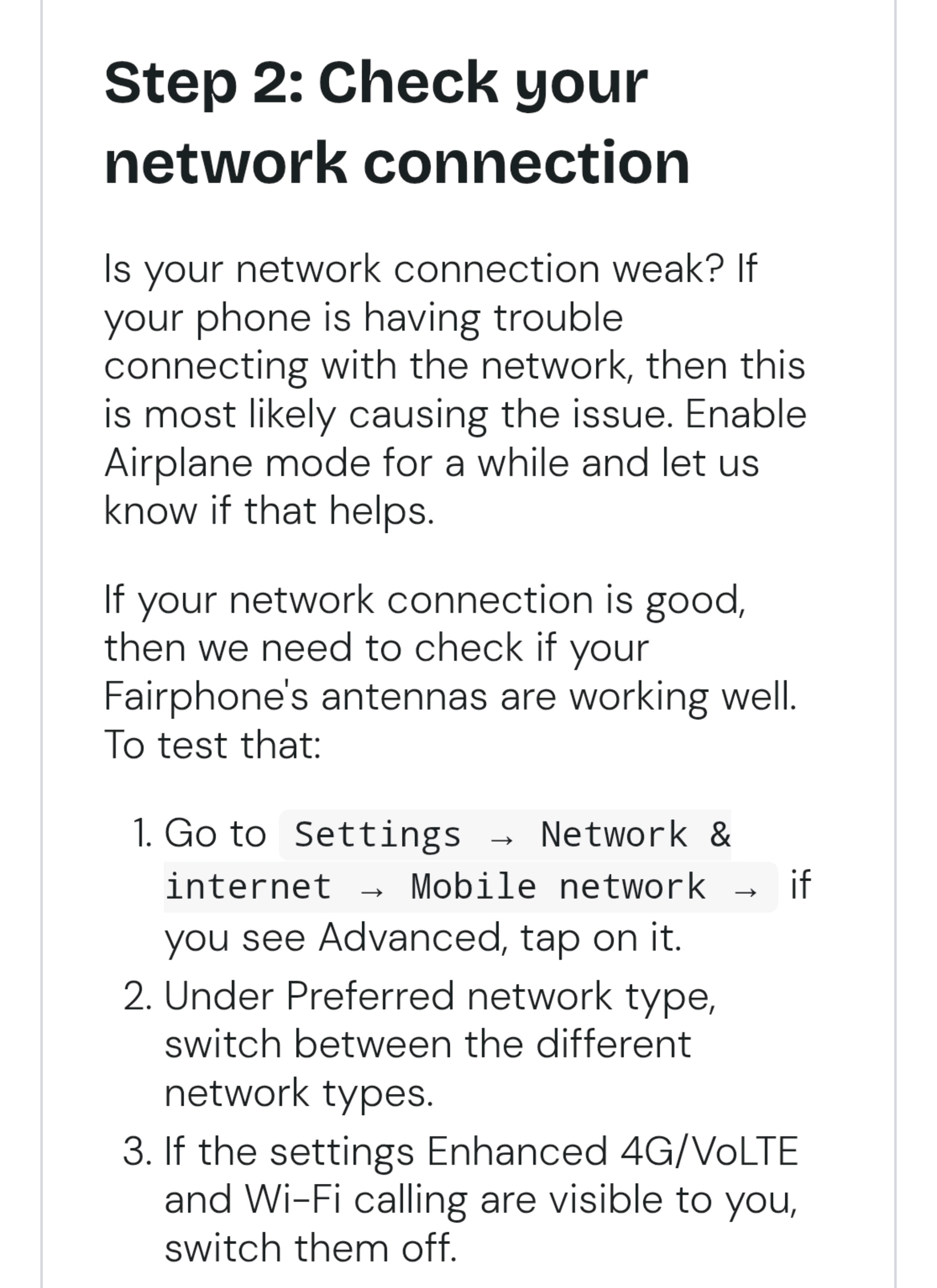
This setting came to my mind when I read the help text on the troubleshooting tool under https://fairphone.b2x.com/troubleshooting

Then I remembered that I have turned on the second SIM short before the December update was published. Before this day I used only the physical SIM card. I didn’t think that there would be a link to this problem, but there seams to be a bug.

I will send this info to the support team and hope that they can help me and that they will respond to my messages.

I will keep you updated, thanks for your help.

1 Like

The reboots happened again, so disabling VoLTE wasn’t the solution.

I think I found the cause of the problem:

A activated the second SIM some weeks ago. Since then the phone reboots, especially when connected to the car over Bluetooth. When I walk away from the car bluetooth still keeps connected.
When I turn off the second SIM I don’t get any reboots and I don’t have the problem with the Bluetooth connection. I don’t know whats the problem with the second SIM but I hope support will find out.

1 Like

Update: I was able to specify the problem more deeply. It happens only when I have activated an esim from Sipgate AND this sim card is set as default for phone calls.

Support wants that I send in the phone but I don’t think that this is necessarry. So I changed to an other provider and hope that this will be the easiest solution and with that the problem is gone.