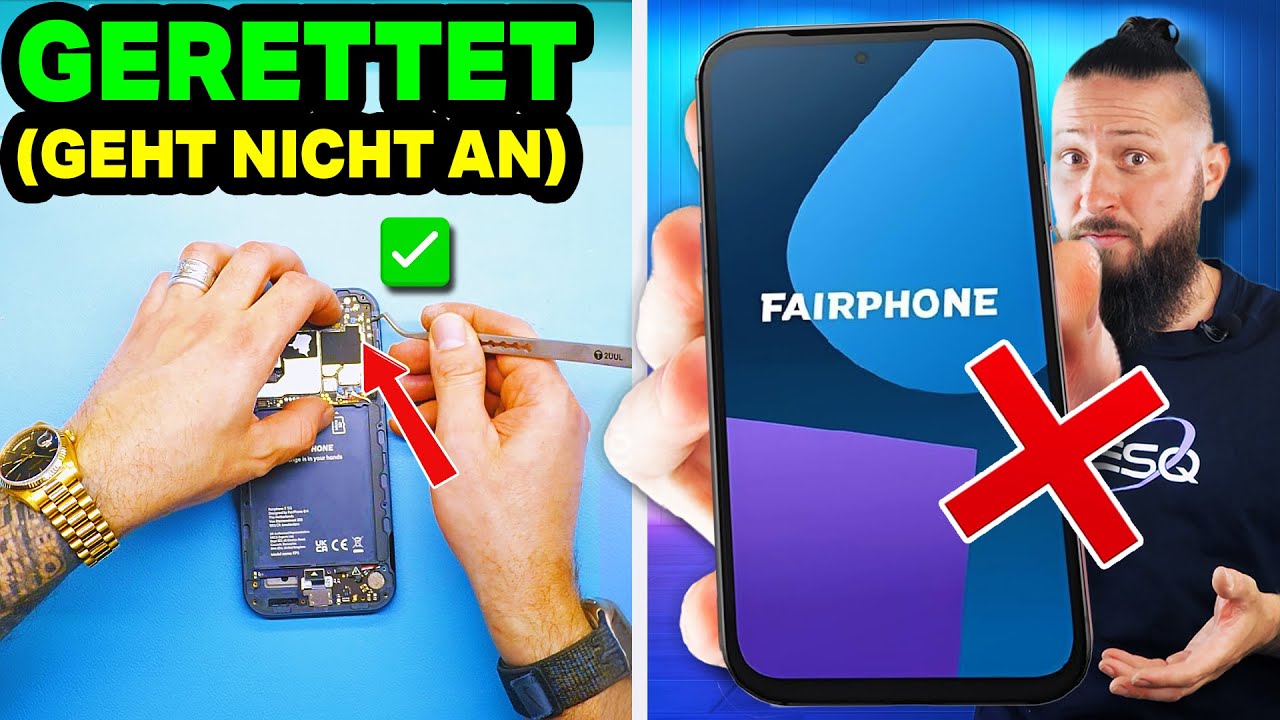
I have an odd issue. I came back from the last Fairphone Meetup in Hamburg and due to heavy rain my phone got wet. At first it was still running and the USB port reported that it was disabled as it got wet. Ok I dryed it also took the whole phone apart and used a hair-dryer to get it more or less fully dry again. It worked again and I could also charge it. A day later the screen began to flicker. I turned it off again and cleaned the screen connector (with alcohol / nail polish remover) and put it back together. It worked again and also the flickering stopped. Another day later it just went dark while I used it. When I hit the power button, the full screen blinks shortly in some kind of yellowish color, but it does not turn on again. It even connected disconnected my fairbuds.
Cleaning the connector another time did not help. As HH-Angel, I also had a brnad-new FP5 screen at hand. It shows the same behavior.
Any ideas what I can do now? Due to the fact that I turned it off, it is locked now and without a screen I cannot unlock again. Until unlock it is not shown in adb … otherwise I would use scrcpy or so to control the device. Is there a external touch-screen kind of way to control a phone or will that fail as well without adb/usb debugging running? I know that is runs, as e.g. I can turn on the flash light (long press power button, which I have configured). So it is booted and in lock-screen or maybe it is asking for the SIM-Pin right now.
It is not a nightmare, as I have a backup (synced via syncthing to my PC), but I would just run a very last signal backup and move to another phone or so. Even the loss of a bunch of Signal message might not be a problem, as I have it linked to the PC so I can still read the message. Idk if it will sync the last few messages anyway when I restore the latest backup on a new phone
Yeah I guess this will be the only and last option.
I bought a simple USB-C Hub with HDMI and some USB Ports.
I also have a FP Gen 6+ here (which is not mine) and it seems it does not support an external Display (I quickly tested it with the USB-C Hub). This surprised me a bit, but the mouse I attached to the hub in addition worked perfectly even in the lock-screen. Or are there also special requirements what I attach on the other site (I just used an older Samsung TV)?
I took the whole FP5 apart again and the main module is now taking “a bath” in a bowl with rice. So I will try later with the USB-C Hub. I read that FP5 supports that - something called DisplayPort AltMode via HDMI. fingers crossed that it either works again or that it shows the screen via HDMI.
If anyone has recommendation which USD-C Hub works seamlessly, please share.
This one here: USB-C-Hub, Multiport, 6 Ports, 3x USB-A, USB-C, HDMI™, LAN/Ethernet
at least does not show anything on the TV’s I tested. (tested also another family member FP5, which does not have a broken screen; TVs were a Samsung and a Panasonic, don’t have the models at hand)
I think there are some threads explainig that directly attached to the Monitor with integrated Hub with a one USB-C cable solution works or some succeeded with some hubs.
e.g. here:
I think will give it a try at work, where we have some ThinkVision Monitors with an integrared USB-C Dock and a one USB-C<->USB-C Cable connection to it.
Hm so far no luck to attach an external display.
Also not with the USB-C cable attached ThinkVision Monitors (P27h-30 with integrated USB-C Hub).
They turn on shortly, but they do not show the screen (and go to standby then).
Will test another USB-Hub, which was reported to that it works and see if this will succeed.
I fear I have to give up that FP5 and rely on my a bit older backups.
I know that it still boots (Bluetooth headset and car connects to it still, flashlight shortcut I configured on long-press power button works as well)
I have a similar issue with a phone with a defunct screen after water got in. If anyone knows of a way to enter the pin/pattern unlock with a screen you can’t see, I’d be very grateful. I’ve got a replacement phone now but similar to OP would love to get a backup.
Just FYI I was able to get in another time. After some more cleaning the screen was shown again and I could get in, disable the lock screen and connect via ADB and now I’m manly working via scrcpy to click around and get all I need for a clean move to a new phone. In the meanwhile the phone screen is off again (but I can go on working via adb/scrscpy).
What I did?:
I took it fully apart again and even removed the little metal plate which covers the SOC. Thermal paste was in areas I should not be I think. I cleaned that a bit as well. As usual alcohol or here some nail polish remover. I used a hair-dryer on the lowest level and and I think it slightly heated one of the relevant solder joints and so briefly getting it working again (probably a lot of people will link now other threads, where it is discussed as not recommended to do that or risky etc. … - i know, but the phone was unusable anyway so I decided to go for it). So either the warm air or the cleaning made it work again, but as it is off again I vote for the warm air.
I also watched this video to understand a bit more about the insights of the phone.
I idk about this company, I looked them up and it seems that they were apparently suspected of engaging in questionable business practices. But idk everybody should google that on their own.
At least you se how to lift the metal plate where the SOC is below etc. … I guess some water came in there somehow and now the graphic module connection is buggy - at least for my phone. Everything else works, as explained.
WARNING
All this is purely guessing (I’m not a Hardware guy, just trying to understand a bit more then just removing the removable parts of the FP) and will probably not help others + can be risky to fully break your phone and make the rest, which might still work, fully unusable. So A CLEAR WARNING at this point.
Anyway - pretty happy that this worked.
Will test some of the hubs as well and let you know if that works as well. For now adb / scrcpy