A post was merged into an existing topic: FP4 (Android 15): Background apps being killed more aggressively
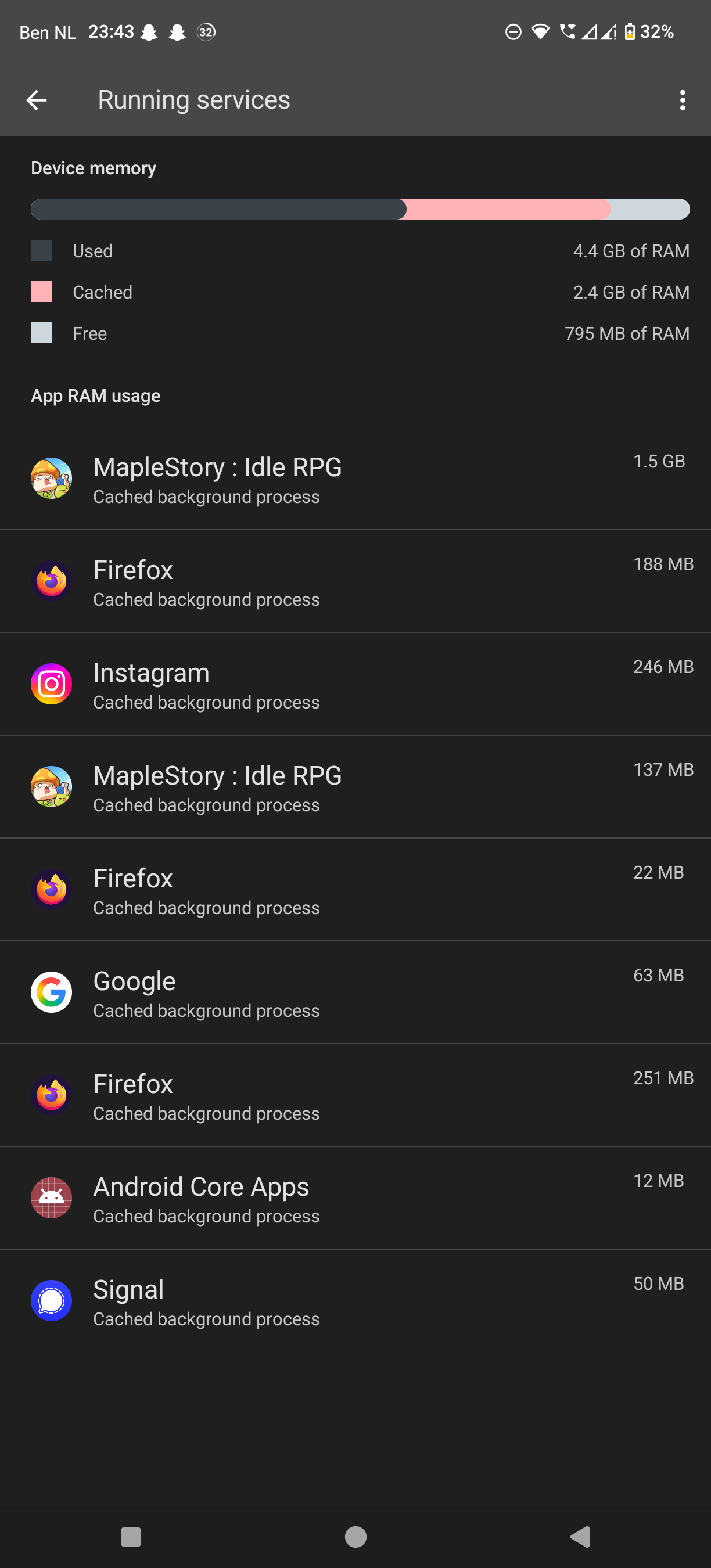
I checked running services in the developer options, and I could see that it almost ran out of memory, was cycling between 3 apps and it would always kill the 3rd app. This at least shows more than the memory tab.
Still can’t see anything odd, other than it always aiming to have 4gb ram free.
1 Like
Wow this really did something. Though this issue didn’t bother me as much as others, I’m definitely noticing my chat apps and productivity apps reloading way less when tabbing in and out.
The device also feels snappier. Though it might just be placebo from not having to wait an extra second for apps to relaunch.
10/10 would recommend toggling the thing.
2 Likes
Just to say I’ve doesn’t his and still having issues with Spotify closing most the time I switch apps, will give it some more time to see if it helps elsewhere (thanks for the suggestion anyway!)
What would be the drawbacks activating this toggle?
This issue is also nagging me a bit (it doesn’t make the phone unusable, just slightly annoying), but I am afraid to go against optimized settings and that would end up being noticed in other things like the battery life.
On the other hand, the issue I am experiencing with AccuBattery (thread here), and that might be related to this, is really annoying to me. So, I may end up trying enabling the “Disable child process restrictions” toggle and see if it fixes the AccuBattery issue.
It’s worth a try. I’ve had it activated for a while now and the FP5 is running much more smoothly. The battery life has improved slightly. But that may be a coincidence. Or perhaps it’s because apps aren’t constantly being closed, reloaded and restarted.
I might even go back to the FP5 now. It’s slowly becoming usable again. At least until the next big update. Oh, I’m being mean again.
1 Like
Ok. I’m going to give it a try and see how it goes, and see if it improves the issue with AccuBattery too.
Cheers.
1 Like
Seems like the impact on how I use my phone has really not been that severe. I have activated that switch, too, to see how it goes. I haven’t had too many chances to try it with MFA which annoyed me most, but the few times I used it just worked, indeed. For the battery life it looks like it didn’t have any significant impact. I can’t really tell if it changed at all - which means that there’s at least no reason to disable it again any time soon.
I tried this too, did not see much of an improvement unfortunately. Also that cannot really be the solution as having no restrictions of child processes means disabling a somewhat important safety measure. (Must not even be an attack, I have no difficulty imaginig apps using this restriction as a threshold: “Start as many child processes as you are allowed, that should speed things up”)
Also my feeling is the phone did get somewhat more unstable after disabling this, forcing me to reboot it every few days.
I agree, that can’t be the solution. Just another workaround to make the Fairphone usable.
The thing needs too much attention for my liking.
3 Likes
Hello, I have disabled background process restrictions and 4GB free RAM and my processes still get killed.. So please FP devs look into this, thank you.
(on the other hand, Im missing a feature from Lineage → long hold back to kill an app… kind of ironically funny situation  )
)
Hello, I unfortunatly have the same problem of kiiling background apps 
1 Like
I had the same problem and couldn’t solve it. I installed e/OS on my Fairphone 5 and the problem is solved now.
4 Likes
Fairphone released an update for me today FP5.VT2K.C.076.20251222 and it really feels much better. I can actually switch apps now and apps seem to restore from cache rather than completely reloading now. I will keep an eye on it.
1 Like
Unless I’m mistaken, this is a security update. Why would it have an impact ?
Are you sure you didn’t make some changes in developper tools that got reset after the reboot ?
3 Likes
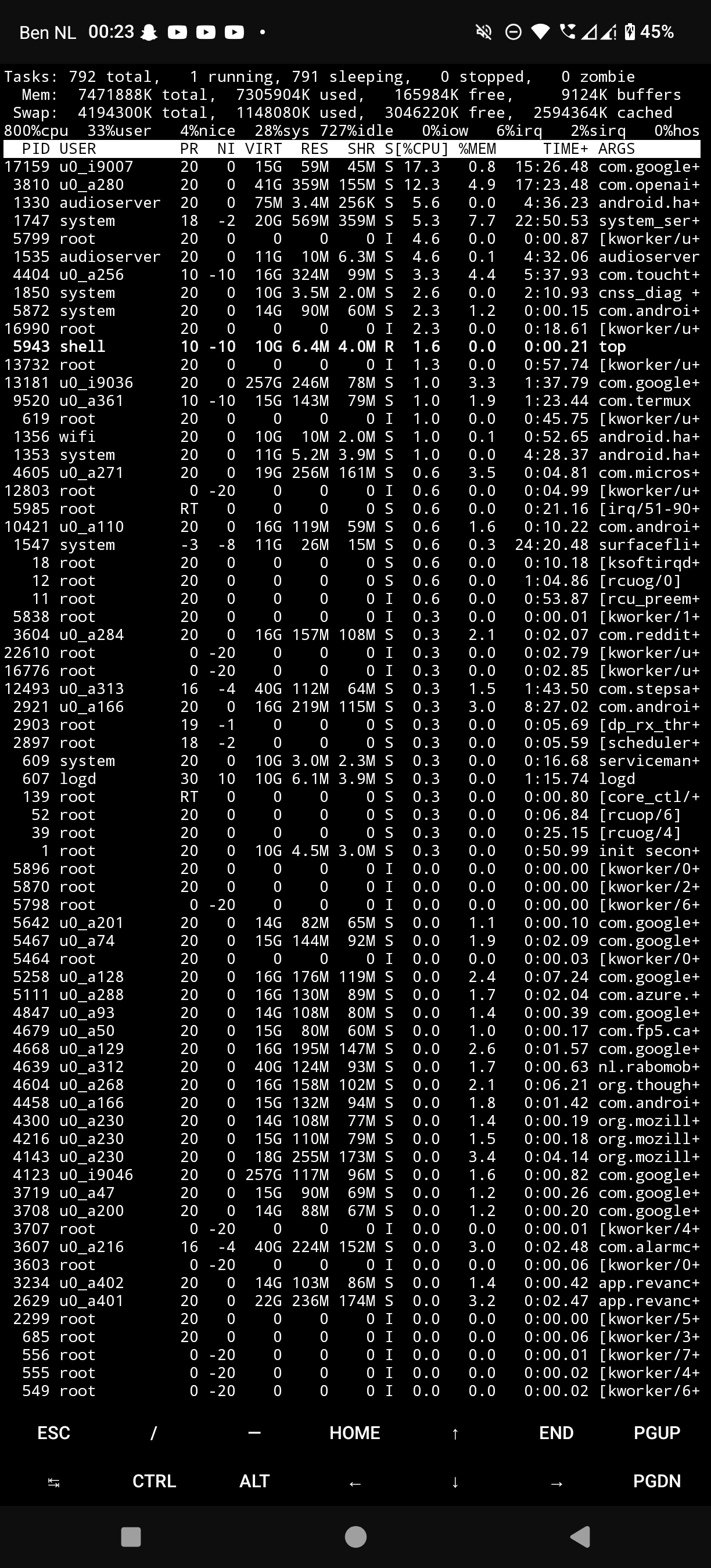
I’ve experienced several “false positives” at this point – it all seems related to the Android Low-Memory Killer Daemon (LMKD). Some changes seem to reset the stats or something, and things seem better for a time. The weird thing is that everything’s supposed to reset every boot, but it does seem like toggling some settings seems to have an effect. But so far I’ve not found anything that really sticks long-term.
Has anyone gone ahead with a full factory reset? It’s next on my list, but I’ve been putting it off. If someone’s already tried it without success I’ll save myself the headache 
1 Like
So I’ve installed that update, and did not see any change on my side.
Knowing that it had resetted the developper menu tweaks, I wondered what else I could try with the same goal, and then it hit me : for years I’ve been criticizing people killing their apps every 2 minutes telling them to let the system handle memory and battery life… But this version of Android finally and unfortunately may have validated their strange behaviour… Somewhat.
Killing apps in the background to leave only the few I’m using right now seems to have some positive effect on this problem. Of course it only helps if you’re not using ten apps at he same time… Will see on the long run how it goes.
Anyone else see this making a difference?
1 Like
That might be the reason why I don’t see the issue as clearly as what others report here. I actually don’t really use many apps regularly and so the rarely used ones get kicked out by me to keep a good overview of the apps in the task manager (that thing that you get by swiping up from the bottom of the screen).
However the update didn’t make any difference here, I shortly tried without the dev setting and could immediately see that the browser started reloading when switching apps. Dev setting toggled back on and it’s better again.
One drawback could be if an app trusts the limit on child processes to create its own without limitation it would create enough processes to crash the system, I guess…
I have the same problem with killed Apps in the background of my FP5. Really very annoying! I’ m just using my old Pixel 4a to do banking with authenticator app. I tried most of the cheats from this thread… still doesn’t work. This is my first and last FP for shure!
5 Likes