My Fairbuds XL is not working with this audio cable. I’d like to use it for television, but there’s no sound at all! What could be the problem!

Are your Fairbuds XL switched on? (LED light on the Fairbuds XL)
I believe (Update: forget this part, I forgot that the Fairbuds XL do not include a 3.5 mm port. passive (Fairbuds XL switched off) audio transfer to the Fairbuds XL only works with the 3.5 mm port on the Fairbuds XL (that requires a cable with 3.5 mm plugs on both ends).
Sorry, I think my previous post was wrong and misleading.
As I read here  https://support.fairphone.com/hc/en-us/articles/8438867706769-How-to-use-your-Fairbuds-XL#cable, audio transfer via cable requires that there is no bluetooth connection interfering – if you used the Fairbuds XL via bluetooth before, switch off bluetooth on the sending device (Fairphone, TV, stereo or computer).
I really tried everything… Bluetooth on, Bluetooth off (my tv is old, doesn’t work with Bluetooth, hence the audio cable), Fairbuds on , Fairbuds off, not a bit of a sound comes through.

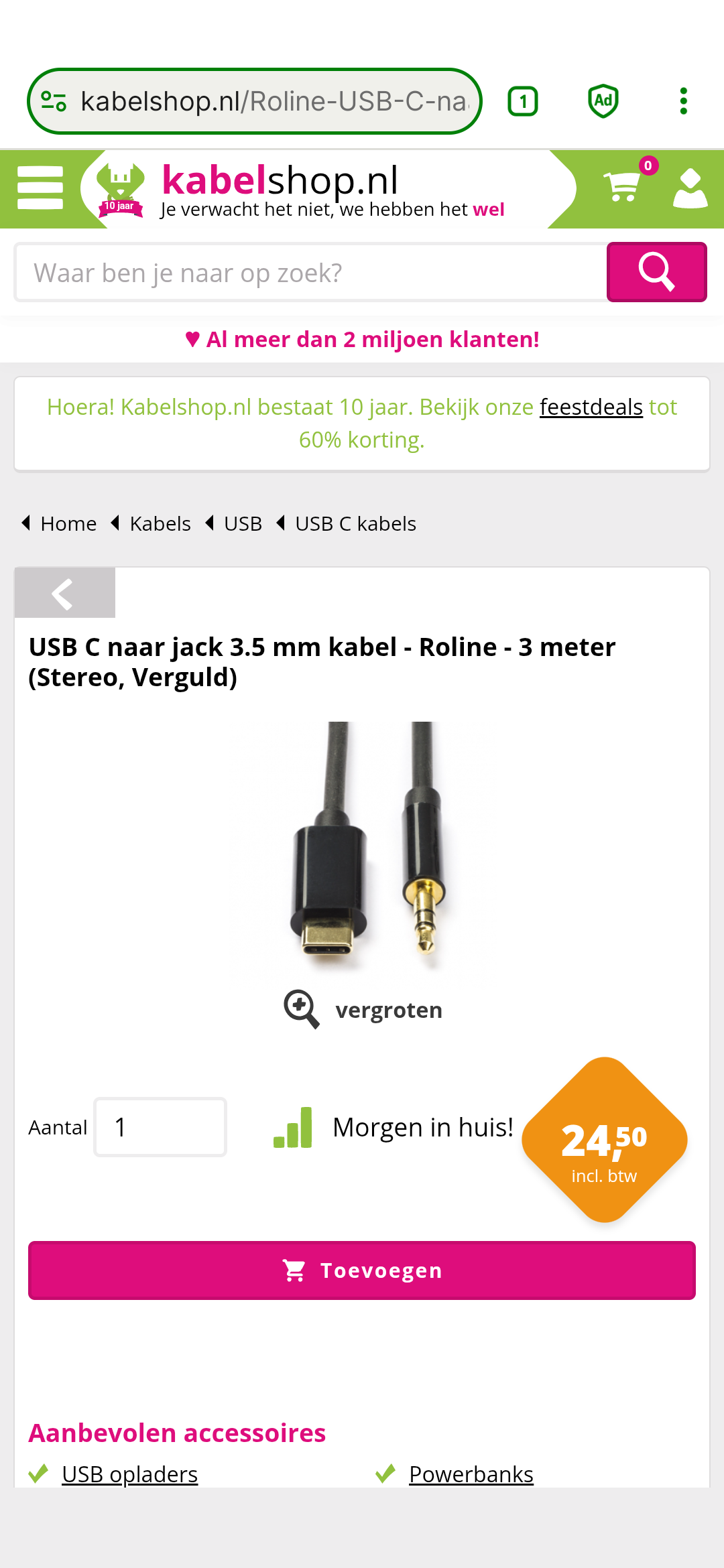
I dont understand NL so I dont know what you bought, however in the linked topics its explained there are different types
I try to plug the jack into my tv and the USB-C into my headset, yes. Personally I don’t see any difference with the one Fairphone sells but I don’t know anything about all this stuff. I’ll try the latter but the problem is that the cable isn’t long enough. Oh well,…
Thank you anyway!
Hello
Fairphone sells two similar cables.
This one I believe allows plugging Fairbuds XL in a device with a jack. I think this is the one you want.
And there’s the second cable.
This one I believe allows listening to wired headphones with a phone without a jack.
These cables look kinda the same, USB C and jack, so I guess it might be easy to confuse them.
You need to purchase a cable specifically for your purpose. You might look for a longer cable provided you explain to a seller what you exactly you need it for.
A bit of topic but if Fairphone cable for Fairbuds allows transfer from Jack to USB-C, shouldn’t it be named differently?
The Fairphone cable has three rings on the (3.5 mm) audio plug, your cable has only two. A missing ring means reduced functionality.
Sorry, but this is misleading.
A third ring on the jack is for Play/Pause and volume conteol on the cable.
But the problem here is that there are different types of USB-C ←> jack cables regarding the direction of sound.
A USB-C ← jack cable with controls that could be used with the Fairbuds XL is nowadays rather useless I’d guess since the as far as I know TVs and computers do not support this.
“A bit of topic but if Fairphone cable for Fairbuds allows transfer from Jack to USB-C, shouldn’t it be named differently?”
Exactly my thoughts! That’s why I have the wrong cable now!
I read this again and you are absolutely right! I know what to do now, thanks again!