Hallo
I just bought a fairphone 6 and did the setup. but it only unlocks with the fingerprint and not the face ID. Did I do something wrong in the set up?
Hallo
I just bought a fairphone 6 and did the setup. but it only unlocks with the fingerprint and not the face ID. Did I do something wrong in the set up?
Welcome to the Fairphone community.
Face-ID is iPhone only, so Fairphone doesn’t support it.
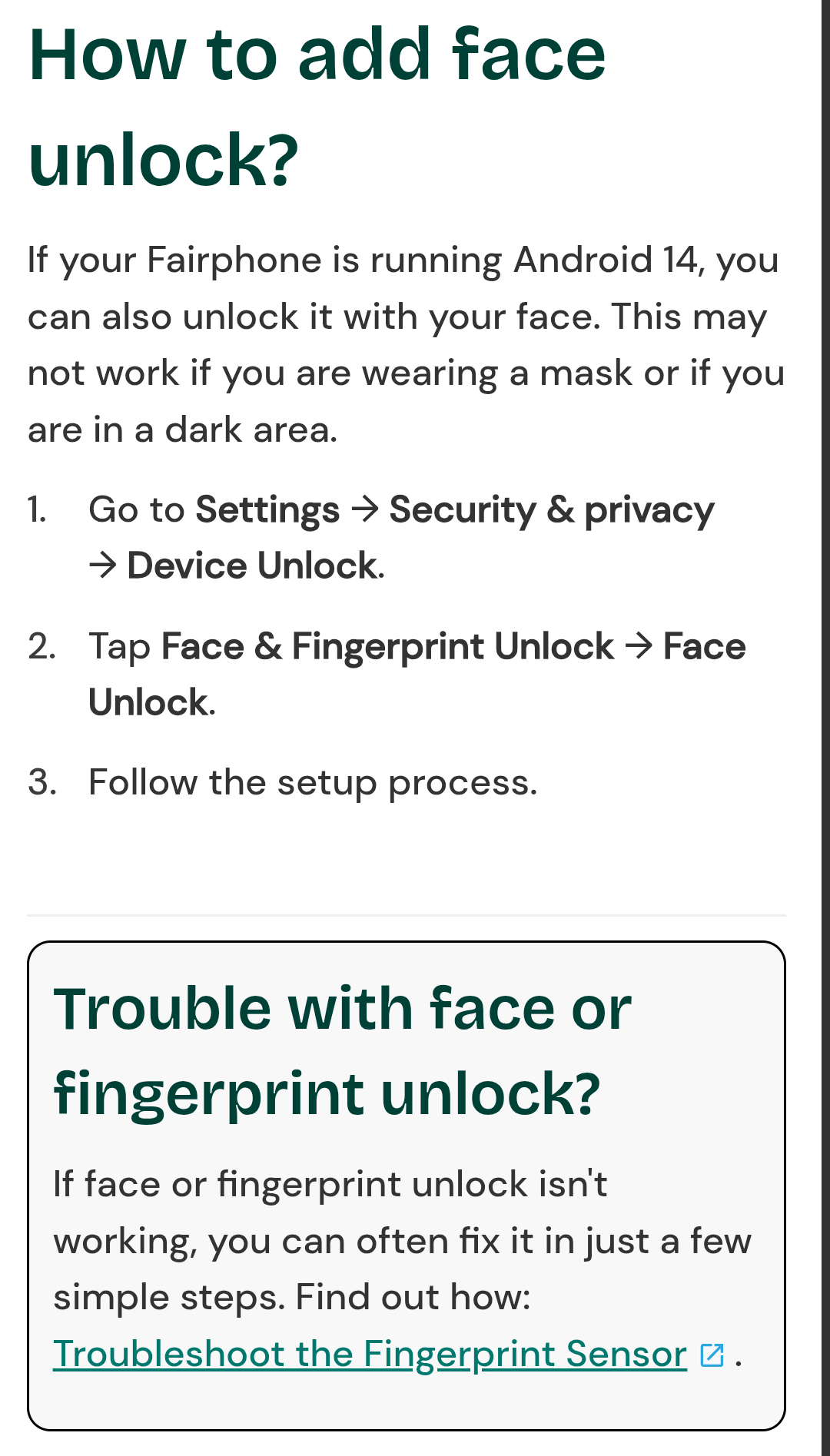
To unlock your phone you can use Face unlock:
https://support.fairphone.com/hc/en-us/articles/10097076795025-Set-up-face-and-fingerprint-unlock
But I don’t think it’s working as a biometric unlock method for safety aware apps.
Face unlock certainly worked on my phone when I originally set up the phone, but I quickly removed it, partly because it was unlocking the phone at times when I didn’t want it to.
Fingerprint sensor has been working well.
Thanks a lot. I would like to use it to unlock the phone but this only works with the fingerprint although both options are active
So you’ve followed the setup on the linked page from above, right?
And also the troubleshooting guide at the bottom (which is actually written for the fingerprint sensor but should be applicable for face unlock in the similar way)?
It works on my FP5 to unlock the phone.
What happens is that you should see a small funny icon at the bottom of a locked screen, saying, face unlocking in progress. If successful it is very fast and disappears within second. If not successful the icon will stay with a caption: no match. touch icon to use face unlock.
Can you observe anything similar on your phone?
As already mentioned Face Unlock is not comparable to Apples Face ID. I also had Face Unlock in use for the first day with the FP6, but changed it to Fingerprint only.
Face Unlock on the FP6 (and most other Androids lacking a 3D sensor for facial recognition) can easily be fooled with a decent photo (e.g. from FB, Instagram etc.) - tried it myself.
Google has enabled a higher security class (class 3) with one camera for face unlock. So you don’t necessarily need an iPhone setup. I don’t know if Fairphone uses this as well. But if you can fool it with a picture, then the answer is no. The lack of IR means it doesn’t work reliable in low light.
No I see nothing like that