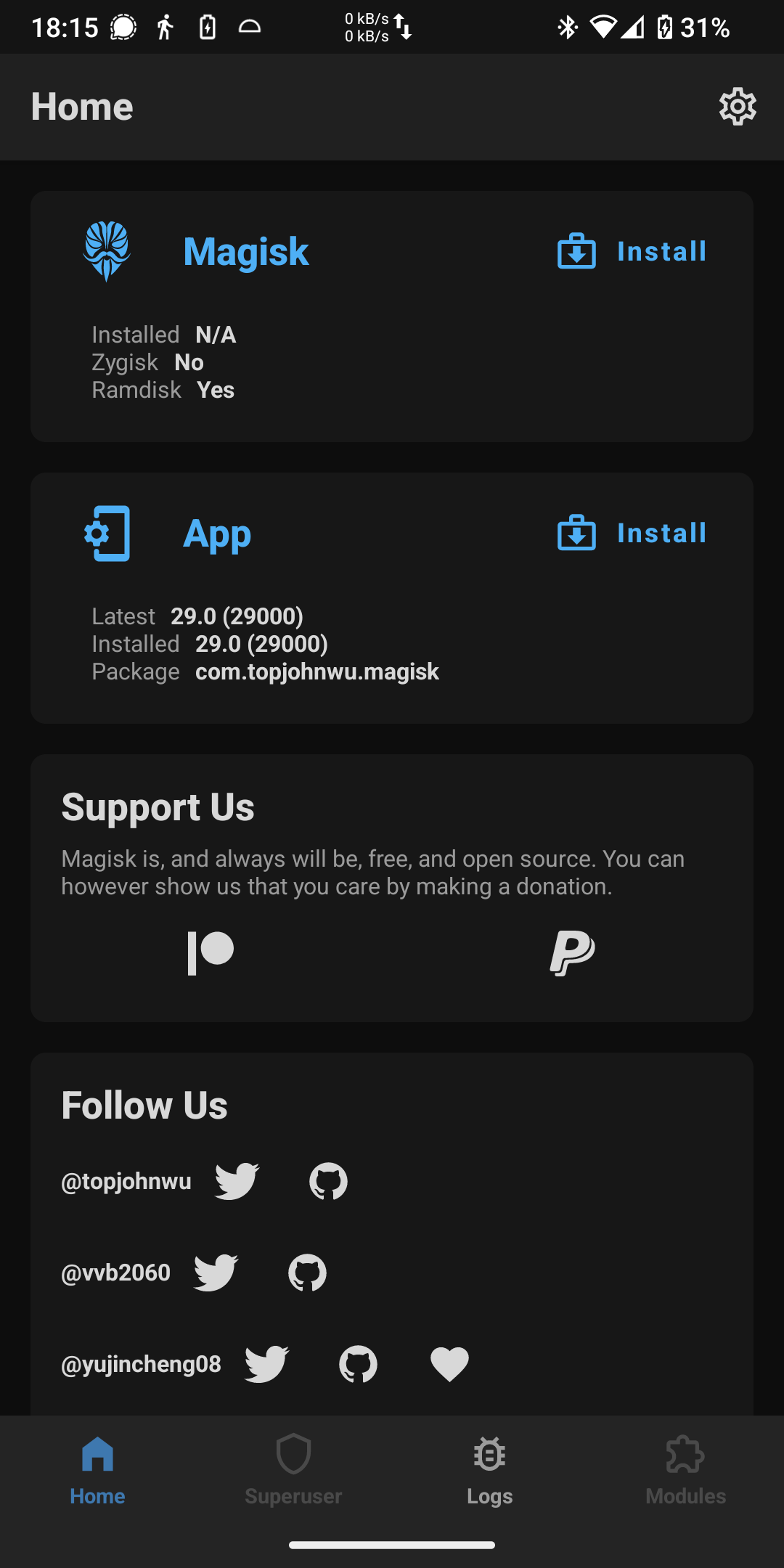
So I just fixed my FP3+ that was not functional since January 2025. I updated it directly to the latest software upgrade (with /e/OS).
And it seems I cant re-root it: previously I used to simply patch the boot.img with Magisk, then flash the patched boot image in TWRP. Today I do all that with no error, but the Magisk home page still shows “installed: N/A” and “Zygisk: no”.
Is there anything I need to know ? I am now stucked with an unrooted phone, but apps detecting magisk and an unlocked bootloader, which is a quite uncomfortable in-between.
I can provide my usual process step by step if useful.
I’m not sure what uou mean by sideloading ? I tried flashing the patched image generated by magisk using SDB: it seems to work with no error, but the magisk app still shows no zygisk and not installed.
In Lineage I am not able to use Recovery to install packages directly and I need to send the patched Magisk package to my computer. Then I reboot to Fastboot/bootloader (adb reboot bootloader) and send the package to my phone by " fastboot flash boot [path to patched magisk file]".
I have no experience with /E/OS but maybe this helps you or somebody else.
maybe you ought to switch slot.
You wrote into boot_a, so you’re in boot_b$fastboot getvar current-slot ?
you might need to $fastboot --set-active=aor something?
Hi, thanks for the suggestion. I tried to switch, but the result is still the same in any of the slots (no error message, but Magisk manager still showing that it’s not installed).