Swipe down from top of screen and use the media widget.
But I don’t think that the main problem is using volume control buttons to adjust the volume. They’re fine for that.
I think the main problem probably is jeans back pockets.
Swipe down from top of screen and use the media widget.
But I don’t think that the main problem is using volume control buttons to adjust the volume. They’re fine for that.
I think the main problem probably is jeans back pockets.
…because then the volume buttons will fall off of the case and not of the phone itself. Seems like their design choices about volume buttons are not the best ones. Now waiting for support to get back to me (of course for a few days already)…
I had mine for about 3 months until the volume up button broke and sent it for repairs. And that’s where the nightmare began. I got a bill for €330 to replace just about everything because it was oxydized. I’ve had other issues since I got, noticably more sluggish than my FP5 when scrolling and the USB port has been on/off despire being clean. I ordered my phone from FP and I can only assume I got some device from a waterlogged warehouse.
Now the volume up button is broken again. I’m out. This has been a monumental waste of €900 over like 9 months. Time to just buy a Samsung like everyone else.
My volume down button suffered the same demise, after 9 months of ownership
Thanks a bunch @philocitea for the 3D model  I was able to have it printed in a store for a couple euros a piece ! (I printed several for the next time they brake)
For others (like me) which find detailed instructions reassuring:
To be able to install the button(s), you have to:
Unscrew the case (2 screws)
Unscrew the battery (4 screws + 1 in a plastic tab at the top)
Unplug the battery, the plug is under the plastic tab you unscrewed
Unclip the top plastic cover
Unscrew the screen (8 screws)
The 5 steps above are shown in ifixit’s teardown video: https://youtu.be/bXseyTdynCo
Pull off (gently, so you can put it back) the black tape which is right above the buttons
Pull off the little metal part that sits between the two buttons
Insert the button(s) (long prong facing outward) and go through all the previous steps in reverse
So for all of you who have troubles with volume button,
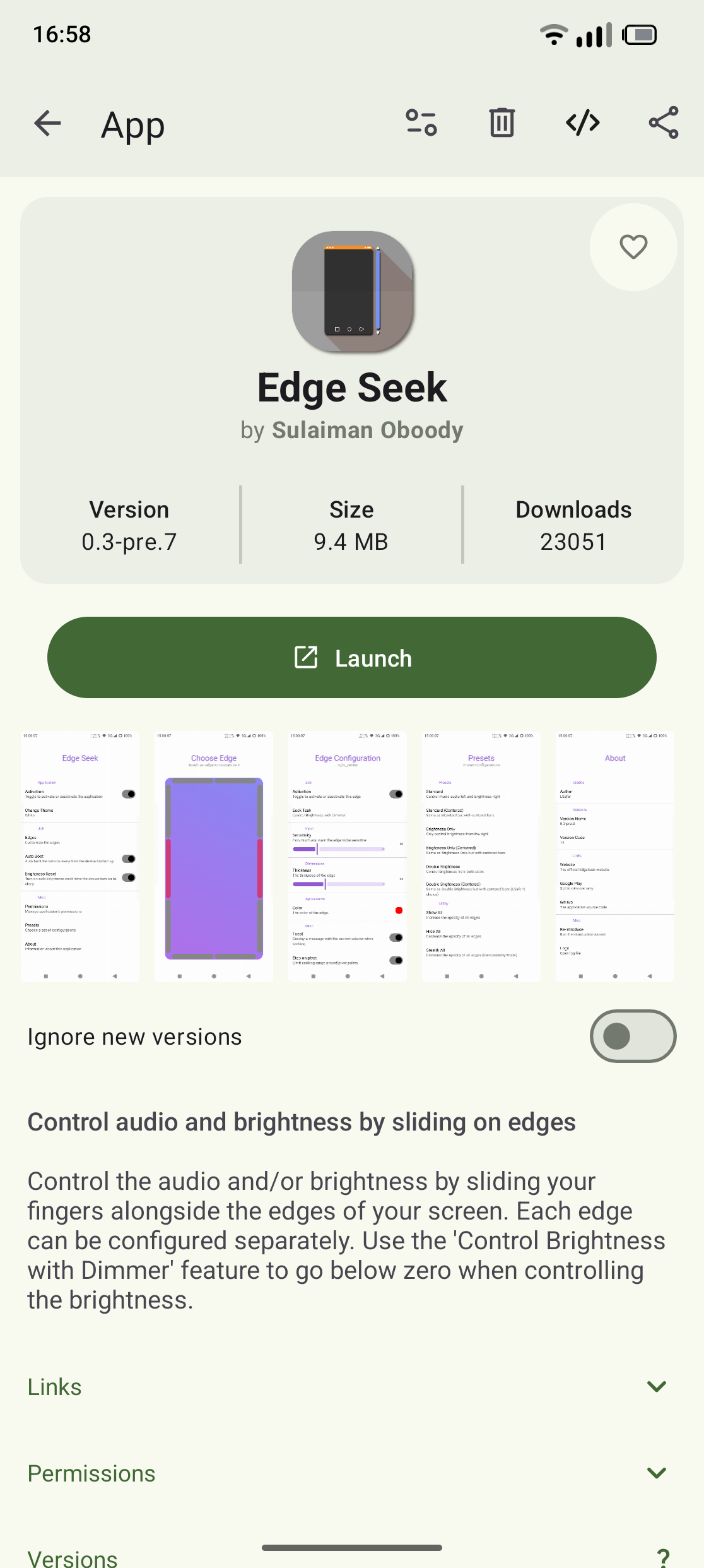
I might have found a software solution that some users have requested. It involves installing a third party app that act like volume rocker on the side of the screen. It’s available on f-droid app store with izzyondroid repository.
With this app after granting few permissions I was able to controll my volume with the slide on the screen. I can confirm it works while music is playing. It also has landscape mode if you watching some videos. App is fully configurable so you can adjust it to your taste.
Special thanks to a developer Sulaiman Oboody for releasing this app.
Hope this helps
My volume down button just fell off. Sigh, time to write support and make a backup of my phone. Yay
Very disappointed to read about this issue and the lack of a (helpful) response from Fairphone.
People buy this phone because it’s supposed to be repairable, and find out this small defect isn’t. At least not by the official route
People buy this phone because of the lesser environmental impact, only to find out they receive a new phone (at least a new IMEI as another user noted) when they send the phone away for repairs, an ordeal in itself.
A case probably solves it according to some, which is great for people like me who read about this before purchase, but not for those already encountering the problem. But not Fairphone’s official case will be a solution, because those are reported to lose the volume buttons as well (look at the reviews on Bol.com, a large online retailer in the Netherlands). By the way, official cases have been bad since at least the Fairphone 4 while also being much more pricey than unofficial ones. The cases of the 4 and 5 barely protruded above the screen, causing a fall to easily break the official screenprotector.
Now I’m crazy enough to still buy this phone (and slap an unofficial case on it) because I believe in its mission. But I can’t blame people who won’t, and that is such a bummer. Please step up your game if you read this, Fairphone.
Are you aware that you’re posting on a users forum. If you want to make a complain, you can do that at Support Fairphone.
While if I understand correctly, the titles on this forum that are not explicitly Fairphone staff, are all not people employed by Fairphone right?
I do not like the message of “just send your complaints to support”. There is a reason that people don’t go to the government to ask them kindly to fix things. But that public protesting is a necessity in democracy. That same visibility should also be key to consumer rights here. Trying to make criticism disappear is a very bad thing.
Correct.
You can do this and it will not fix any issue you have. You want a bug fixed? Contact Fairphone support, the forum is not an official contact to the company or to report bugs. Not more not less.
Well contacting customer support is also not always a guarantee for getting adequate support. Even if that is what Fairphone expects of itself, telling customers that is what they should expect. That does not mean that they are able to realise that. Regardless, the freedom to call attention via the forum should still be welcomed, not reacted to with sighs and judgement.
This is not was this thread is about. I think it is clear to contact the support (or reseller in my case) for warranty.
This thread is about complaining, that…
I responded to @Wallby and its now fully off-topic to discuss this further. @all stay on topic which is the issue that buttons fell out and not how FP handels this in public.
Well, my volume button broke aswell after not even a year of usage.
Contacted the support but it does not look like they will offer me a way to replace it other than sending the phone in, which I surely will not do. It’s so sad to see this great project to fail on things as easy as sending out a replacement button.
I will probably try a 3D-printed part aswell, saw this one online:
https://www.printables.com/model/1574036-fairphone-6-replacement-volume-button-drop-in-no-d
should work without having to take the phone apart, which would be a big plus.
Will let you all know as soon as I have feedback from support and/or tested the printed part.
It
Where could this be discussed if not on this forum?
Please let us know your findings, i wanted to print new buttons in different colors but didn’t want to ruin my working buttons. So i didn’t…
Please do. If this works, Fairphone should ship these to people with this issue, because that would be a better solution for everyone. More convenient for customers and way cheaper for Fairphone.
So glad I use a sturdy case. I want to be on fairphone’s side here in saying that the repair route (if handled under warranty) is fair since they might be looking to see what causes this in the first place: a widespread issue with the design of the buttons, a limited issue (IMEI range, manufacturing date) or a breakdown “caused by the user” (not accusing anyone, to be clear). Agree that once that has been established, since all of you report how easy it seems to be to actually replace these, this should be a “the shipping costs more than the part” replacement. (I know this could be said about any part, but I would argue that most other spare parts are offered because of a breakdown like dropping the phone or a knowledge these are technical parts that just may fail, a moveable part that is easily misplaced of destroyed (hello SIM tray) or to give the phone a different look (back covers). Anyway, AGREE with everyone that in the longrun this should not be “I’ve been without my phone for 3 weeks because a button fell off” issue.
Hello you all,
While I was not able to try the 3D-printed part yet, I suggested to the support they could maybe give me a discount on the Case in the shop, since that should hold my button in place without me having to send them my phone.
They actually send me a voucher of 20€, which would allow me to order the case for 10€.
Not a perfect solution, but at least it feels like they really want to help within their defined standards.
Will still let you know how the 3d-printed Part performed, since that’s my preferred solution.
May I suggest that you put some tape on the inside of the volume buttons of the protective case. As these buttons tend to get lost.
Thanks for the update. It’s nice they gave a discount for the case. Too bad it has a the same issue as the phone though: the volume buttons tend to break off. I’d personally buy a 3rd party case for that reason.