Only 2% in 9 hours! This is what I was getting before the update.
What I find interesting is that in the past weeks my battery went down to 4-5% left at several occassions and then I always charge to 100% without the limiter on, so the battery has had several full charges. The difference is in charging it while being off.
AccuBattery indicates that there is deep sleep the entire time. I downloaded AccuBattery only after I did the battery calibration, so I would not know what was happening before.
I’d be interested in this too, as my previous phone (Huawei P10) had this, and it got rid of some problems that showed up after long running times. I had the phone off from 23.00 to 05.55 (5 min before the alarm).
Agree. It is a pain. All my previous smartphones and tablets have had Schedule Power on and Off. Either a dedicated setting in the menu or slightly buried in Battery settings under Advanced.
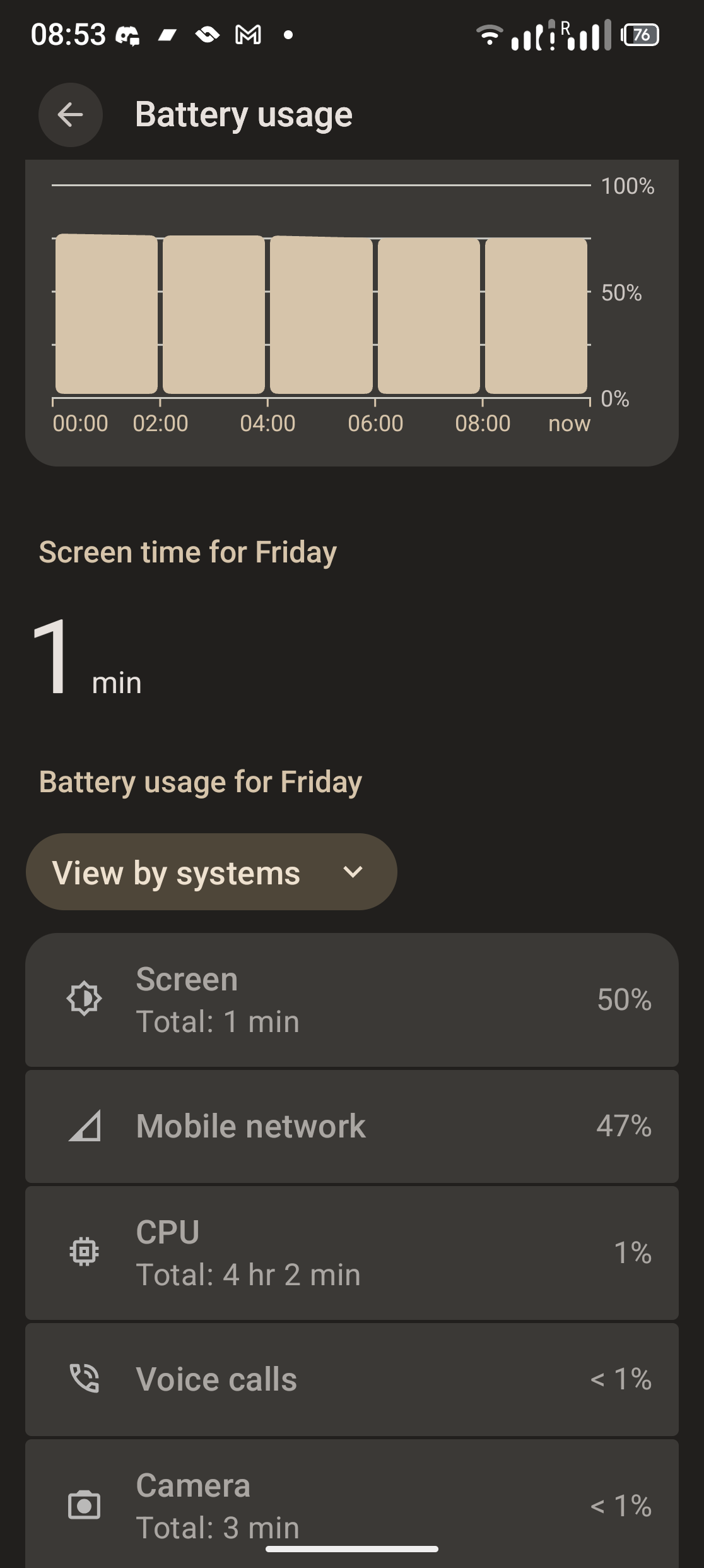
I am sad to report that this problem came back with the FP6.QREL.16.69.0 update.
The problem was gone for some time after I did one of the thigs that @yvmuell suggested (see my post from Apr 17).
However, like the previous time, when I updated to the latest software, the problem came back. The phone now uses again 10-15% in a couple of hours in airplane mode. And again, I am not able to go 2 days without charging, but only one.
I tried the same procedure, but it is not working.
I downloaded AccuBattery and I saw that most of the days I get 0h 0m of deep sleep, sometimes I get around 1h for the whole night that the phone is on airplane mode not being used.
I also installed BetterBatteryStats Reloaded, but I have no idea on how to work this app to figure out what is keeping the phone from going into deep sleep. Does anybody know what I should look for? I think that with BBS I will be able to find it pretty easily.
Technical question to all: If the phone is switched off, do the settings re: Eco-mode and 80% limit still apply? Meaning if I want to load 0% - 100%, I must set the limit “off” (and eco-mode “on”) ?
There are two processes called 890000.qcom,qup_uart and hal_bluetooth_lock which keep the phone from going on deep sleep.
I quickly googled and found this online. Apparently it is related with bluetooth being constantly checked and thus the phone not being able to go into deep sleep.
So I tried turning bluetooth off and lo and behold: the phone now goes into deep sleep! This means my battery lasts one more full day!
It’s still a bit annoying that I do have to always remember to turn bluetooth off, I would like to keep it always on.
Thanks for the Link, I already missed BBS and I am happy to have a working version on A15 again.
As you already found out, some process or service id preventing the phone from deep sleeping. That usually means a higher energy consumption. Hence, finding the process that keeps the phone awake is the best was to prevent battery drain.
I your case switching off BT seems a bit too much to me. For me the question would be, which app or service actually checks the BT connection and check if you can prevent this special request and still be able to use BT.
So obviously there’s some kind of bug that needs fixing, but I’m just curious about why turning off BT is a real no-go for some posters. I turn BT on when I want to use my headphones (or whatever) and then I turn it off when I’m done. What’s the advantage of always having it on, doesn’t it just drain your phone faster?
Just because you do not need BT, it could be different for other users. You probably do not have a smart watch as an example.
And no, it is not necessarily a bug that needs fixing. It could well be that some app, device or service does request the BT status too often in certain circumstances without that being an error.
Do you have any suggestion on how I could do this? If it is a specific app I can check if I actually need that app always running.
I use my BT headphones on and off several times per day. And I always forget to turn BT off when I am done. I get back to my phone after a couple of hours and the battery is way lower. I could probably build the muscle memory of turning it off, it’s not such a big deal, just not very handy. But the main reason why I am trying to investigate this is because it used to not behave in this way. A couple of software updates ago, I always left BT on and I could get two full days of use with every charge instead of one day as I get now. So there has to be some reason why this is happening and thus a relatively easy fix. That’s why I feel like I can “demand” from my FP6 to always leave the BT on and not be drained.
I use BT and Airplane mode every day, means BT is always on and every night I also enable Airplane mode, and I dont have general issue that since A16 Battery drains a lot faster, so there must still be something else, adding to it.
Yet another update in case someone can help with this.
I set the Bluetooth HCI snoop log on and let the phone for two nights with BT on. I downloaded the logs to try to analyze them. Funnily enough, the first night of the test, the issue did not happen. The whole night the phone was on deep sleep even with BT on. The second night, the issue did happen.
Luckily I now have a BT log which includes both the issue happening and the issue not happening.
I put the log on Wireshark to try to see what was going on. There is no almost no difference at all within the two nights in terms of which BT events are happening. I do not know what they mean, but it looks like regular periodic scanning. See pic:
These couple of commands are repeated for hours at specific intervals in both nights.
Where there is a big difference is in those intervals, or how often these commands happen. In the night without deep sleep, the amount of commands is 4 times larger than the deep sleep night. See the comparison in the table with the count of each specific event:
The time period of both nights is exactly the same, since I took a period of exactly 6 hours in both cases.
And this is where my capabilities as a phone user end. I guess I would need some Android developer to take a look at it to be able to say why in some cases the same calls are being triggered 4 times more often.
I did start a ticket with Fairphone, but I am not expecting that to be looked at. I am posting this update with a very small chance that someone has any knowledge about this and can help. Until then, I will just park this and try to remember to turn BT off every time I am not using it! It’s been fun to play Android detective for a while
I’ve also testing the bluetooth hypothesis and I noticed that, if I leave bluetooth on during the day, I end the day at 20%. If I don’t, I end it at 60%. This is without having a bluetooth device connected.
Tried disabling Bluetooth before bed, but AccuBattery still never reports it goes into deep sleep. It went down from 80% to 50% overnight. I made sure to disable certain apps from running in the background.