Did anybody get it working? Is there a complete tutorial on youtube/elsewhere? As far as I understood 1) I need to download aa4mg, and 2) for installing it, I need transfer it as a module to Magisk, and 3) to install it I need to install Magisk Module Manager and 4) to enable Module installation in the Manager, I need to root my FP6, and 5) to root my FP6, I need fastboot, a valid boot.img and adb … at least 5 steps, any of them can brick my phone and the warranty will not cover this.
Hello @WegWerfTelefonierer, Welcome to the Fairphone users forum.
someone on /e/forum :
I have a Fairphone 6 running /e/OS 3.4 and got AA working without Root.
First, I tried this guide: How to setup Android Auto with /e/OS?
That actually worked right away. (but need to install some Gogol applications)Then I wanted to give this one a try: How to run Android Auto without Google apps - Applications - /e/OS community
I removed the original apps. Then I installed the stubs,but Android Auto kept saying that Google, Google Maps, and Google Speech Recognition & Synthesis were still missing.
After some research, I found out that in Android Auto Developer settings, you need to allow Unknown Sources.I did that.
Back in the car — still no luck. Same message about missing Google, Maps, and Speech.
I checked via ADB whether the stubs were actually installed, and it turned out they weren’t at the first try.
So then I installed the stubs again, and then I could see on the phone that they were recognized.
Back in the car — and it worked!I’m using Waze as my navigation app, and that worked perfectly.
I haven’t tested it hundreds of times, but if I had to summarize the steps:
- Install Android Auto.
- Enable Developer Mode and allow Unknown Sources.
- Install the stubs via ADB.
- Follow the Android Auto steps once the car is connected.
I also use an AAWireless module, so I don’t connect directly with a cable. I don’t think that makes a difference.
what apks did you push to install the stubs via adb? I already have some “google services” installed which keep re-appearing when I list the pending “udates” in the “aurora store” and when I click on “start update”, nothing happens.
fake google services can only be updated along the /e/ system updates.
this is unrelated / off topic here.
also i personnaly don’t use android auto and know nothing about it…
.
according to : How to run Android Auto without Google apps - Applications - /e/OS community
Instead of Google Maps, Google App and Google TTS I decided to try these stubs before installing the Android Auto app.
Download these to your computer:
Google App stub
Google Maps stub if it doesn’t start to download, click on View raw
Google TTS stub if it doesn’t start to download, click on View raw
I am still stuck at step (3) I tried to download the APKs but only the first (Google App Stub from dylangerdaly) is available, the other two APKs (provided by sn-00-x) seem to have moved elsewhere. When I try to push the Google App Stub from dylangerdaly to the phone, I receive an error message: “Downgrade detected: Update version code 301178541 is older than current 301711330”. I also tried to re-install Android Auto from the Aurora App Store, but this was also not possible (“deinstallation failed”). Any more ideas? Will it help to root the phone and patch the boot.img? I would prefer a method that works without rooting. Thanks in advance!
Thanks! It’s working now!
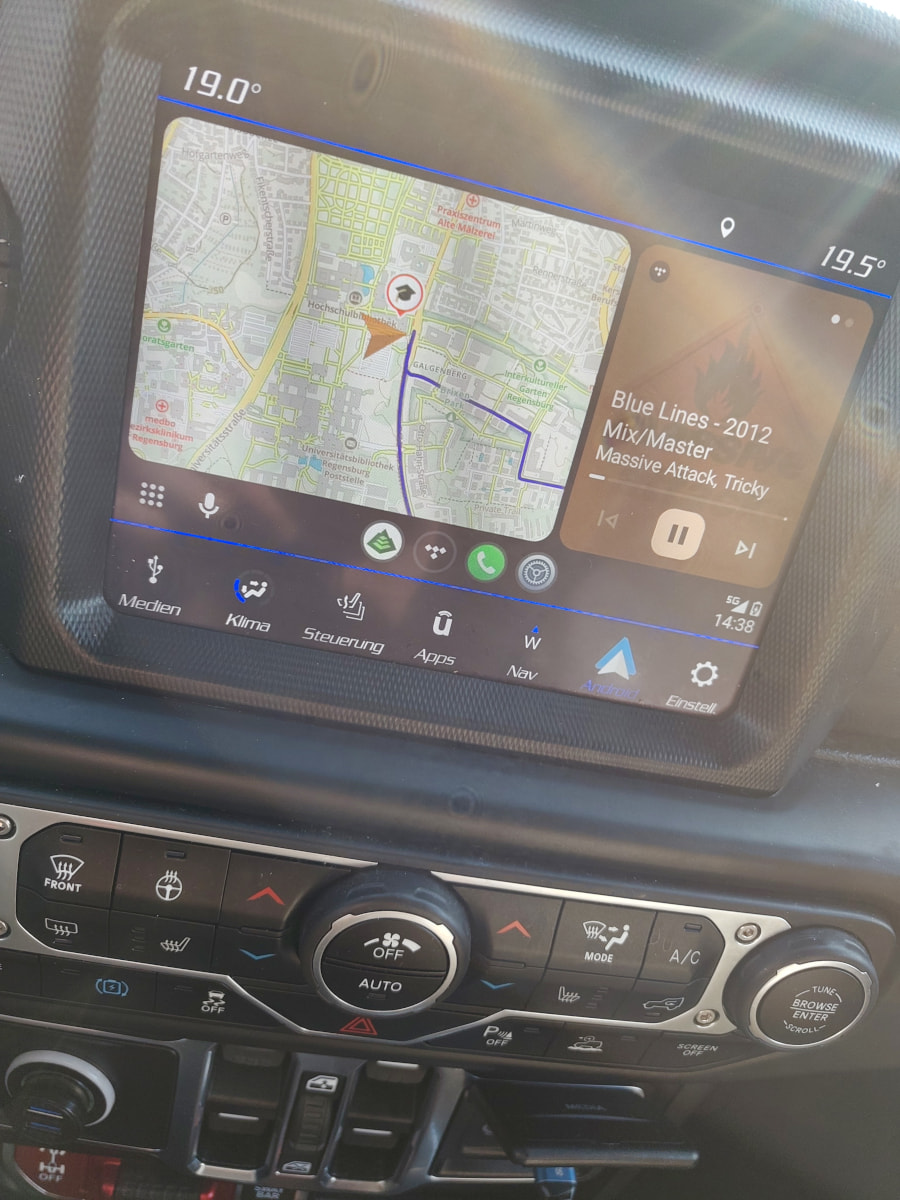
After downloading the three APKs, I received the “downgrade warning” again. In a shell session, I could “pm uninstall” the packages. After that, my car still said “unsupported device”. Then I also uninstalled the gearhead package, dowloaded the latest aa.apkm from apkmirror.com unzipped it and did “adb install-multiple” in the extraction directory. After re-connecting the device to my car, it was finally recognized. Thanks again, I am a happy murena user now!
I tested it for a day now, and it is working more reliably than my old Android phone, the conncection was never interrupted and always (re-)established quickly, everytime I entered the car. It also works with my wireless CarLink dongle.
Only the speech assistant is not available. I installed the app, but even when I open it directly on the phone, I get an error message (“speech services unavailbale”) Is there a trick to get them running? I found them quite useful (for sending messages while driving etc.)
There is a new murena update available: 3.5-a15-20260211580868-official-FP6
Can I install it or will it break my Android Auto setup?
don’t you mean e-3.7.3-a15-20260506 ?
yes, 3.5 is the installed version, the available new version is 3.7.3
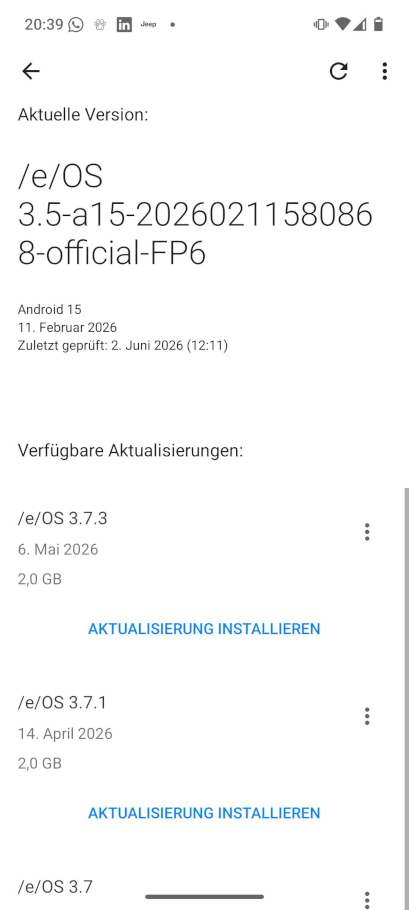
is it save to install this update or may it overwrite my side-loaded APKs from Android Auto? Should I backup something before running the update to make sure, I can re-activate it if the update breaks the current installation?
Installing the APKs took me some hours since I had to collect them from multiple sources (see above) and could only install them after removing conflicting packages.
Now, it would be really cool if someone could just tell me if this setup will survive the update to murena OS 3.7.3? thanks in advance
I’ve done the update now and Android Auto still works with /e/OS 3.7.3 on my Fairphone 6
yesterday (without any update) Android Auto suddenly started to display error messages:

I have now Updated the System to /e/os 4.0 but the connection problem is still there. I never had this over the past months. Does anybody know how to fix this?
I could fix this: I replaced gearhead_16.5 with gearhead_17.1 which I downloaded from apkmirror and now the phone is connecting again. Gearhead updates are a mess because they don’t come automatically (with /e/os updates) but need to be done manually (via “adb install-multiple”)