Additionally, I think it crashes when you try to find it through settings search because it’s not properly included in the search index as it is not a Lineage OS feature. But @ArianK16a might know better.
1 Like
Does visual voicemail work for you ? I can’t get it to work on my side
After I played with different gcam mods and none was really satisfactory I started to use the LineageOS camera again and often get this throttling warning inside the camera app. Almost every time I open it.
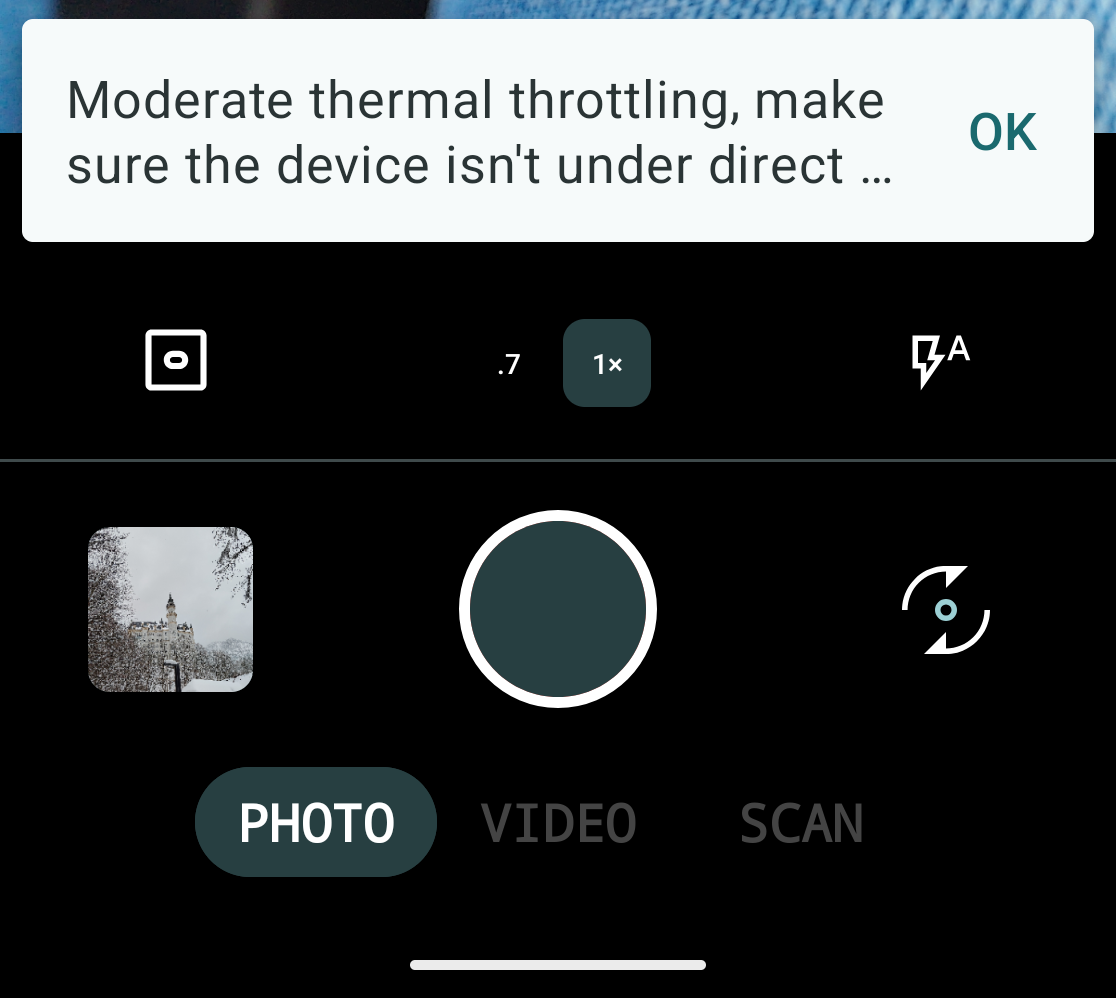
Did you experience the same?
MGC_9.4.103_V36_snap.apk
This is what I use and It works quite flawless so far.
Only thing I noticed is that it does not scan qr codes but yeah..
Dont know if related, but when i record a video im snapchat and zoom in, the video is super laggy und starts stuttering (without any filters). I can not reproduce it in stock cam or gcam.. So maybe its an aop related issue
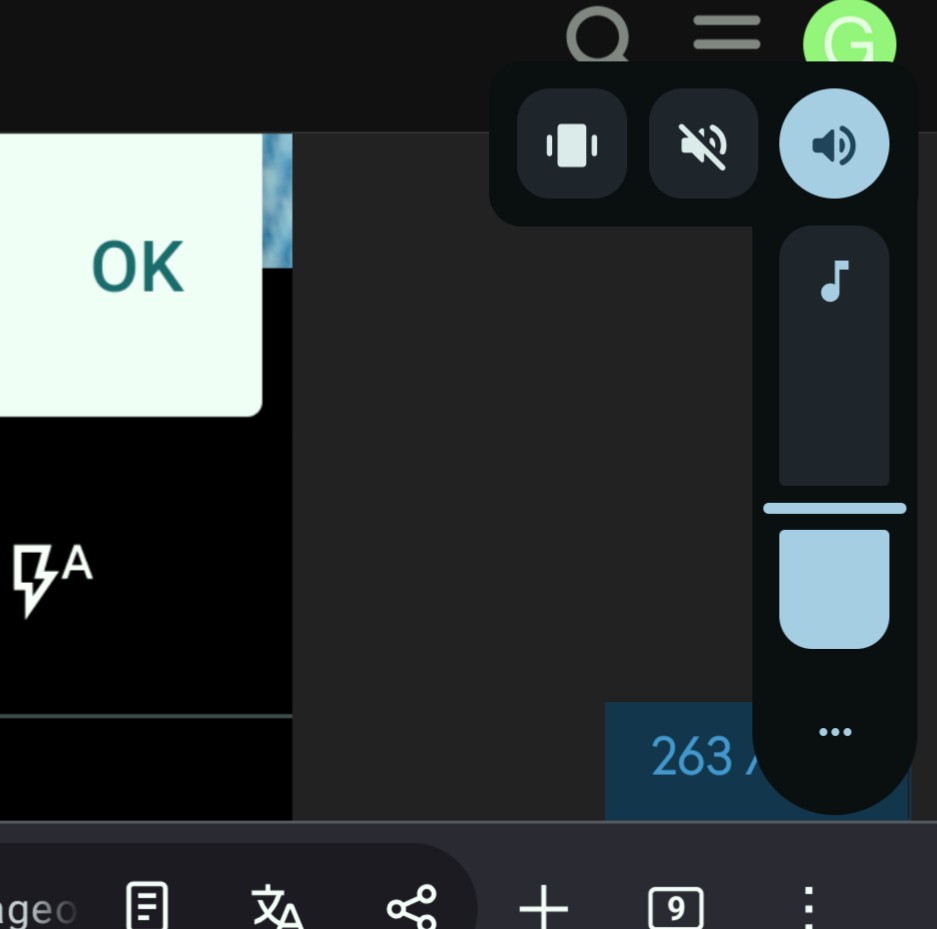
I noticed a small bug. The icons for changeing sound mode (silent, vibration, normal) are not clickable in landscape mode:
1 Like
That’s fair. In my experience, the BSG MGCs all overexposed in brighter conditions. Do you use a config? The Best Gcam I tried is BigKaka/AGC 8.8 with a config derived from OnePlus11. But the Los cam is pretty good in terms of quality and lighting.
No i am not using any config yet.
Yes it works well for me
May I ask what carrier are you on ?
I’m on Free mobile.
I am using Sosh (Orange) network
I followed the guide up to this point starting from
FP6.QREL.15.178.0.20260204144956_VS22-factory.zip
(I accidentally updated the system so I had to downgrade to the version listed above to avoid issues. It was still good practice to remind myself the procedure of unlocking bootloader and flashing stuff…)
From there I just
adb reboot bootloader

fastboot flash boot lineage-23.2-20260322-UNOFFICIAL-FP6-boot.img
Sending 'boot_a' (98304 KB)                        OKAY [  2.674s]
Writing 'boot_a'                                   OKAY [  0.053s]
Finished. Total time: 2.753s

fastboot flash dtbo lineage-23.2-20260322-UNOFFICIAL-FP6-dtbo.img
Sending 'dtbo' (30720 KB)                          OKAY [  0.831s]
Writing 'dtbo'                                     OKAY [  0.015s]
Finished. Total time: 0.899s

fastboot reboot bootloader
Rebooting into bootloader                          OKAY [  0.000s]
Finished. Total time: 0.051s

fastboot flash vendor_boot lineage-23.2-20260322-UNOFFICIAL-FP6-vendor_boot.img
Sending 'vendor_boot' (98304 KB)                   OKAY [  2.667s]
Writing 'vendor_boot'                              OKAY [  0.052s]
Finished. Total time: 2.743s

fastboot flash vendor_boot lineage-23.2-20260322-UNOFFICIAL-FP6-vendor_boot.img
Sending 'vendor_boot' (98304 KB)                   OKAY [  2.614s]
Writing 'vendor_boot'                              OKAY [  0.047s]
Finished. Total time: 2.682s
But I read
”Note: If your recovery does not show the LineageOS logo , you accidentally booted into the wrong recovery. Please start at the top of this section!”
and I do not see the LineageOS logo
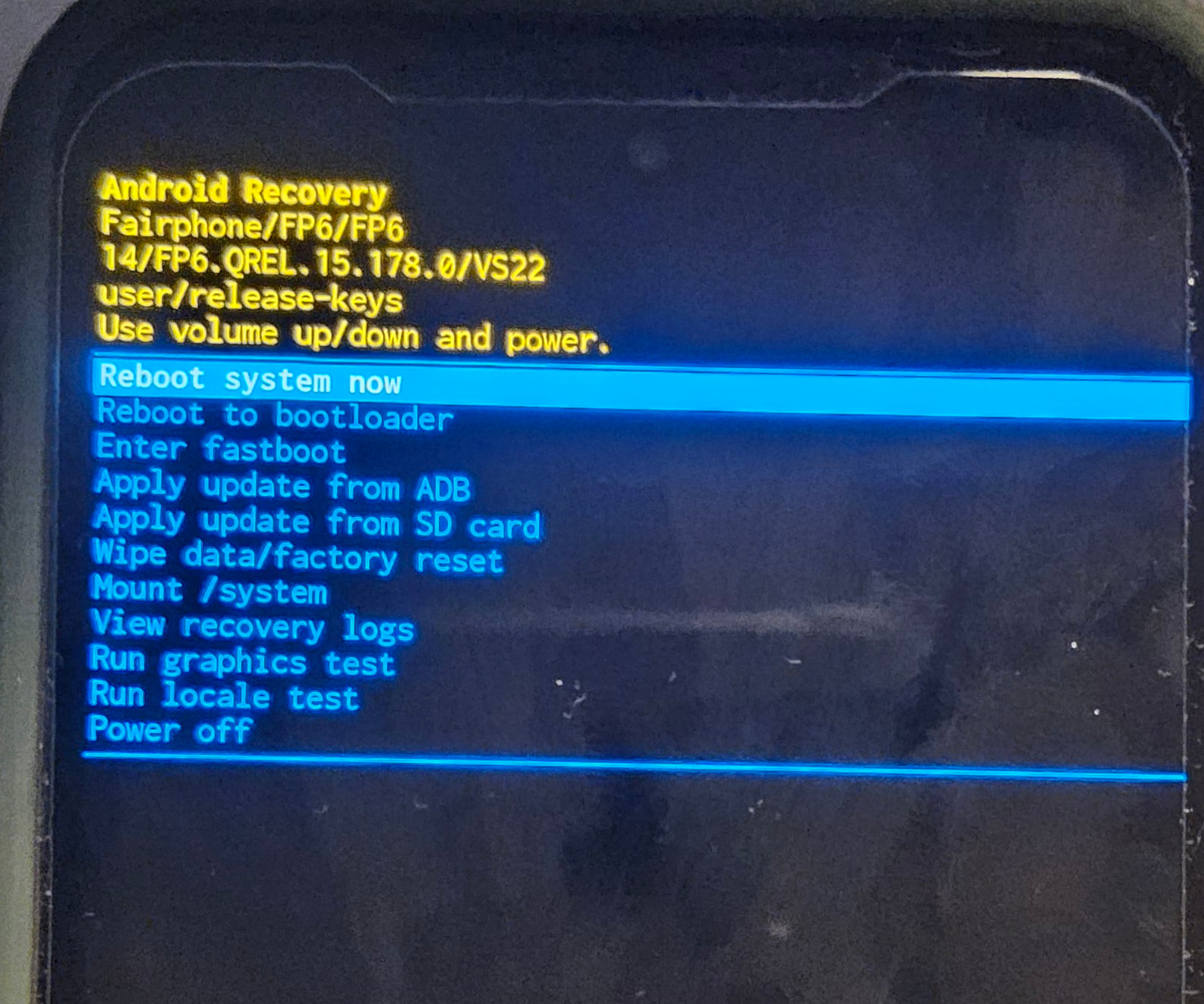
is something off or did you not put the logo on purpose since your build is unofficial?
I also tried to fastboot --set-active=b / fastboot --set-active=a
but nothing changes.
Extra info that may help troubleshooting or not:
For whatever reason I get this in fastboot mode.
fastboot flashing get_unlock_ability
(bootloader) get_unlock_ability: 0
OKAY [  0.000s]
Finished. Total time: 0.000s
not sure if that’s intended… I think while I switched between fastboot and recovery mode while the phone was connected to the PC due to some weird interaction I booted the phone and maybe that changed this flag to 0. Thinking that may be a problem, I tried to reinstall the Stock OS a second time (FP6.QREL.15.178.0.20260204144956_VS22-factory.zip)
https://support.fairphone.com/hc/en-us/articles/18896094650513-How-to-manually-install-Android-on-your-Fairphoneand I still have something similar to this guy, where the slider for unlocking the phone cannot be used but it says “The bootloader is already unlocked”. Not sure if this helps.
How do I obtain get_unlock_ability set to 1 on an UNLOCKED Fairphone 4?
It’s also weird that while in the Android recovery 14/FG6.QREL.15.178.0/VS22 the fastboot commands are not working, but maybe that’s just how it works by definition?
also, in which order am I supposed to install
lineage-23.2-20260322-UNOFFICIAL-FP6-vbmeta.img
and
lineage-23.2-20260322-UNOFFICIAL-FP6-init_boot.img
if I have to? Considering I am planning to install Google Apps
Relocking is not supported anymore, see the original post:
1 Like
ok, sorry maybe I wasn’t clear, I adjusted the first post to make the main problem pop up more.
The main problem is the recovery mode not looking okay though. I cannot proceed until I get some input to understand what’s happening: why the Android recovery looks like what I have in the picture? why doesn’t it look like I installed another recovery? (see more info in the post above)
what I have is too similar to stock experience https://support.fairphone.com/hc/article_attachments/33570445935122
Further comments on stuff where to bootloader topic may still be important:
I could switch to another mod such as iode os but before doing that I need to get everything back to stock and I can’t do it apparently. I am quite new to this, I just wanted to flash one of the major ROMs and start using the phone like normal-ish, without having to wipe it in a few months (or ever).
I don’t know 100% what flashing the boot.img and dtbo.img + vendor_boot.img actually does, and I assumed the whole procedure could be rolled back with this
https://support.fairphone.com/hc/en-us/articles/18896094650513-How-to-manually-install-Android-on-your-Fairphone
but if I can’t relock/unlock the bootloader even after I change that’s the sign that something is still changed with respect to the phone as I got it.Therefore I have to assume following other guides for other ROMs such as IodeOS may give me issues. And that’s my secondary issue now, not knowing why it doesn’t seem like I can completely roll back and start over.
The instructions from FP5 don’t fully apply for the FP6 at the moment. To flash LOS: reboot to bootloader, flash recovery.img, reboot to recovery, factory reset, sideload .zip. (All other images are included in the .zip) (See also here). If you want GApps, sideload them as well before first time booting into LOS.
My personal advice: When you switch back and forth between the stock FPOS and LOS, I wouldn’t recommend relocking the bootloader. Because of roll back prevention there is a high risk in bricking the device if you are not knowing what you do. Plus you need to build LOS on your own with the modifications mentioned above or use a fork supporting it.
ah I see, my bad, I misread it and I was under the assumption that on the FP5 guide there were only extra steps.
Plus, by chance I didn’t download the recovery file, just having it in my download folder could have prompted me to flashed it. But I mistakenly thought the boot.img file was doing the same thing. I restarted the whole install procedure only starting from a fresh
FP6.QREL.15.178.0.20260204144956_VS22-factory.zip
and with the
the recovery was finally looking fine. I got the “40% error” but it went through. The banking or ID/country apps that seemed to work on Murena OS also work on this version of LineageOS.
Automatic brightness adjustment is definitely lacking, and I can see how that will impact battery life, though probably a general FP6 issue.
When the official release comes can we just update from System/System Updates?
My personal advice: When you switch back and forth between the stock FPOS and LOS, I wouldn’t recommend relocking the bootloader. Because of roll back prevention there is a high risk in bricking the device if you are not knowing what you do. Plus you need to build LOS on your own with the modifications mentioned above or use a fork supporting it.
I can understand why, but I just wanted the option to do it. I heard it’s safer to turn off USB debugging if bootloader is unlocked so I am doing it.
Auto brightness works here just fine. Or do you have any special needs?
Well, for me its not working fine at all.
Sometimes it does, but very slowly. And most of the time it doesnt
Actually indoors, during the evenings it sometimes gets too dark, though in the past few days carrying it around it has felt quite ok.
Maybe it really depends on the lighting conditions and doesn’t always respond well.
Will pay more attention:
- Ok, autobrightness set brightness level too low in a decently illuminated room (only from 1 side) around sunset (light going down). Also when putting the phone in front of the light source it brightens up but then if I turn it away it takes some seconds for the auto brightness to kick in.
what you describe is intended, it takes a bit longer to lower the brightness to avoid false dimming.
2 Likes