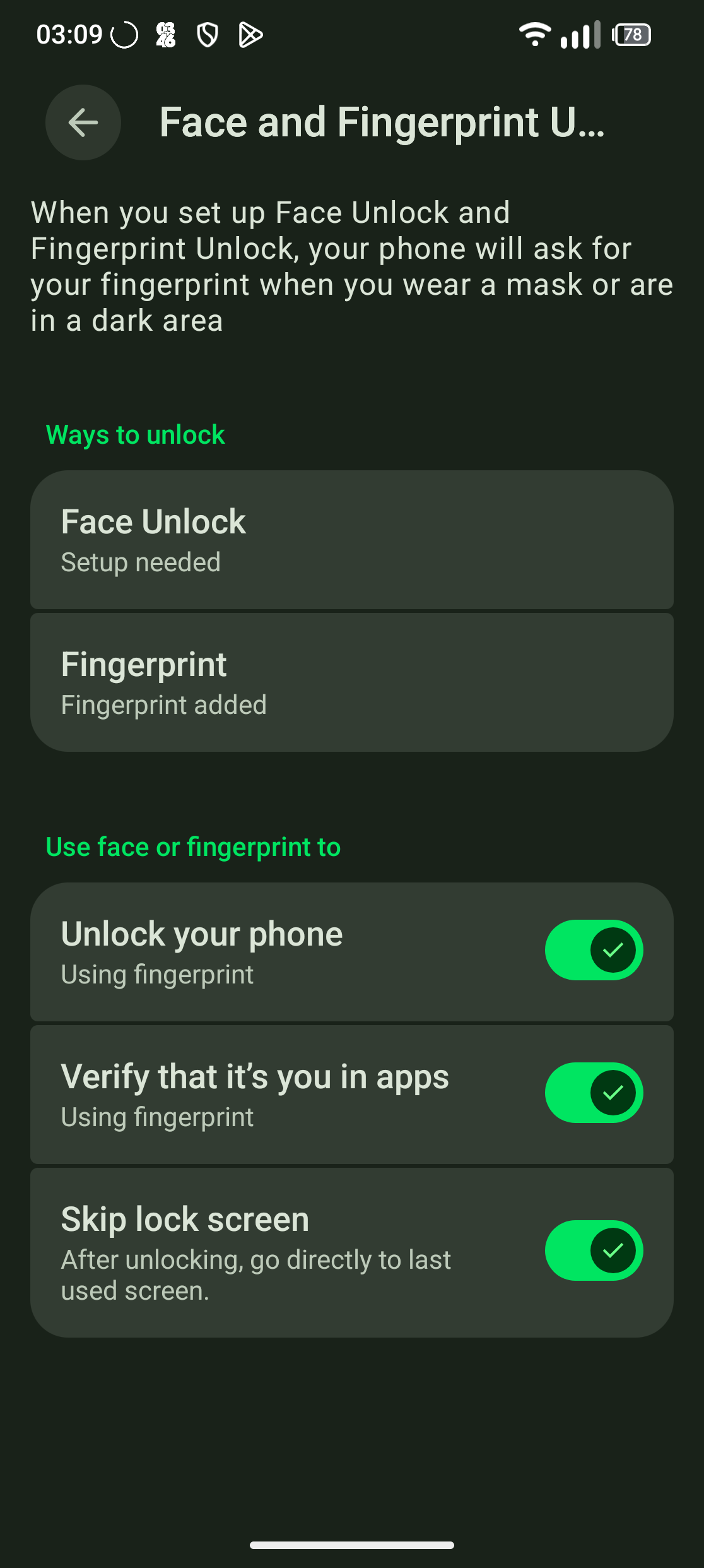
I’d like to request an option that stock Android has but FP OS doesn’t expose: after face unlock succeeds, stay on the lock screen and require a swipe before going to the home screen.
Why this matters to me: I press the power button dozens of times a day just to check the time or glance at a notification. Face unlock fires instantly, the lock screen disappears, and I’m on my home screen when I didn’t want to be there. Fingerprint isn’t an alternative for me because it doesn’t work reliably on my finger, so face unlock is what I’m stuck with.
Someone asked essentially the same thing here back in Dec 2023 for the FP5 (“Disable automatic face unlock on activation”, topic 103631: Disable automatic face unlock on activation ). It got no replies and auto-closed after 180 days. So this isn’t a one-off.
What I’ve already checked, so nobody has to repeat it:
-
Settings → Security & privacy → Device unlock → Face unlock only offers enrolling and deleting a face. There is no toggle at all.
-
Pixel and Samsung both ship this: on Pixel it’s “Skip lock screen”, on Samsung it’s “Stay on Lock screen”.
-
AOSP has a secure setting for it. I set it via ADB and rebooted:
adb shell settings get secure face_unlock_dismisses_keyguard
0Behaviour is unchanged: it still goes straight to the home screen. So the FP keyguard doesn’t read this flag.
-
Dumping the face-related settings shows what looks like a vendor implementation running alongside the AOSP one:
facelock_detection_threshold=0.0
facelock_liveliness_recognition_threshold=2.2
facelock_max_center_movement=10.0
lockscreen.options=enable_facelock
face_unlock_dismisses_keyguard=0
face_unlock_re_enroll=0Notably face_unlock_attention_required isn’t present either, so “require eyes open” isn’t available as a workaround.
The request: expose a “stay on lock screen” toggle in the face unlock settings, or make the vendor keyguard honour face_unlock_dismisses_keyguard. Either would solve it.
Device: Fairphone 5
Android version: 15
If anyone has found a workaround that actually works on FP, I’d love to hear it. Always-on display helps for checking the time but doesn’t cover glancing at notifications.
Thanks in advance!!