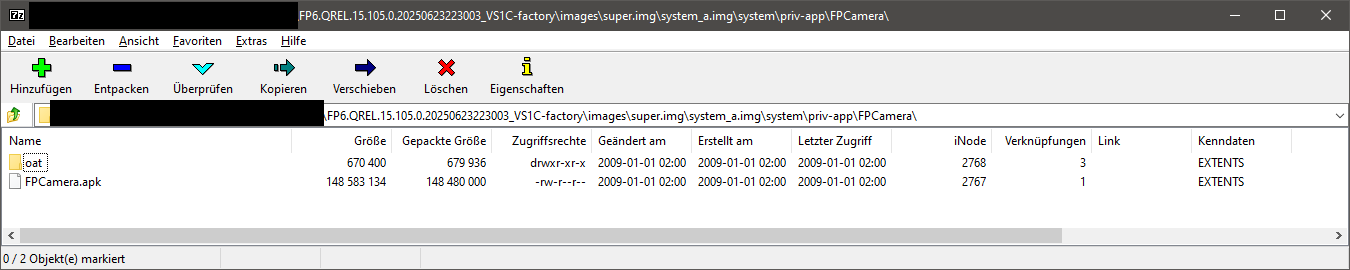
You could download the latest firmware from here:
https://support.fairphone.com/hc/en-us/articles/18896094650513-How-to-manually-install-Android-on-your-Fairphone
In your case this one:
https://fairphone-android-builds.ams3.digitaloceanspaces.com/FP6/A15/FP6.QREL.15.105.0.20250623223003_VS1C-factory.zip
Extract the downloaded ZIP file go the images folder.
In the super.img you can navigate the following path \system_a.img\system\priv-app\ and you find the camera app in the folder FPCamera. Then just extract this folder, maybe to your desktop.
I used 7zip as software for accessing the image’s internal file structure by right-clicking on the super.img and from context menu open with 7zip.
This is for Windows, not sure about Linux.