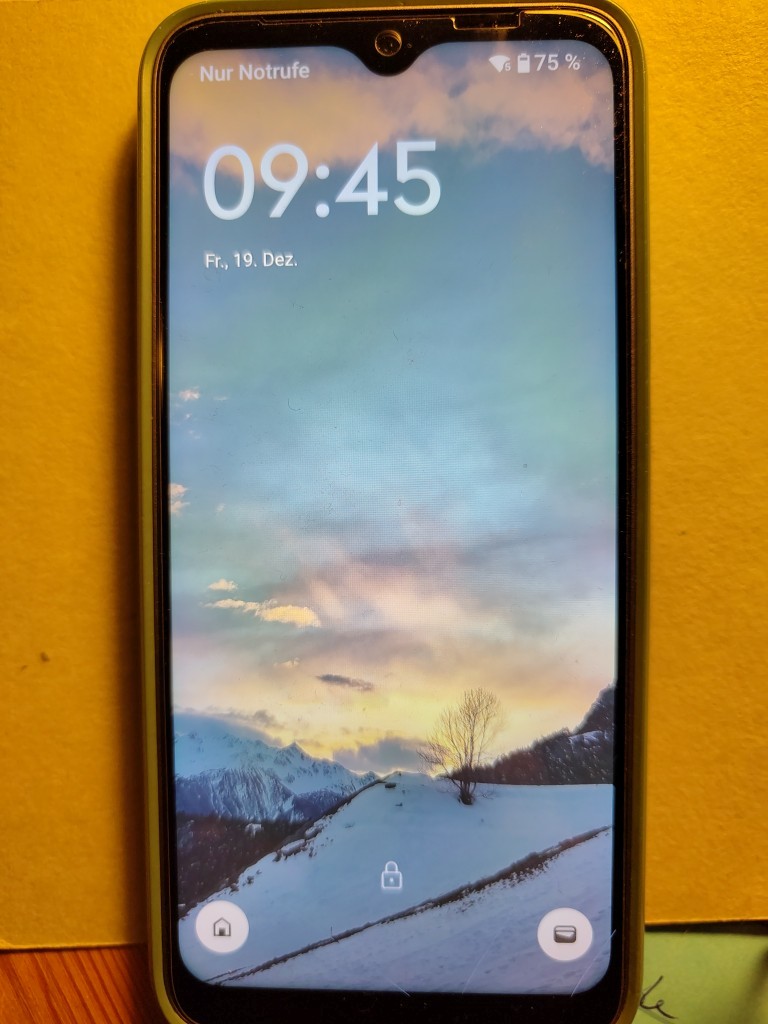
Havin bought the FP6, I have now a FP4 to give. Still working well (in the usual limits of FP4). Glas behind protection broken. Battery not so fresh anymore (about 2 years old). Phone dark, protection green.
I will give it away for free, but I have one wish: I need help with transmitting my SIGNAl-chats to my new FP6. The instructions on Internet do not work, as the two phones seem not to be able to pair.
I had this exact same issue using the official Signal app and it almost drove me nuts.
Check out Molly. It’s a Signal fork that’s 100% compatible with the official Signal app in every way. It has a few additions though, most importantly for you it has a better version of the message transfer feature.
If you mean the Signal backup, no. I managed to do the backup and put it on the FP6, but Signal does not seem to find it (perhaps I put it into the wrong place).
I’m sorry, but I do not succeed. I have found “Internal storage” but not “emulated”. there was no “Signal” folder, so I created one and put the backup there. Now I have to instal Signal anew and load the old backup. I have to see that later, no time now.
Now I find the backup, but Signal and Molly both just try to make new backups, they give me no possibility to search for the old one nor to activate it
Well, I guess, if you clean the complete storage of Signal in the app settings, it will ask agasin if you want to restore the backup (you’ll need the key!). BTW, the backup needs to be exactly here: Signal/Backups/signal-2025-12-19-05-58-26.backup (my example, ignore the date)
I use Signal both on my Fairphone and on the desktop computer. It keeps synching both devices whenever there is an internet connection. Perhaps that can be used in some way for your purpose, too? (i.e. synching the new device to the computer Signal)
Yes, syncing from the desktop to the app is not working. At least it did not, when I tried last.
For me, when I switched to my FP4, the backup and restore worked well and I guess this should still work, when the migration process fails. But I guess, you definitely need to clean up first
Ok, after hours of trying, I managed to connect the two phones, and then the transfer was easy. The other system with activating the right backup on the new phone did not work, because the passphrase was always said to be wrong.
Anyway, problem solved! That leaves the question if anyone is interested in my FP4?
Sadly i was to late to help, but If no one of the helpers want it, i would be very happy to take it. The processor of my old FP4 Just broke down and i am kind of left alone with this by the support, even through it Stil has warranty.best regards, Bennet