It seems this needs developer settings to enable it. Search for “sensor” in the settings and select.
And could you confirm which sensors it disables?
It seems this needs developer settings to enable it. Search for “sensor” in the settings and select.
And could you confirm which sensors it disables?
Installed on EE UK with no issue. No loss of Bluetooth and, like @OldRoutard mine seems quicker to boot and run. So far, so good!
Tests on my Fairphone 4 have shown that the ‘Disable sensors’ tile still only displayed when developer options are enabled. I have not checked which sensors are disabled in detail. In any case, the camera cannot be accessed when launch the camera app.
@Fairphone_CM
It would have been very helpful if the release notes had stated that the ‘Camera access’ setting/tile had been removed by Google and what the corresponding workaround is. This would have avoided unnecessary requests to customer support. I myself created request number 1324660 regarding this issue.
Currently the removing of 'Camera access’ setting/tile by Google and the corresponding workaround could be something for FAQ of Fairphone 4. Best regards!
I just uploaded my phone on Lebara UK (Vodafone).
I got the bug where the phone forgot the Bluetooth devices it connected to.
There was a other bug where apps stored on my SD card were not on the home menu. They were still on the phone and worked fine, but I needed to swipe up to find the app.
For context, on Android 13, when the phone rebooted it just showed a greyed out icon untill the SD card was detected.
Also, I had a look around the fourm and people said that using the SD card as external storage isn’t recommended, so that’s kind of on me I guess  .
.
Other than those 2 things, everything seams good on my end.
Also sorry if that was too much detail, I’m just saying everything in case someone working on the next update sees it.
It isnt recommended to use it as internal extension, just for clarification
I had the same problem. Disabling in Settings → Display → Search bar seems to have helped. We’ll see how it goes over the next few days.
Obviously they did not fix the mobile network driver. The battery consumption is still very for mobile connectivity.
The only thing that has changed is that BBS is not running on A15 anymore 
Well, this topic is about FP4, but I never encountered that problem on 4, 5 or 6, though I know that a number of users have, mostly on FP5.
The thing is that now the speculation is to connect all these issues with Android 15 and hence the need to check it also for FP4.
Agreed. I suspected that as soon as we started to see similar issues on 5 and 6. I also suspect that some problems are linked, particularly when memory-related, such as media players stopping, apps restarting, difficulties switching from one app to another.
Thanks fairphone developers. I updated my FP4 to A15 and so far all is good and as expected except for:
A few settings had changed (sorry - I forgot to note which ones, so this is more of a FYI)
No NFC icon in status bar
The NFC icon is curious. A quick internet search mentions that some manufacturers include the NFC icon, others not. Same can be said about the NFC quick tile. I also read that Samsung included a setting to show or hide the NFC icon.
A16 on Pixel 6a has neither icon nor quick tile, suggesting that Google is removing both icon and tile from Android. I think that’s a pity, but we still have the choice to enable or disable NFC in settings, and FP4 A15 has added the setting to require device unlock for NFC which I think is good for security.
So I’m happy to report the missing NFC icon to support as a bug unless someone can tell us that it was removed by design, either by FP or by Google.
Yes, NFC icon was removed by Google. Not much we can do. They apparently want us to have NFC on all the time
But why is it still there on FP5? Am I missing soemthing?
This is what I got during A14 beta test:
Hi Martin, This is an intended change to remove the NFC in status bar based on user requests and aligning with AOSP
Of course you can enable/disable NFC from inside the Connection settings
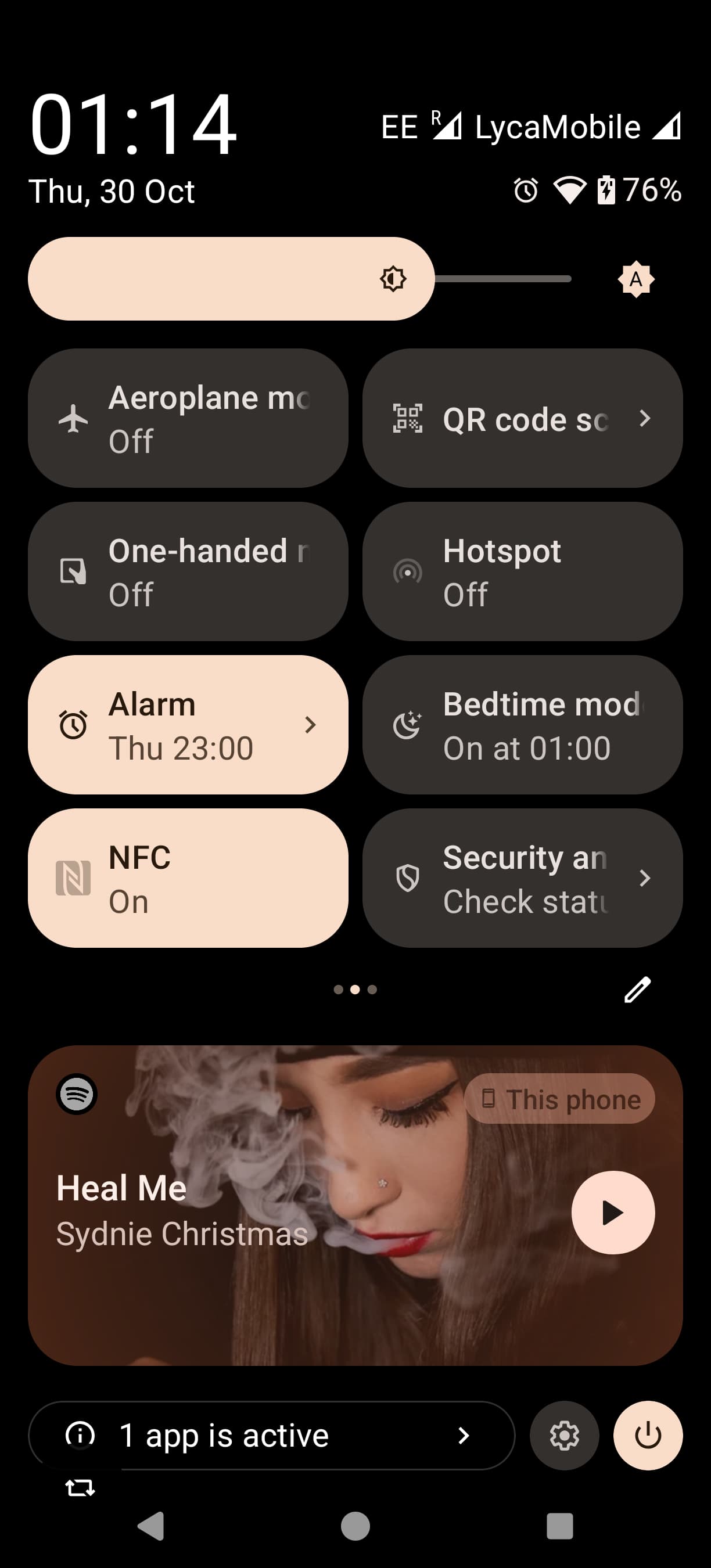
NFC quick setting tile missing - is taken under discussion
Hi
Thanks. NFC in a status bar was indeed removed some time ago. But it is available in the quick settings, at least for me and hopefully we are talking about the same thing 
Let me do a bit of oversharing here with my screenshot 
can confirm, i’ve also still got the tile on my fp5.
The quick setting still exist on the FP4 as well.
Just installed the update on my FP 4. No issius so far. No problems with Bluetooth devices so far.
Ready for another 4 years. 
Thank you Fairphone!
This morning while charging, the phone restarted. Then a second time after an hour when I got it out of my pocket. I wouldn’t have been allowed to do the update.  As feared.
I hope that this does not happen in a customer conversation.
Guess you heard about the self fulfilling prophecy…
Did you already disable the search bar? If not see above…