Simple question:
Do you use 3-button navigation or gesture navigation on your daily driver phone?
- 3-button navigation
- Gesture navigation
0
voters
Simple question:
On my own preference for gesture navigation: I stuck to the FP1U for a very long time and only briefly tried and did not get used to 3-button navigation when I switched to the FP3 in 2021. Mainly for esthetical reasons, I tried and stayed with gesture navigation soon afterwards.
I switched to gesture navigation as soon as possible.
IIRC in one version of Android there was a two-button navigation where the “back” button was replaced by swiping in from the sides. Which to me already felt like a big relief because I din’t need to hit a small button but could basically swipe from anywhere not matter with which hand I was holding the phone.
Now with the “no buttons” gestures I do admit that sometimes swiping up to get the list of recent apps sometimes doesn’t work on first try. But I rarely use that. Swiping for “back” and skimming through the 2 or 3 most recent apps is just so much more convenient for me.
Usually I’m “oldschool” and would prefer the 3-button navigation, but sometimes the buttons were not responding reliable so I had to switch to gesture navigation.
But I’m not completely happy with it, because sometimes I just want to have some interaction on the screen swiping, scrolling, etc. and this is interpreted as the “backwards” or “return to homescreen” function.
Maybe I’ll give the 3-button solution another chance, perhaps the responsitivity improved with the latest update.
With my new FP6, I tried to get used to gesture navigation, but I’ve gone back to the familiar 3-button operation. Compared to the default setting, I’ve swapped the back button to the right side. This is a shorter distance for my thumb when using the phone with one hand, because I think the back button is used more often anyway.
When I installed A15 on my FP4 I tried gesture navigation for about a month but reverted to 3-button navigation because I preferred the back button to swiping from the left or the right of the screen, and the overview button to the swipe-from-bottom gesture (which I struggled to master). I did like the left swipe gesture of the navigation bar to switch between the two most recent apps, but find a double tap on the overview button even more convenient.
Probably a bit too much detail there!
I do love that Android gives you these choices, including swapping the back and overview buttons.
I actually remember (very blurred) that years ago, one of the early feedback posts on gesture navigation by you made me reconsider and give gesture navigation a closer look. I had been skeptical initially because I was a bit worried more swiping instead of tapping would take a toll on my fingers’ skin – I was concernced the display surface would gradually let me feel more friction. Fortunately that did not materialize. 
I was button until I got the fp5. Gesture navigation requires a certain level of smoothness and snappiness to feel good. And none of my previous phones felt good.
And the only reason I thougt to give it anothet chance, is because a family member upgraded their iPhone, and were forced to learn gesture navigation. And I ironically switched my phone just to see what they’re going through. And then kinda just forgot to ever switch back.
with some issues with 3-button navigation I did try (and fail every time) to switch to gestures.
it’s like reverse magic to me 
Never use any gesture, so 3 buttons (no touchpad on the computer either, hate them).
3 button for 1 simple reason, no exit option in gestures… When I leave an app I want it to quit.
You swipe from the edge of the screen to go back, and it functions the same as the back
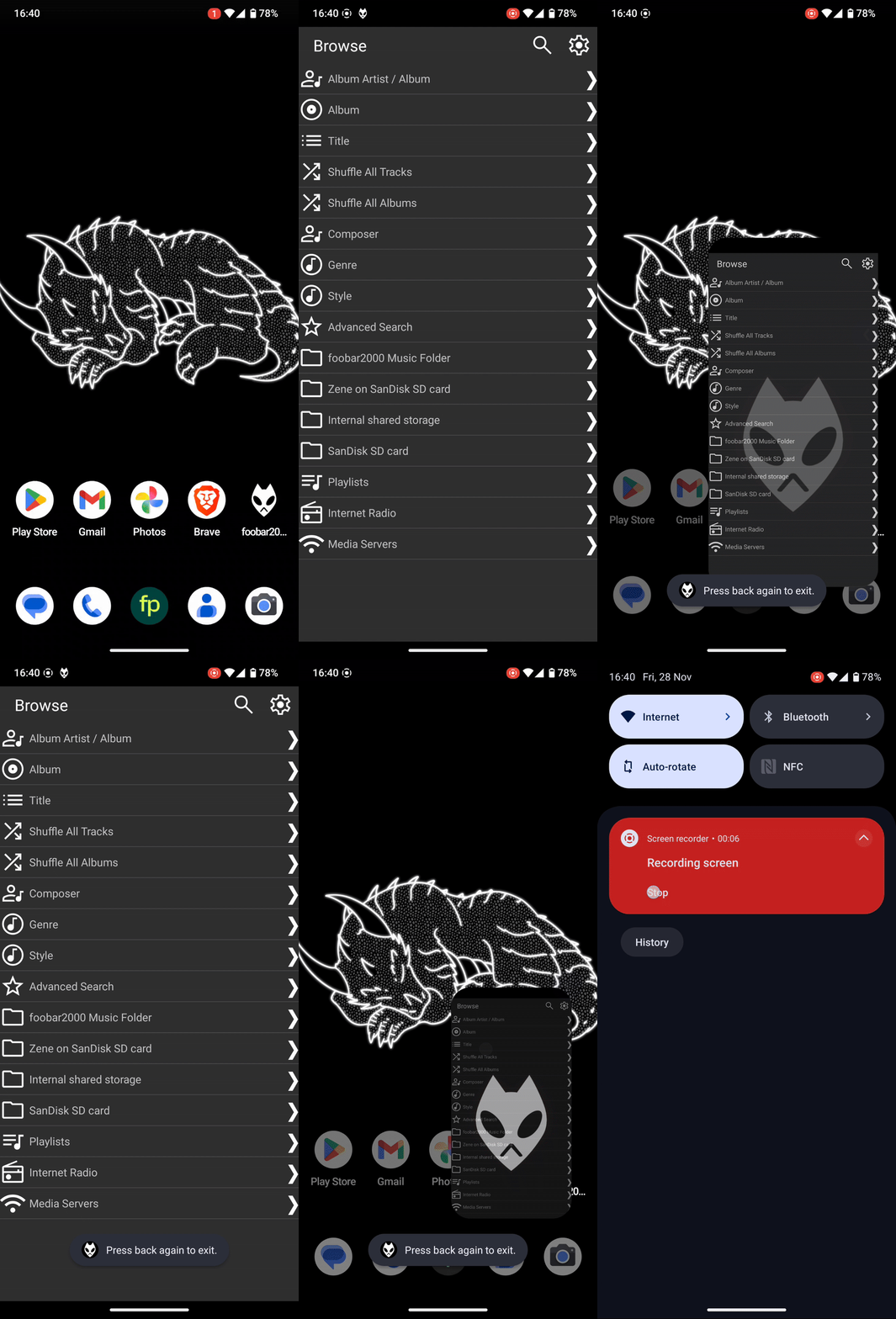
I’m a big fan of gesture navigation, even before Android supported it properly and you had to run a custom ROM for it, use a little pie menu for the missing buttons, or configure the screen edges yourself, which never worked quite right…
But, I immediately run adb shell settings put secure back_gesture_inset_scale_left -1 on any device I get my hands on (that includes friends and family if they let me), to disable the back gesture on the left side.
There’s still quite a few apps out there that have a drawer menu on the left (mainly K9-Mail for me), and I find opening that menu extremely annoying if the back gesture is enabled on the left, that whole hold your finger until the menu pops out a little, nope, not doing that 
3 buttons and I placed the back button on the right side.
Perhaps some want to still add their preference 
As of right now, preferences are exactly tied (34/34). Not planning to close the poll.
So far, I have always switched back to the three-button navigation system. I also always had the reverse button option selected, so the back button was on the right.
However, since this option is not currently working on the new Android 16 update, I am going to give gesture navigation another try. Perhaps I will change my mind if I use it for a while. If I do, I will make sure to change my vote!