My phone, that turned a year a couple of days ago, is stuck at ringing (and thus notifications) muted. And I simply can’t find a way to unmute it. And unless I can figure it out in a couple of days, I will have no other choice than to buy a new phone. It will not be a Fairphone.
What happens if you try to change the volume by using the volume knob?
I turn up the media volume.
Please upload a screenshot of settings- sound&vibration

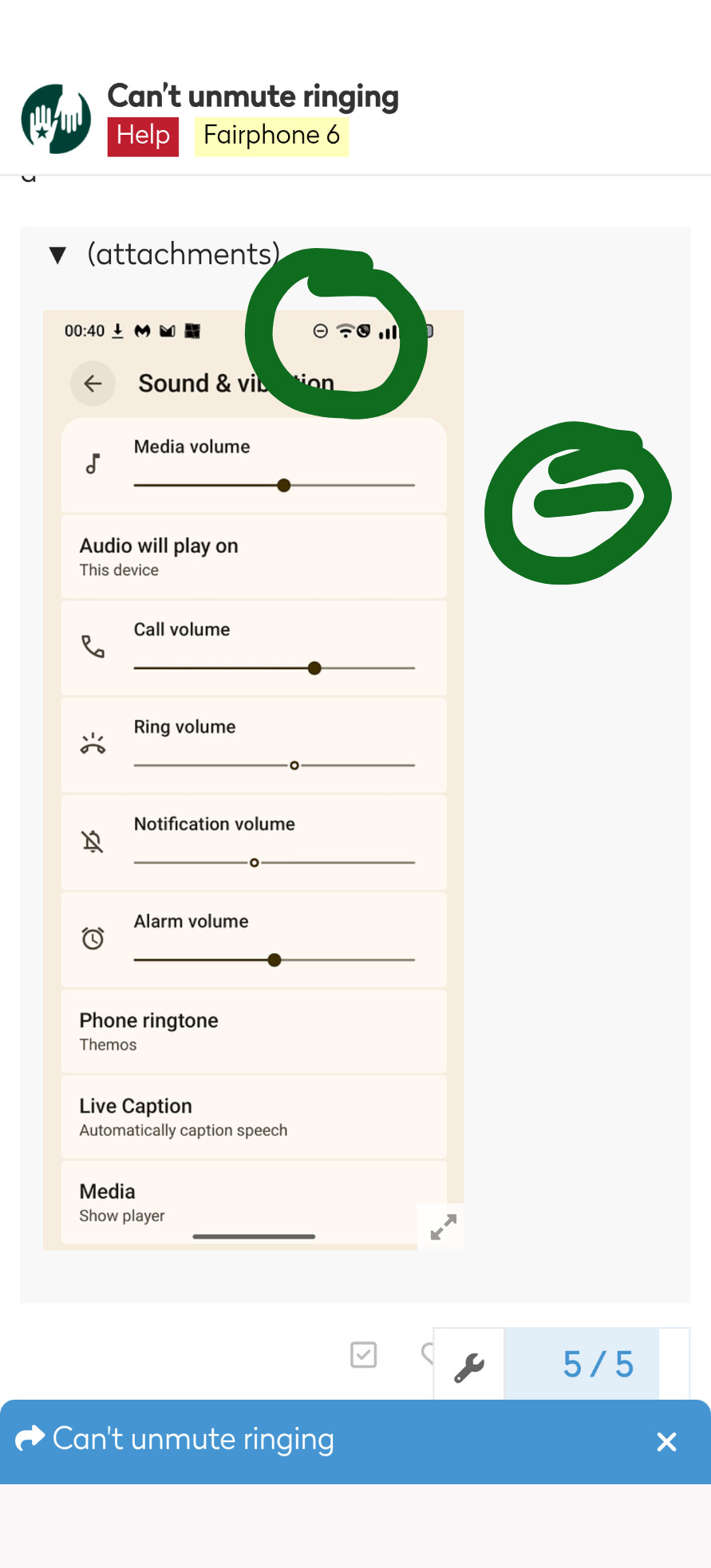
Yes, but I can’t switch if off. I have the button set to do not disturb, but it now stays on, even when I toggle it to off.
Which System have you installed e/OS or standard Fairphone? Would you also share a screenshot of the DnD Settings?
I assume you already rebooted the system?
I’m on standard android, latest edition. I have rebooted with no success. Will gladly share a screenshot, but what are the DnD settings?
Its under settings and modes
DnD = Do not Disturb
I suppose that is part of the problem. I simply can’t find the Do not Disturb settings.
If this is the case yoz might need to factory reset the phone. So ensure to back up your data.
However, was this always like this? When did this start? How do you use the switch?
I am not sure about how long. I have the switch set to Do not disturb, and has mosly kept it on silent, but now I need to be able to hear it for a while, and have cone to realize the situation. Where should the Do not Disturb settings have been?
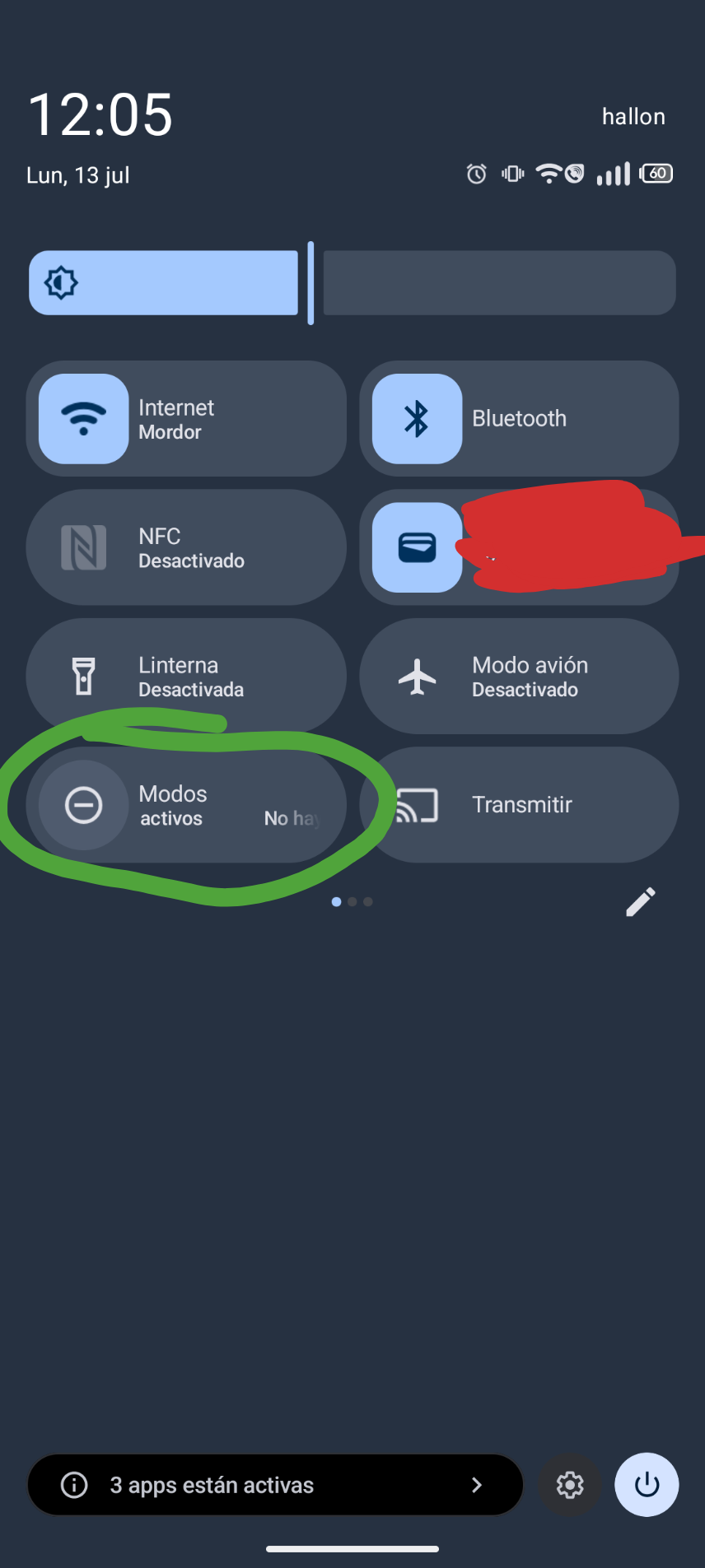
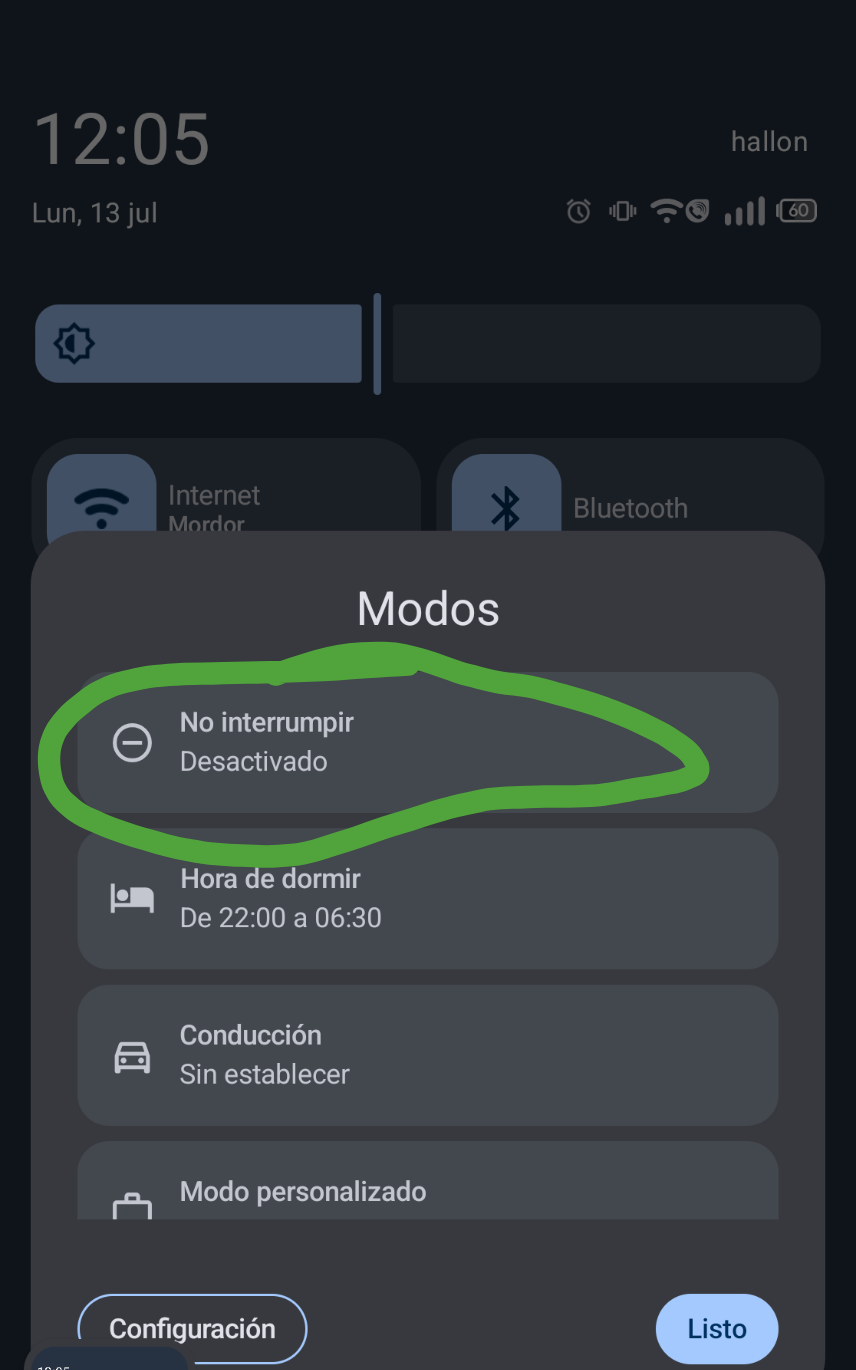
What is the position of your switch then? Can you move it?
Yes, I can move it. It is now at the upper setting, as in off. Bit it makes no difference.
Finally found that Do not Disturb setting. Switched it off. And it works as it should. Thank you for your advice, everybody.